Subscribe to AI newsletter
Your data is completely secure with us. We don't share it with anyone.
Discover 4986 Midjourney --sref codes and style references to improve the aesthetic of your images generated using for Midjourney.
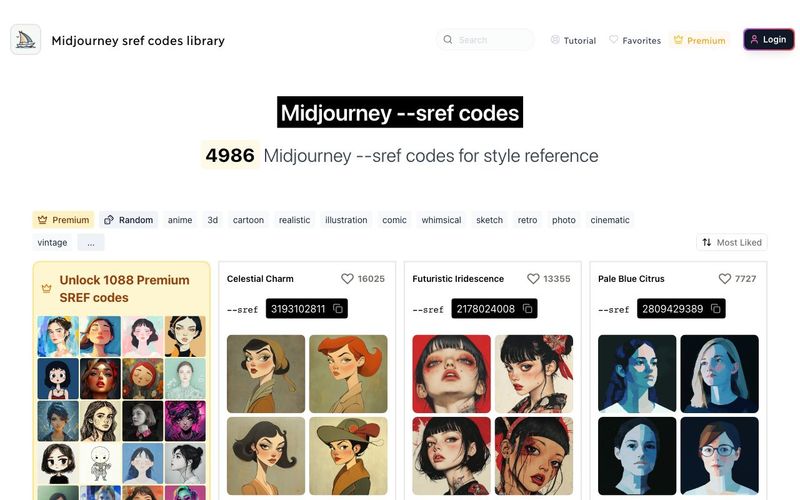
SREF codes (Style Reference codes) is a Midjourney feature that allows you to apply specific visual styles to your image generations.
A --sref code is a seed number (for example: 2213253170) that replaces complex style descriptions, making it easier to consistently create images with particular aesthetics.
To use --sref codes, you need to add the --sref parameter followed by the desired code number. You can easily copy sref codes from here by clicking on any code from this library.
Example: /imagine prompt: a serene landscape --sref 2213253170
SREF codes (Style Reference codes) is a Midjourney feature that allows you to apply specific visual styles to your image generations.
A --sref code is a seed number (for example: 2213253170) that replaces complex style descriptions, making it easier to consistently create images with particular aesthetics.
Yes, you can use multiple SREF codes to combine different styles. Simply add the --sref parameter once, followed by the codes you want to use.
Example: /imagine prompt: a serene landscape --sref 2213253170 4114158294
You can also weight the influence of each style by adding a colon and a number after the SREF code. Higher numbers give more influence.
Example: /imagine prompt: a serene landscape --sref 2213253170::2 4114158294::1
Midjourney allows you to use a random SREF code by using the keyword "random" instead of a specific code number. This can be a fun way to discover new styles and get unexpected results.
To use a random SREF code, simply add --sref random to your prompt.
Example: /imagine prompt: a serene landscape --sref random
You can also combine random SREF codes with specific ones or use multiple random codes:
/imagine prompt: a serene landscape --sref random 2213253170
/imagine prompt: a serene landscape --sref random random
After image generation, Midjourney will replace the "random" keyword with the actual SREF code number used, allowing you to see and reuse the specific style if desired.
Explore our SREF code library on this website to find codes that match your desired style. You can also experiment with different codes to discover new aesthetics.
Use tags to filter the library by style, for example: dreamlike art style.
SREF codes are easy to share and experiment with, and that's why we build this --sref codes library.
However, a sref code is just a number, so it's hard to know what it does.
That's why we tried to group them in categories do you can easily find --sref codes by art style.
For example, you can find --sref codes for fantasy art, with muted colors , or a cinematic art style easily.
Share practical notes and help others evaluate this tool.
No comments yet. Start the conversation.


Explore curated Codex skins, save favorites, and customize Codex Desktop on macOS or Windows with native UI preserved.

NanoBananaAI is a free AI image generator powered by Nano Banana Pro, Google's advanced image model. Create, edit, and transform stunning visuals with natural language prompts. No design skills needed.

Create faceless reels from an idea or script. Review the hook, voiceover, visuals, captions, and scene plan before generation.

Discover Nano Banana, the next-generation multimodal model for context-aware image generation and editing. Combine text and image prompts to create, edit, and refine visuals with unmatched consistency and style.



This comprehensive guide explores the best AI image generators available in 2026, highlighting their unique features, strengths, and ideal use cases. We'll dive deep into each tool's capabilities to help you identify which AI image generator best suits your creative needs.

Google has just launched a powerful AI IDE code editor — now you can really vibe while coding

The best AI Model And AI Tools in 2026,The Most Popular Free AI Model And AI Tools.