Subscribe to AI newsletter
Your data is completely secure with us. We don't share it with anyone.
Free browser-based text-to-image tool with multi-model switching (FLUX, Stable Diffusion, Z Image Turbo, Qwen). No account, no credits, instant download. Host-dependent limits.

Perchance AI Image Generator is a browser-based text-to-image workspace that lets you create images from natural-language prompts without creating an account. The entire tool lives on the homepage — no separate app, no login wall, and no paid Pro tier sold on the site. You choose from a dropdown of public AI models, describe your scene, generate, and download the result.
What sets it apart is multi-model access in one control panel. Options include Z Image Turbo (the default for speed), FLUX.1 [dev], FLUX.1 [Schnell], FLUX.2 variants, Stable Diffusion 3 / 3.5, Qwen Image, and realism LoRAs. Because generation routes to free public model hosts, reliability depends on those hosts — queues, rate limits, or outages can occur. The site's recommended workaround is simple: if one model stalls, switch to another and retry.
It's best suited to fast creative iteration — portraits, characters, scenes, product mock ideas, and playful concepts — rather than guaranteed high-volume production output. For a free, no-account workflow with model variety, it's a practical starting point.
Perchance AI Image Generator is a free, no-sign-up text-to-image website. You write a prompt in the browser workspace, pick a public model, and generate images you can download immediately. It is built for fast creative experiments without accounts, credits, or paid tiers on this site.
Open the workspace on this page. (1) Choose a model. (2) Enter a clear English or natural-language prompt describing the subject, style, lighting, and mood. (3) Set aspect ratio and optional steps or guidance when the model supports them. (4) Click generate, wait for the result, then download. If a model fails or sits in a long queue, switch to another model and try again.
Your browser sends the prompt and settings to free public model hosts. Those hosts run the selected image model and return the image to your browser for preview and download. We do not sell generation credits; capacity depends on the availability of each host.
Not one model — a multi-model workspace. Options include Z Image Turbo (default), FLUX.1 [dev], FLUX.1 [Schnell], FLUX.2 variants, Stable Diffusion 3 / 3.5, Qwen Image, realism LoRAs, and more. Popularity ordering can change; Z Image Turbo is pinned first for speed.
Yes — this site is free to use with no account and no paid Pro, Professional, or credit packs sold by us. There is no upgrade wall on perchanceaiimagegenerator.app. Performance still depends on free public hosts, which can rate-limit or go offline.
We do not assign a fixed daily quota or reset clock on this site. Limits come from each free model host: queues, temporary outages, rate limits, or cold starts. When one path is busy, switch models. That is the practical limit users hit most often in 2026.
Filters and safety rules depend on the third-party model host you use — not a single site-wide “uncensored” mode. Some hosts block adult or sensitive prompts; others are more permissive. You must follow our Terms: no illegal content, no harm to minors, and no non-consensual intimate imagery. Local laws always apply.
Acceptable use is defined in our Terms & Conditions. Hosts may still refuse prompts that violate their own policies even when our Terms allow experimentation. You are responsible for prompts and for how you use outputs (copyright, publicity rights, and prohibited content under your local law).
Use the official site at perchanceaiimagegenerator.app. The image workspace is on the homepage — no separate app install or login. Bookmark this page for the direct link in 2026 and beyond.
This product is a living multi-model workspace, not a numbered “v2/v3” generator lock-in or a third-party review blog. Model availability evolves as public hosts change. For an honest 2026 snapshot: free access, browser-only generation, multi-model switching, and host-dependent reliability — try it above rather than relying on a static review score.
For assistance, use the on-page workspace and FAQ; if a model fails, switch models and retry. The site links to Terms & Conditions, Privacy Policy, Cookie Policy, and Terms of Service in the footer. No paid support tier or account dashboard is offered. Contact details beyond the provided email are not listed on the site.
Share practical notes and help others evaluate this tool.
No comments yet. Start the conversation.


AI Image Extender is a free online tool that uses generative AI to expand images beyond their original boundaries. Easily uncrop photos, adjust aspect ratios, and extend backgrounds while preserving quality.

CreateForge AI is a creative workspace that lets you generate images and videos using a variety of AI models, including Nano Banana, Seedream, Grok Imagine, Veo, Flux, GPT Image, and Seedance. It offers prompt writing, model selection, protected quotes, and a private library to store your results.

SearchSpot is an AI travel planner that compares flights, hotels, restaurants, and transport, and builds a shared itinerary with live prices, AI reasoning, and group collaboration. Free forever.
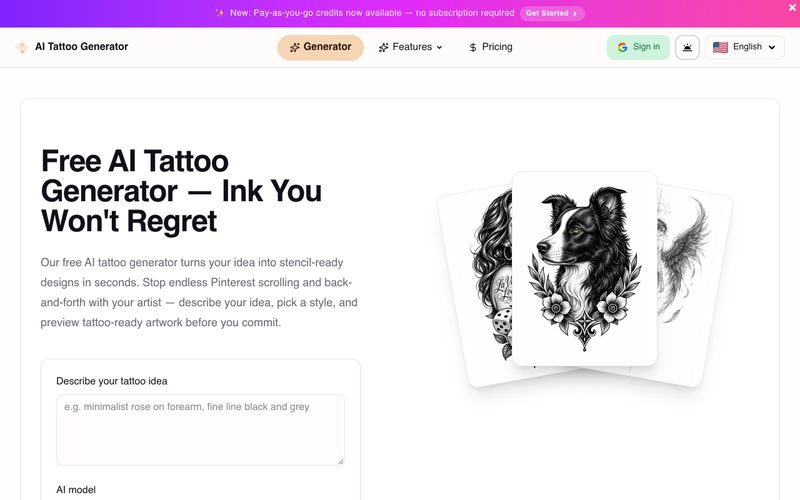
Generate stencil-ready tattoo designs from text with AI. Explore minimalist, traditional, and geometric styles. Get 10 free credits on signup. Bring ideas to a real artist for final adjustments.



This comprehensive guide explores the best AI image generators available in 2026, highlighting their unique features, strengths, and ideal use cases. We'll dive deep into each tool's capabilities to help you identify which AI image generator best suits your creative needs.

Google has just launched a powerful AI IDE code editor — now you can really vibe while coding

The best AI Model And AI Tools in 2026,The Most Popular Free AI Model And AI Tools.