Subscribe to AI newsletter
Your data is completely secure with us. We don't share it with anyone.
Stop struggling with prompts. Z-Image delivers photorealistic results and legible text for key visuals, posters, and product shots.
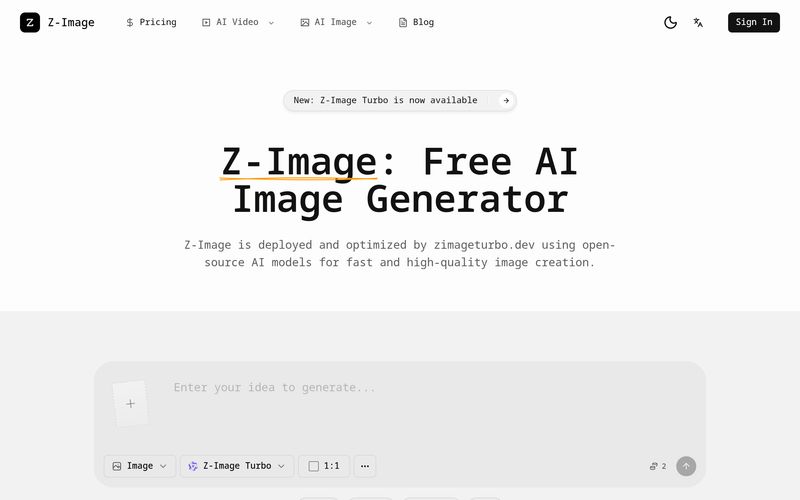
As AI-powered creativity continues to evolve, creators are constantly searching for an AI tool that combines speed, affordability, and professional-quality output. Z-Image positions itself as a next-generation solution in the Image Generation space, offering fast, high-quality visuals powered by optimized open-source AI models. Developed with technology from Alibaba’s Tongyi Lab and deployed by zimageturbo.dev, Z-Image is built for creators, marketers, founders, designers, and businesses that need polished visual assets without the traditional cost or complexity associated with premium image-generation platforms.
One of the biggest strengths of Z-Image is its focus on practical, real-world Image Generation rather than experimental art alone. While many AI image tools produce visually impressive but unusable results, Z-Image is optimized for creating commercial-ready content such as ecommerce images, product shots, posters, social media ads, brand visuals, and book covers. This makes Z-Image an especially useful AI tool for businesses and content creators who require fast turnaround times and production-quality assets.
A standout feature that separates Z-Image from many competitors is its advanced typography capability. Unlike older AI models that struggle with text accuracy and often generate unreadable letters, Z-Image excels at rendering clear, legible text directly inside images in both English and Chinese. This dramatically reduces editing time and makes it ideal for poster design, marketing materials, social graphics, and branded content where typography matters. For creators producing bilingual content or campaigns for Asian audiences, this becomes a major advantage.
Another area where Z-Image shines is speed and efficiency. Thanks to its lightweight Turbo architecture, the platform delivers high-resolution images in an incredibly short amount of time without requiring expensive GPUs or complicated software setups. Everything runs through a sleek web-based interface, meaning users can focus on creativity while cloud infrastructure handles the technical workload. Whether generating visuals from text prompts or refining existing images through image-to-image workflows, the process remains smooth and accessible.
In terms of visual quality, Z-Image delivers cinema-grade photorealism with 4K-level clarity, realistic textures, accurate lighting, and natural reflections. Combined with smart prompt enhancement, even beginners can produce impressive visuals by entering simple descriptions. Instead of requiring prompt-engineering expertise, Z-Image intelligently expands ideas into more detailed creative instructions for better outputs.
Perhaps one of the most distinctive aspects of Z-Image is its strong understanding of Asian aesthetics and cultural context. Unlike many Western-trained models that sometimes miss cultural nuances, Z-Image is deeply trained on Eastern fashion, architecture, art, and visual storytelling, making it particularly effective for Asian brands and creators seeking authentic localized visuals.
Overall, Z-Image stands out as a highly efficient AI tool in the Image Generation category. With lightning-fast performance, commercial-ready outputs, natural language editing, accurate text rendering, and cultural intelligence, Z-Image offers a practical and cost-effective solution for creators who want professional-quality images without unnecessary friction.
Explain the subject, style, and use case so the model understands the brief.
Choose text-to-image or image-to-image, then select the model and size that match your output.
Create several options, compare results, and adjust your prompt or references for better alignment.
Export the best image and place it in ads, product pages, or social posts.
Z-Image is an AI image generator built by the Alibaba Group team behind Tongyi. It is for marketers, founders, designers, and creators who need high-quality visuals fast—product shots, ads, banners, and social content. Z-Image focuses on realistic results, quick iteration, and clear Chinese and English text in images so your content looks ready to publish.
Yes. Z-Image-Turbo is released under the Apache-2.0 license, so commercial use is allowed. As a gentle reminder, please follow local laws and platform rules for the content you generate.
Z-Image uses a credit-based system for generation. Each image costs a certain number of credits depending on the model and settings you choose. You can see your remaining credits before you generate and decide whether to adjust the size or model to fit your budget. For exact pricing details and current plans, check the pricing page so you know how many images you can create for your project.
We support 9 professional aspect ratios including 1:1, 16:9 (widescreen), and 9:16 (mobile/story). Images are generated as high-fidelity PNGs, ready for use in any design software.
Yes, this is a core strength. Unlike many AI models that produce gibberish, Z-Image is optimized to render clear, accurate text in both English and Chinese. Perfect for posters, book covers, and social media graphics.
Not at all. You just need to describe your idea simply. Z-Image Turbo's built-in instruction following capabilities understand natural language well, filling in the artistic details automatically to generate professional results.
Use the "Seed" feature in Advanced Settings. By locking the seed value (e.g., sticking to one number), you can tell the AI to maintain the same character look or lighting style across different prompts.
Share practical notes and help others evaluate this tool.
No comments yet. Start the conversation.


Explore curated Codex skins, save favorites, and customize Codex Desktop on macOS or Windows with native UI preserved.

NanoBananaAI is a free AI image generator powered by Nano Banana Pro, Google's advanced image model. Create, edit, and transform stunning visuals with natural language prompts. No design skills needed.

Create faceless reels from an idea or script. Review the hook, voiceover, visuals, captions, and scene plan before generation.

Discover Nano Banana, the next-generation multimodal model for context-aware image generation and editing. Combine text and image prompts to create, edit, and refine visuals with unmatched consistency and style.



This comprehensive guide explores the best AI image generators available in 2026, highlighting their unique features, strengths, and ideal use cases. We'll dive deep into each tool's capabilities to help you identify which AI image generator best suits your creative needs.

Google has just launched a powerful AI IDE code editor — now you can really vibe while coding

The best AI Model And AI Tools in 2026,The Most Popular Free AI Model And AI Tools.