Subscribe to AI newsletter
Your data is completely secure with us. We don't share it with anyone.
Wisegrid is a spreadsheet-native work management platform. Keep the familiar grid and add dashboards, Gantt, board and calendar views, forms, automations, approvals, resource planning, and AI formulas like =CLASSIFY, =EXTRACT and =SUMMARIZE inside cells. One plan at $19 per editor per month with every feature included, free view-only collaborators, and a 7-day free trial with no credit card required.
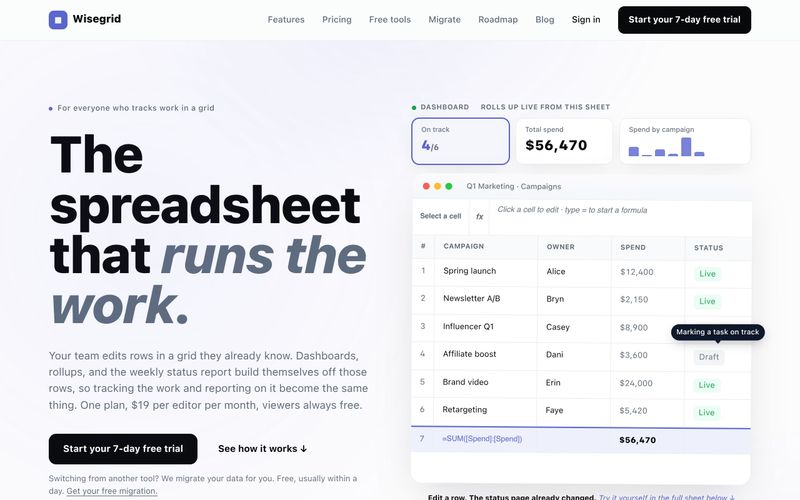
Wisegrid is a spreadsheet-native work management platform built for project-driven teams that need more structure, automation and visibility without giving up the familiar grid. It is designed for teams already running projects, schedules, budgets, requests, approvals and reporting in Excel, Google Sheets or Smartsheet — and finding that as operations grow, information scatters, updates stay manual, and a reliable view of progress gets harder to maintain.
Instead of forcing a new system on your team, Wisegrid keeps the grid as the source of truth and builds the app layer around it. You get the familiar rows, columns, formulas, hierarchies, copy-and-paste and cross-sheet references, plus dashboards, Gantt, board and calendar views, forms, workflow automation, approvals, resource planning and real-time reporting. AI works directly inside cells, so any column that needs judgment can be handled with a formula.
Wisegrid is especially useful for construction companies, engineering firms, professional services teams, agencies and other spreadsheet-heavy businesses. Typical use cases include project planning, budget tracking, resource allocation, request management, approval workflows, client reporting and portfolio dashboards. Teams use it to reduce manual reporting, standardize recurring processes, improve project visibility, and scale operations without adopting a complex enterprise system.
【小红书爆款推荐】姐妹们,今天必须把 **Wisegrid** 这个宝藏工具安利给所有还在被 Excel 和表格折磨的打工人!它真的不是普通表格,而是把 **电子表格原生工作管理** 玩明白了——你每天用的行、列、公式、跨表引用全都在,熟悉的网格一点没变,但突然就能一键切换 **甘特图、看板、日历**,还能自动生成 **实时仪表盘和项目报表**,周报直接自己长出来,也太省心了吧!最戳我的是 **AI 公式**:在单元格里写 `=CLASSIFY` 自动给反馈打标签、`=EXTRACT` 从邮件里抠发票号、`=SUMMARIZE` 一键总结长线程,结果就像普通单元格值一样乖乖躺在表里,做表再也不用靠肉眼一行行看。还有 **表单收集、工作流自动化、多级审批、资源规划、可复用蓝图**,项目管理一条龙全包了。而且价格真的良心:**一个套餐 $19/编辑者/月**,所有功能全开,**只读协作者永久免费**,7 天免费试用还不用绑卡,从 Smartsheet 迁移也是自助的。表格党、项目经理、建筑和工程团队真的可以冲!
Wisegrid is designed to feel familiar to anyone who works in spreadsheets. Here is how to get started:
Wisegrid is priced at one plan: $19 per editor per month with every feature included. You only pay for editors; view-only collaborators are always free, however many you invite. There is no seat minimum, and billing prorates automatically when you add or remove editors.
Every account starts with a 7-day free trial, and no credit card is required to start it. Because we never have your card during the trial, nothing can be charged automatically. There is no free tier for new accounts, but your data never becomes hostage either: see the next answer for exactly what happens on day 7.
You pay $19 per month for each person who can edit (editors and admins). View-only collaborators are always free, however many you invite, and are never quietly converted into a paid seat. You only ever pay for the people who edit.
On day 7 editing locks and everything you built stays saved and viewable, free, for as long as you like. Nothing is charged, because we never took a card. To keep editing, add a card and pick up exactly where you left off at $19 per editor. We email you the day before so it is never a surprise, and you can export everything at any time, trial or not.
Yes. Add or remove editors whenever you like and billing prorates automatically. You manage seats, your card, and invoices self-serve in the Stripe Customer Portal. No sales call.
We size included storage so it stays sustainable as we grow. No asterisks, no surprise throttling. If you ever reach the cap, your existing files stay fully accessible; only new uploads are blocked until you free up space. Cell data is never affected; only attachments count toward storage.
New attachment uploads are blocked with a prompt to free up space. Existing files stay accessible. Nothing is deleted. Your cells and formulas are never touched.
AI functions (=CLASSIFY, =EXTRACT, =SUMMARIZE, =AI) draw on a $5 monthly AI allowance included with the plan. Usage is metered to the cent against that allowance, and the allowance is a hard ceiling: when it runs out, AI cells simply stop resolving until next month. They never silently overspend. Need more before the reset? Buy top-up credit anytime at face value; top-ups carry over.
No. Everything is self-serve, from the trial to live billing. If you want a custom enterprise contract (audit logs, MSA), email ryan@wisegrid.co.
The founder. Email ryan@wisegrid.co and the person who wrote the code replies. No ticket queue, no tier-1 script, no "have you tried clearing your cache" runaround.
Wisegrid offers direct, founder-led support. Email ryan@wisegrid.co and the person who wrote the code replies — no ticket queue, no tier-1 script, no "have you tried clearing your cache" runaround.
The platform also provides self-service resources: a blog with product updates, migration guides and lessons from building Wisegrid; templates, guides, formulas documentation and API docs; and a free tools section with 49 tools including a meeting minutes generator, Gantt chart maker, timesheet builder, RACI matrix generator, risk matrix generator, burndown chart generator, project timeline maker, work breakdown structure builder, construction estimate builder, project budget builder, change order generator, status report generator, project charter generator, issue log builder and action item tracker.
For migrations, Wisegrid offers a self-serve Smartsheet importer that uses a read-only token and never writes to your Smartsheet account, plus free concierge migration where the founder personally migrates your sheets, formulas and attachments, usually within a day. Excel and CSV exports are supported, and one Export Bundle downloads each sheet as Excel plus every attachment. The platform also includes a REST API and signed webhooks for connecting with external systems.
Security features include SSO and MFA included on the single plan, nightly off-site backups with restore testing, and permission controls that are private by default with sharing by person, group or domain.
For custom enterprise contracts including audit logs and MSA, you can email ryan@wisegrid.co directly. Billing management is self-serve through the Stripe Customer Portal, where you can manage seats, cards and invoices without a sales call.
Share practical notes and help others evaluate this tool.
No comments yet. Start the conversation.

Welcome to "AI Business," a comprehensive directory of top-tier AI tools. Here, you'll find a variety of AI tools designed to help you succeed in business operations. From data analysis to customer service, the "AI Business" directory covers all AI tools. Whether you are a startup or a large enterprise, our "AI Tool" resources will meet your needs. Explore our "All in AI Tools" directory to find the perfect AI tool for enhancing your business efficiency and competitiveness.
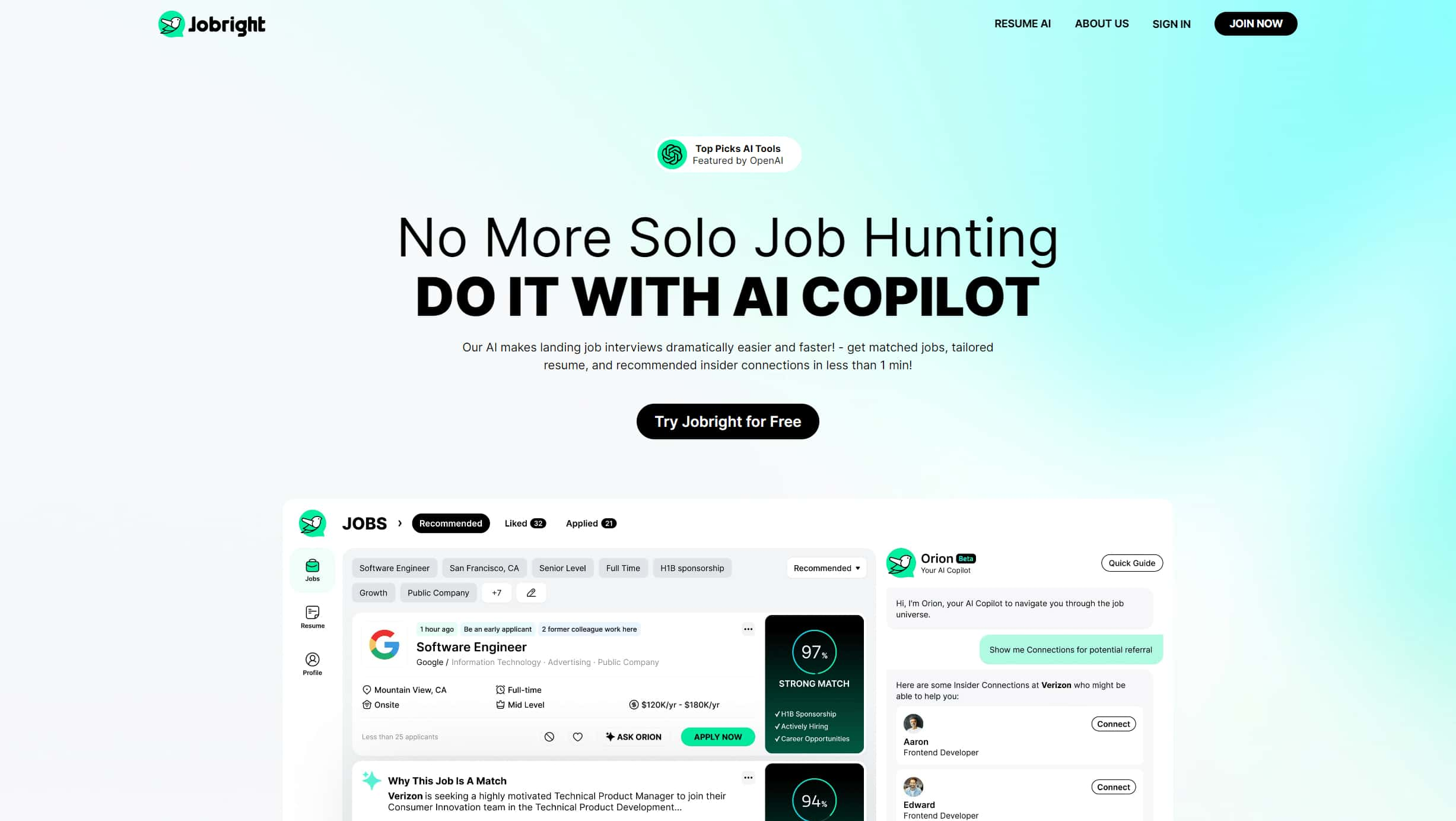
Jobright AI focuses on resume generation through powerful AI technology, providing a one-stop resume creation service. Whether you are a job seeker or a recruiter, you can benefit from this tool, greatly enhancing the efficiency and quality of resume creation.

Mako AI is the world’s first AI-powered investment associate designed to revolutionize the workflows of private equity, asset management, and professional services firms. With the ability to analyze vast amounts of data, synthesize insights, and streamline decision-making processes, Mako AI serves as an invaluable assistant for professionals looking to enhance their research, analysis, and reporting capabilities.
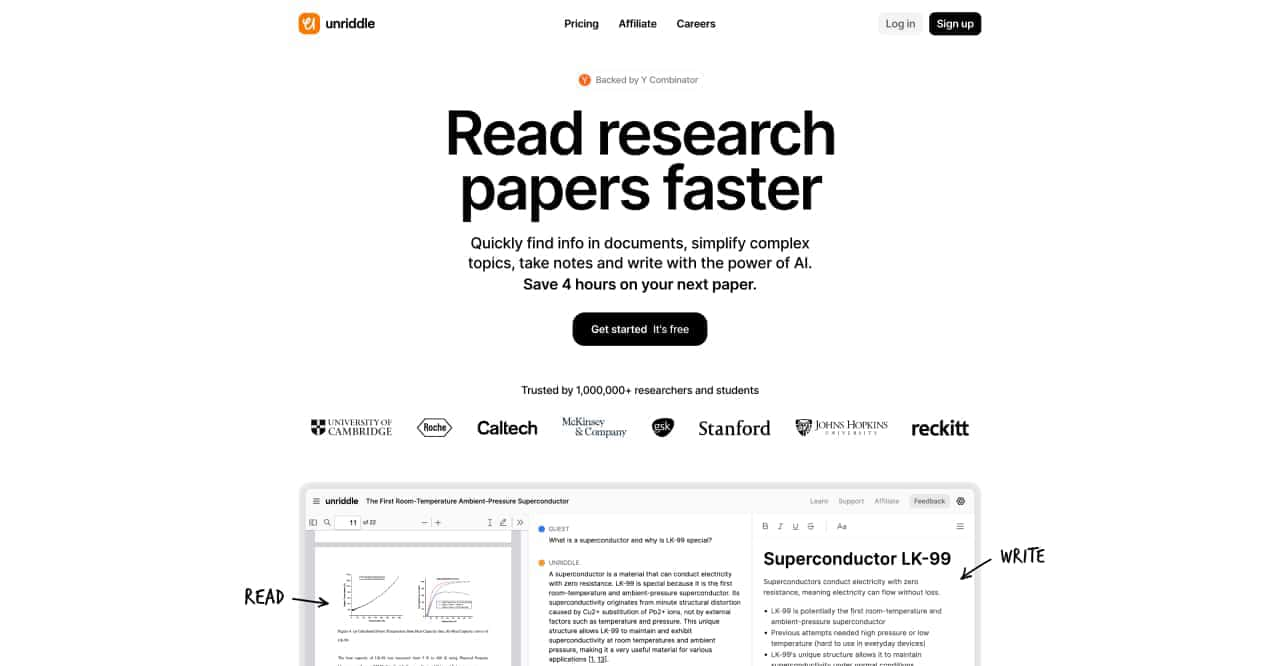
Simplify complex docs, ask questions and get answers instantly

LLM GPU Helper is an online platform focused on open source AI models, providing services such as computation of GPU memory required for local deployment of AI models, AI model recommendation and access to AI model knowledge base.



This comprehensive guide explores the best AI image generators available in 2026, highlighting their unique features, strengths, and ideal use cases. We'll dive deep into each tool's capabilities to help you identify which AI image generator best suits your creative needs.

Google has just launched a powerful AI IDE code editor — now you can really vibe while coding

The best AI Model And AI Tools in 2026,The Most Popular Free AI Model And AI Tools.