Subscribe to AI newsletter
Your data is completely secure with us. We don't share it with anyone.
Seedream 5.0 AI is a free online AI creative platform providing text-to-image generation, AI video creation, image editing, and style control at up to 2K resolution.
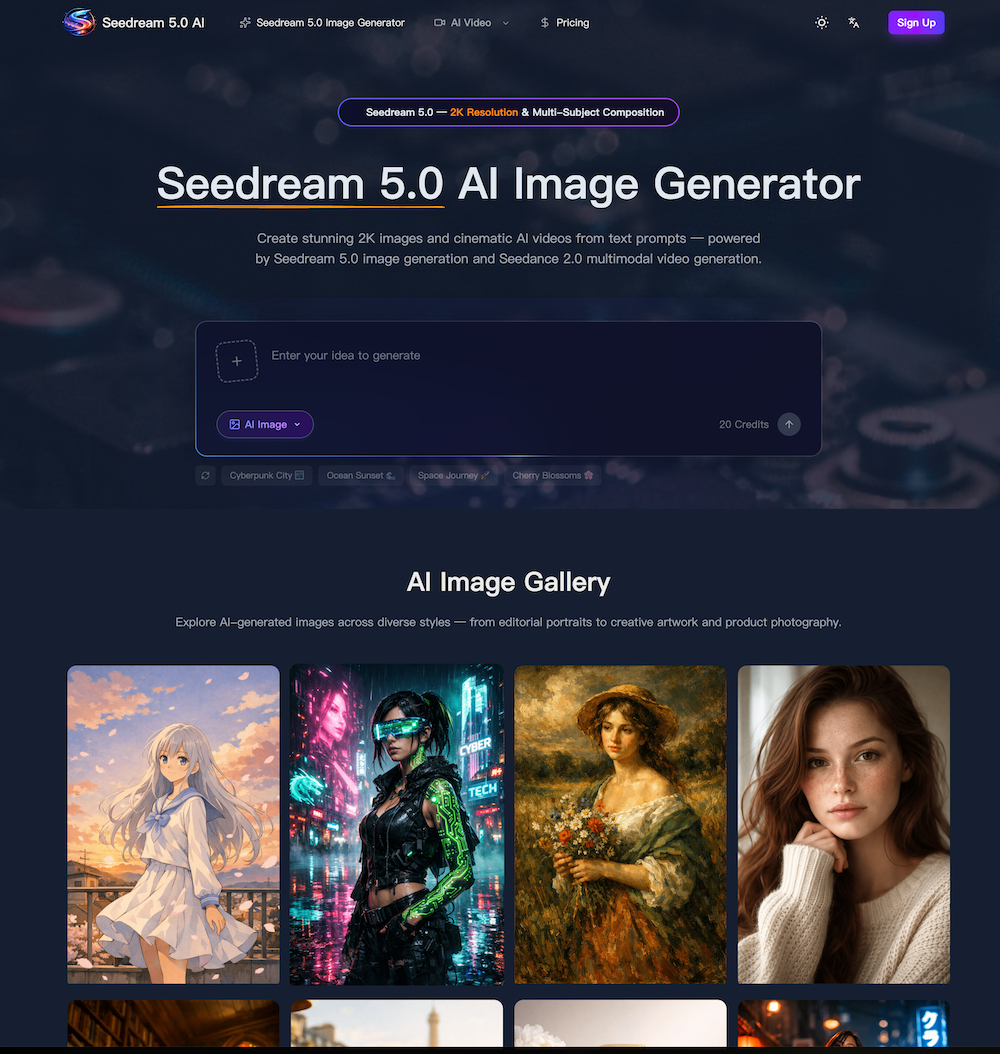
Seedream 5.0 AI stands out as a next-generation AI tool that redefines what creators can expect from modern Image Generation platforms. Built on a fifth-generation diffusion transformer architecture, this AI tool delivers stunning 2K resolution outputs with exceptional detail, making it highly competitive against leading solutions in the market. What makes Seedream 5.0 AI particularly compelling is its ability to seamlessly combine high-quality image generation with cinematic video capabilities powered by Seedance 2.0, offering a unified creative workflow that few tools can match.
From a practical standpoint, this AI tool excels in both text-to-image and image-to-image generation. Users can simply describe a concept and receive photorealistic visuals with accurate lighting, textures, and composition. The advanced prompt understanding ensures that even complex instructions—such as multi-subject scenes or detailed environmental settings—are interpreted correctly in a single pass. This significantly reduces iteration time, which is a major advantage for designers, marketers, and content creators working under tight deadlines.
Another highlight of Seedream 5.0 AI is its flexible style control. Whether you need photorealism, anime, cyberpunk, watercolor, or 3D rendering, this AI tool adapts through natural language prompts or reference images. Combined with its natural-language editing capabilities, users can refine outputs effortlessly by simply describing changes like background replacement or style adjustments. This lowers the barrier to entry, making professional-grade Image Generation accessible even to non-designers.
In addition, the integration of Seedance 2.0 for video generation adds a powerful dimension to this AI tool. Creators can transform static images into short cinematic clips with synchronized audio, making it ideal for social media, advertising, and storytelling. The speed is equally impressive—images generate in seconds, while videos are completed within minutes—helping teams scale content production efficiently.
Overall, Seedream 5.0 AI is more than just an Image Generation solution; it is a comprehensive AI tool designed for modern creative workflows. Its combination of high-resolution output, intelligent prompt handling, multi-subject composition, and integrated video capabilities makes it a strong choice for anyone looking to produce studio-quality visuals quickly and consistently.
Describe the image or video you want — subjects, style, lighting, camera angle, and mood are all interpreted accurately.
Choose aspect ratio, output format, duration, and style — text-to-image and image-to-video handled in one workflow.
Your request processes in seconds for images, minutes for video — download at up to 2K resolution, ready to publish.
This is a fifth-generation diffusion transformer model that handles both image and video generation. It produces visuals at up to 2K resolution from text prompts or reference media. The model covers text-to-image, image-to-image editing, text-to-video, image-to-video, and motion control — all within a single workflow. It is built for creators, designers, marketers, and e-commerce teams who need studio-quality content without manual post-production.
Core capabilities include 2K image generation with photorealistic detail, Seedance 2.0 cinematic video output with synchronized audio, advanced prompt understanding that handles spatial layout and lighting, multi-subject composition for three or more characters, native style control across ten-plus visual styles, and natural-language image editing. Seedance 2.0 video generation supports durations from three to fifteen seconds. Images can be output in PNG, JPEG, or WebP at custom aspect ratios.
Independent benchmarks show competitive or superior results compared to DALL-E 3, Midjourney, and Stable Diffusion XL in prompt adherence, photorealism, and multi-subject accuracy. Inference runs roughly forty percent faster while maintaining 2K output. For video, Seedance 2.0 produces cinematic clips with lip-sync audio, competing with Runway Gen-3 and Pika in visual fidelity and temporal coherence.
You provide a text prompt or upload a reference image, then select Seedance 2.0 as your model, set duration, aspect ratio, and whether to include audio. Seedance 2.0 generates a cinematic video clip in the cloud and returns a downloadable MP4. Text-to-video mode creates entirely new footage from a description. Image-to-video mode animates a still image based on your prompt. Motion control mode transfers movement from a reference video onto a character image.
Seedance 2.0 video output ranges from three to fifteen seconds. Supported aspect ratios include 16:9, 9:16, and 1:1. Resolution goes up to 2K. Audio generation is available and adds synchronized dialogue or ambient sound. The Seedance 2.0 motion control mode accepts reference videos between three and thirty seconds and outputs at 720p or 1080p.
Images generate at up to 2K resolution (2048×2048 pixels). Supported aspect ratios are 1:1, 4:3, 3:4, 16:9, 9:16, and 21:9 — plus custom dimensions rounded to the nearest 32 pixels. Output formats include PNG, JPEG, and WebP. Prompts support up to 5,000 characters, giving you room for detailed scene descriptions, style references, and lighting instructions.
Yes. New accounts receive free credits to explore both image and video generation. Image generation starts from three credits per image; video costs vary by model and duration, starting from twenty-five credits for short clips. If you need more capacity, one-time credit packs and subscription plans are available with savings up to fifty percent off the standard rate.
Yes. All generated images and videos are cleared for commercial use including advertising, social media, product marketing, editorial content, and print. There are no royalty fees or per-use charges beyond the initial credit cost. Outputs belong to you, so you can edit, redistribute, or incorporate them into client deliverables without additional licensing.
Upload an existing image and describe the changes you want in natural language. The model preserves overall composition while applying targeted edits — style transfer, object removal, background replacement, color grading, or detail enhancement. You can also upload reference images for guided style transfer, letting the model blend source content with a target aesthetic while keeping the original structure intact.
The model supports photorealism, anime, cyberpunk, watercolor, oil painting, 3D rendering, minimalist illustration, cinematic color grading, and vintage photography. Style is controlled through text prompts or by uploading a reference image. You can combine multiple style keywords in a single prompt — for example, cinematic lighting with watercolor textures — to create unique hybrid aesthetics.
A single 2K image typically completes in five to ten seconds. Video generation takes thirty seconds to several minutes depending on duration and model complexity. The architecture runs roughly forty percent faster than previous versions and supports batch image generation when multiple outputs are needed from the same prompt.
Yes. For image generation, you can upload reference images for style transfer, editing, or guided composition. For video generation, image-to-video mode accepts a start frame (and optional end frame) to control the animation arc. Motion control mode accepts a reference video to transfer body movement onto a character image. Supported formats include PNG, JPEG, WebP for images and MP4, MOV, WebM for video.
Yes. The generator works on Chrome, Safari, Firefox, and Edge across desktop, tablet, and mobile devices. All rendering happens in the cloud, so your device only needs a stable internet connection. The responsive interface adapts to smaller screens with a collapsible sidebar and touch-friendly controls for prompt editing, media upload, and video playback.
Start with the main subject, then layer in environment, lighting, camera angle, and artistic style. Use commas to separate concepts rather than writing long compound sentences. For multi-subject scenes, describe each character individually before specifying their interaction. Terms like 'cinematic lighting,' 'shallow depth of field,' or 'golden hour' consistently improve image quality. For video prompts, describe motion and camera movement explicitly — for example, 'slow zoom in' or 'tracking shot following the subject from left to right.'
Create a free account to receive starter credits immediately. From the dashboard, choose the image generator or video generator tab. Type a text prompt describing the visual you need, then adjust optional settings like aspect ratio, style, duration, and audio. Click generate and the model processes your request in the cloud. Images arrive within seconds; videos complete within a few minutes. Download the output directly, or adjust your prompt and re-generate to refine the result further.
Yes. The generator excels at product photography thanks to precise control over lighting, background, and composition. Upload a product photo and describe the desired setting — marble surface, lifestyle scene, or transparent background — and the model renders a professional result. Many e-commerce teams rely on this workflow to produce consistent catalog imagery across hundreds of SKUs without booking a physical photo studio, cutting production time from days to minutes.
Share practical notes and help others evaluate this tool.
No comments yet. Start the conversation.


Explore curated Codex skins, save favorites, and customize Codex Desktop on macOS or Windows with native UI preserved.

NanoBananaAI is a free AI image generator powered by Nano Banana Pro, Google's advanced image model. Create, edit, and transform stunning visuals with natural language prompts. No design skills needed.

Create faceless reels from an idea or script. Review the hook, voiceover, visuals, captions, and scene plan before generation.

Discover Nano Banana, the next-generation multimodal model for context-aware image generation and editing. Combine text and image prompts to create, edit, and refine visuals with unmatched consistency and style.



This comprehensive guide explores the best AI image generators available in 2026, highlighting their unique features, strengths, and ideal use cases. We'll dive deep into each tool's capabilities to help you identify which AI image generator best suits your creative needs.

Google has just launched a powerful AI IDE code editor — now you can really vibe while coding

The best AI Model And AI Tools in 2026,The Most Popular Free AI Model And AI Tools.