Subscribe to AI newsletter
Your data is completely secure with us. We don't share it with anyone.
One for all uncensored image editor, free to use, remove objects, enhance quality, upscale resolution, and more.you can edit your projects faster without sacrificing on quality.
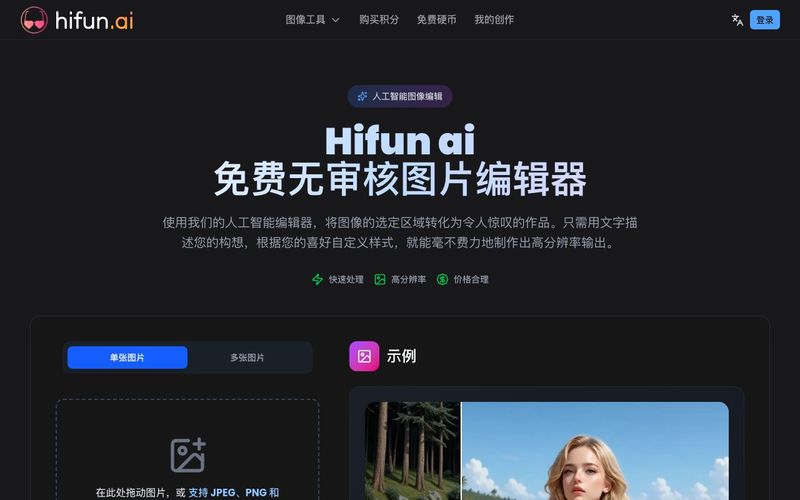
Hifun AI is a powerful, all-in-one AI tool for Image Generation and advanced photo editing, offering uncensored, high-quality results for both personal and professional projects. As a free AI-powered image editor, Hifun AI allows users to remove objects, enhance image quality, upscale resolution, and perform complex edits quickly, without compromising detail or fidelity. Its intuitive design and intelligent automation make it one of the most versatile AI tools for creative workflows.
Hifun AI leverages cutting-edge technology to transform your images with precision and creativity. Its key features include:
Auto Masking
Hifun AI’s intelligent auto-mask feature identifies and selects editing areas automatically based on your prompt. There’s no need for tedious manual selections—simply describe your vision, and the AI handles the complex masking seamlessly.
Smart Prompt Enhancement
Users can describe scenes in simple, natural language. Hifun AI automatically optimizes prompts using advanced language models, ensuring that the generated images are accurate, coherent, and visually stunning without requiring technical prompt knowledge.
Fast Cloud-Based Processing
Hifun AI runs on a robust cloud infrastructure, processing high-resolution images efficiently while minimizing the load on your local hardware. Real-time status updates keep you informed of progress, allowing rapid iterations and faster project completion.
High-Quality Outputs
Every edit produces high-resolution results with one-click download. Hifun AI preserves original image details while enabling creative transformations, making it suitable for professional design, marketing content, or personal projects.
Model Kits for Specialized Edits
Hifun AI includes advanced model kits capable of executing intricate image modifications, such as generating photorealistic character figures, realistic scene modifications, pregnancy effects, and other custom visual effects. These tools expand the possibilities of Image Generation, making it a versatile AI tool for creators.
Hifun AI stands out as a next-generation AI tool for Image Generation and image editing. By combining automation, intelligent prompt optimization, high-quality outputs, and fast cloud processing, it enables users to create stunning visuals effortlessly. Whether enhancing photos, transforming scenes, or generating creative content, Hifun AI offers a reliable and free solution for professional-grade image editing.
Upload the image you want to edit, then use our masking tool to mark the area you want to modify. The more precise your mask, the better the results.
Type a detailed description of the image effect you want to create. The more specific your prompt, the better the results. You can describe scenes, objects, styles, colors, and moods to guide the AI.
Click the 'Create' button to start the image editing process. Processing typically takes a few seconds. Once complete, you can view your edited image and download it.
Hifun AI Image Editor is an advanced AI-powered image editing tool designed to transform your photos with precision and ease. By leveraging cutting-edge artificial intelligence technology, our platform enables users to edit and enhance images through intuitive text prompts. Whether you're a professional photographer, graphic designer, or content creator, Hifun AI Image Editor delivers studio-quality results by intelligently selecting specific areas and applying your desired modifications with exceptional accuracy.
Hifun AI Image Editor stands out with powerful features including intelligent auto-masking that identifies editing areas automatically, smart prompt enhancement using advanced language models, high-resolution output supporting up to 4K quality, lightning-fast cloud processing that typically completes in seconds, and broad format compatibility including JPEG, PNG, GIF, and WebP. Our AI-powered transformations understand natural language, making professional-grade image editing accessible to everyone without requiring technical expertise or complex software.
Using Hifun AI Image Editor is simple and intuitive. First, upload your image to our platform. Then, either manually draw a mask over the specific area you want to edit, or let our AI automatically identify the region based on your text description. Next, enter a natural language prompt describing your desired changes, such as 'change outfit to bikini with beach background'. Finally, click the Process button and our AI will analyze your request, apply the edits, and generate your transformed image within seconds. No technical skills or image editing experience required.
Hifun AI Image Editor supports all major image formats to ensure maximum compatibility with your workflow. You can upload images in JPEG, PNG, GIF, and WebP formats. Our platform intelligently processes each format while preserving image quality and transparency where applicable. After editing, you can download your enhanced images in high-quality output formats suitable for both web use and print applications, ensuring your edited images maintain professional-grade quality across all platforms.
Hifun AI Image Editor delivers exceptional speed thanks to our optimized cloud infrastructure. Most image editing tasks are completed within 3-15 seconds, depending on factors such as image resolution, complexity of the editing prompt, and the extent of transformations required. Our distributed AI processing system ensures consistent performance even during peak usage times. You'll receive real-time status updates throughout the generation process, and can immediately preview and download your edited images once processing completes.
Privacy and data security are paramount at Hifun AI. All uploaded images are transmitted through encrypted connections and processed on secure cloud servers. Your images are automatically deleted from our systems immediately after processing is complete and you've downloaded your results. We never use your images for AI training or share them with third parties without your explicit written consent. Our privacy practices comply with international data protection regulations including GDPR, ensuring your creative work remains confidential and protected at all times.
We do not offer subscription plans. Instead, Hifun AI Image Editor provides a transparent one-time credit purchase system with no recurring charges or hidden fees. Simply purchase any amount of credits that suits your needs, and enjoy full access to all features without worrying about automatic renewals or surprise charges. Your payment is a one-time transaction - we will never charge your account automatically without your explicit approval. This straightforward pricing model gives you complete control over your spending while accessing professional-grade AI image editing capabilities.
Yes, absolutely! All images edited with Hifun AI Image Editor can be freely used for both personal and commercial purposes. You retain complete ownership and full commercial rights to your edited images, including the right to sell, distribute, modify, and use them in commercial projects such as advertising, marketing materials, website content, social media, print publications, and merchandise. There are no royalty fees or additional licensing requirements for commercial use of your AI-edited images, giving you complete creative and business freedom.
While Hifun AI Image Editor offers powerful and versatile editing capabilities, we maintain responsible content policies to ensure ethical AI usage. Our platform prohibits the creation of harmful, illegal, violent, or inappropriate content that violates our terms of service or applicable laws. We also restrict content that infringes on intellectual property rights or depicts unauthorized use of copyrighted materials. For detailed guidelines on acceptable use and content restrictions, please review our comprehensive terms of service and community guidelines to ensure your image editing projects comply with our policies.
Hifun AI provides comprehensive customer support to ensure a smooth image editing experience. If you encounter any technical issues or have questions, our dedicated support team is ready to assist you. You can reach us through multiple channels: submit a request via our contact form, send an email to our support team, or browse our extensive documentation library featuring step-by-step tutorials, video guides, and troubleshooting articles for common issues. Most support inquiries receive responses within 24 hours, and our knowledge base is continuously updated to help you get the most out of Hifun AI Image Editor.
Payment security is a top priority at Hifun AI. We implement industry-standard security measures including SSL/TLS encryption to protect all financial transactions. We never store your credit card details, CVV numbers, or banking information on our servers. All payment data is tokenized and encrypted, ensuring your financial information remains completely secure. You can subscribe to Hifun AI Image Editor with confidence knowing your payment details are protected by enterprise-grade security infrastructure.
Our tool integrates a suite of powerful AI-driven features to cover all mainstream image editing needs: - AI Background Removal: Instantly and accurately remove or change the background of any image, leaving a clear subject outline. - AI Image Enhancer & Upscaler: Increase image resolution and clarity. Our tool uses high-fidelity upscaling technology to make blurry photos sharp and high-quality without losing detail. - AI Object Remover (Magic Eraser): Easily select and erase unwanted objects or people from your photos. The AI seamlessly fills the space while maintaining the background's integrity. - AI Portrait Retouching: Automatically perfect portraits with features like AI skin smoothing, blemish removal, face refinement, and even virtual makeup application. - AI Image Generation: Transform text descriptions into unique, high-quality images or artwork, enabling creative exploration beyond editing. - Batch Processing: Upload and apply the same edit (like adding a watermark or resizing) to multiple images at once, saving significant time.
Share practical notes and help others evaluate this tool.
No comments yet. Start the conversation.


Explore curated Codex skins, save favorites, and customize Codex Desktop on macOS or Windows with native UI preserved.

NanoBananaAI is a free AI image generator powered by Nano Banana Pro, Google's advanced image model. Create, edit, and transform stunning visuals with natural language prompts. No design skills needed.

Create faceless reels from an idea or script. Review the hook, voiceover, visuals, captions, and scene plan before generation.

Discover Nano Banana, the next-generation multimodal model for context-aware image generation and editing. Combine text and image prompts to create, edit, and refine visuals with unmatched consistency and style.



This comprehensive guide explores the best AI image generators available in 2026, highlighting their unique features, strengths, and ideal use cases. We'll dive deep into each tool's capabilities to help you identify which AI image generator best suits your creative needs.

Google has just launched a powerful AI IDE code editor — now you can really vibe while coding

The best AI Model And AI Tools in 2026,The Most Popular Free AI Model And AI Tools.