Subscribe to AI newsletter
Your data is completely secure with us. We don't share it with anyone.
Create a caricature of me based on everything you know about me. Upload a photo and let our AI generate a personalized caricature reflecting your job, personality, and style in seconds.
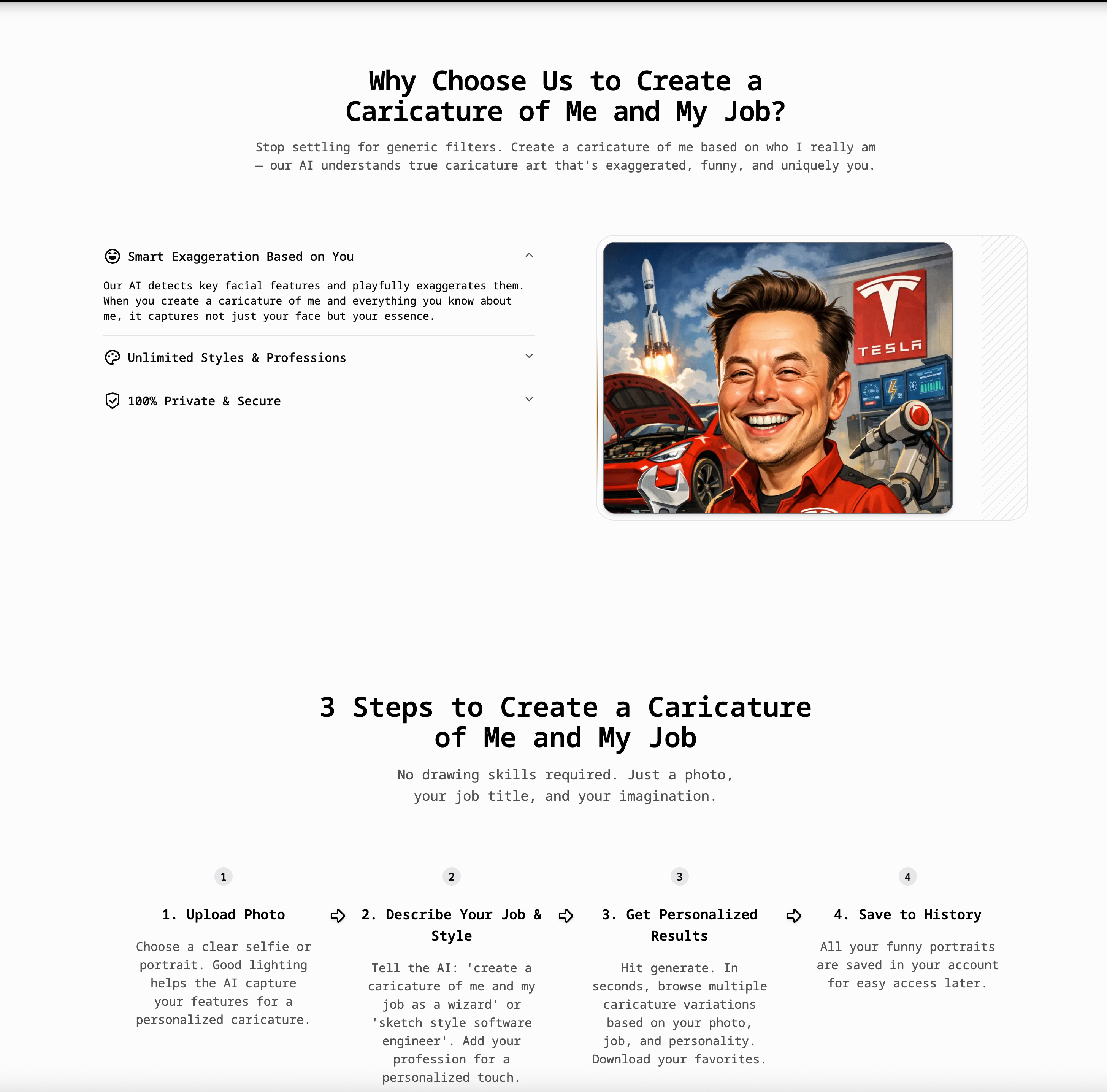
“Create a Caricature of Me” is a highly engaging and creative AI tool that brings a fresh and personalized approach to modern Image Generation. Instead of producing generic outputs, this platform focuses on turning real people into humorous, stylized caricatures by combining facial recognition with personality-driven prompts. By simply uploading a photo and describing your job, hobbies, or personality traits, users can generate unique, exaggerated portraits that are both entertaining and visually distinctive.
What makes this AI tool stand out in the crowded Image Generation space is its strong emphasis on personalization. The system doesn’t just replicate a face—it interprets it. Using advanced facial analysis, the AI maps key features and intelligently exaggerates them to create a caricature that feels both funny and recognizable. At the same time, the addition of job-based and personality prompts allows the AI to incorporate contextual elements such as clothing, props, and backgrounds. For example, a user describing themselves as a chef might appear in a kitchen setting with cooking tools, while a developer could be depicted with a laptop and coffee mug. This level of contextual awareness elevates the final output beyond simple filters or edits.
Another major strength of this AI tool is its accessibility and speed. The process is designed to be simple and intuitive: upload a photo, describe your identity or profession, and generate results in seconds. There is no need for artistic skills or complex software, making it accessible to a wide audience. Whether users want to create social media avatars, team illustrations, or personalized gifts, the platform provides a fast and efficient Image Generation workflow that delivers immediate results.
The tool also supports a wide range of creative possibilities. Users can experiment with different artistic styles, from sketch and watercolor to 3D and cartoon-inspired designs. Advanced features such as emotion control, style transfer, and even group caricature generation further expand its capabilities. This makes it suitable not only for individual use but also for team branding, event content, and marketing materials.
In addition, high-resolution outputs and commercial usage rights make the generated images practical for professional applications. Users can confidently use their caricatures for LinkedIn profiles, company websites, merchandise, or promotional campaigns. Privacy is also prioritized, with uploaded images processed securely and not shared with third parties.
Overall, “Create a Caricature of Me” is a standout AI tool in the Image Generation category, combining humor, personalization, and advanced AI technology. It transforms simple photos into expressive, story-driven artwork, making it an excellent choice for anyone looking to create unique and memorable visual content.
Choose a clear selfie or portrait. Good lighting helps the AI capture your features for a personalized caricature.
Tell the AI: 'create a caricature of me and my job as a wizard' or 'sketch style software engineer'. Add your profession for a personalized touch.
Hit generate. In seconds, browse multiple caricature variations based on your photo, job, and personality. Download your favorites.
All your funny portraits are saved in your account for easy access later.
Sign up for a free account to get starter credits. You can upload your photo and generate your first few caricatures at no cost. Just describe yourself or your job and hit generate.
Upload your photo and type a prompt that includes your profession, like 'create a caricature of me and my job as a teacher' or 'funny cartoon of me as a software engineer'. The AI will add job-related props, uniforms, and backgrounds automatically.
Yes! The more details you provide in your prompt, the more personalized the result. Describe your job, hobbies, personality traits, and preferred style. For example: 'create a caricature of me based on everything you know about me — I'm a coffee-loving developer who wears glasses and loves cats'.
For best results, combine your appearance with your profession. Try prompts like: 'create a caricature of me and my job based on this photo, big head small body, funny expression, I'm a doctor with a stethoscope, pencil sketch style'.
Absolutely! Upload one clear photo and add a detailed text description. The AI combines your facial features from the photo with personality and job traits from your prompt to create a truly personalized caricature.
Yes! Many users create a caricature of me and my job specifically for LinkedIn, company websites, Slack avatars, and business cards. The images are yours to use anywhere.
Absolutely. We use your photo only to generate the caricature. It is not shared with third parties and is deleted from our processing servers automatically.
Yes! Upload a photo of your pet, partner, or family and describe them. Try 'funny caricature of my dog as a chef' or 'create a caricature of me and my family at the beach'.
No, our tool is 100% web-based. You can create a caricature of me and my job directly from your browser on mobile or desktop — no installation needed.
The text description tells the AI HOW to draw you. Your photo provides the face, but the text provides context — your job, personality, style preference (e.g., '3D', 'Vintage', 'Cartoon'), and any props or scenes you want included.
Share practical notes and help others evaluate this tool.
No comments yet. Start the conversation.


Explore curated Codex skins, save favorites, and customize Codex Desktop on macOS or Windows with native UI preserved.

NanoBananaAI is a free AI image generator powered by Nano Banana Pro, Google's advanced image model. Create, edit, and transform stunning visuals with natural language prompts. No design skills needed.

Create faceless reels from an idea or script. Review the hook, voiceover, visuals, captions, and scene plan before generation.

Discover Nano Banana, the next-generation multimodal model for context-aware image generation and editing. Combine text and image prompts to create, edit, and refine visuals with unmatched consistency and style.



This comprehensive guide explores the best AI image generators available in 2026, highlighting their unique features, strengths, and ideal use cases. We'll dive deep into each tool's capabilities to help you identify which AI image generator best suits your creative needs.

Google has just launched a powerful AI IDE code editor — now you can really vibe while coding

The best AI Model And AI Tools in 2026,The Most Popular Free AI Model And AI Tools.