Image Splitter Online
影像生成
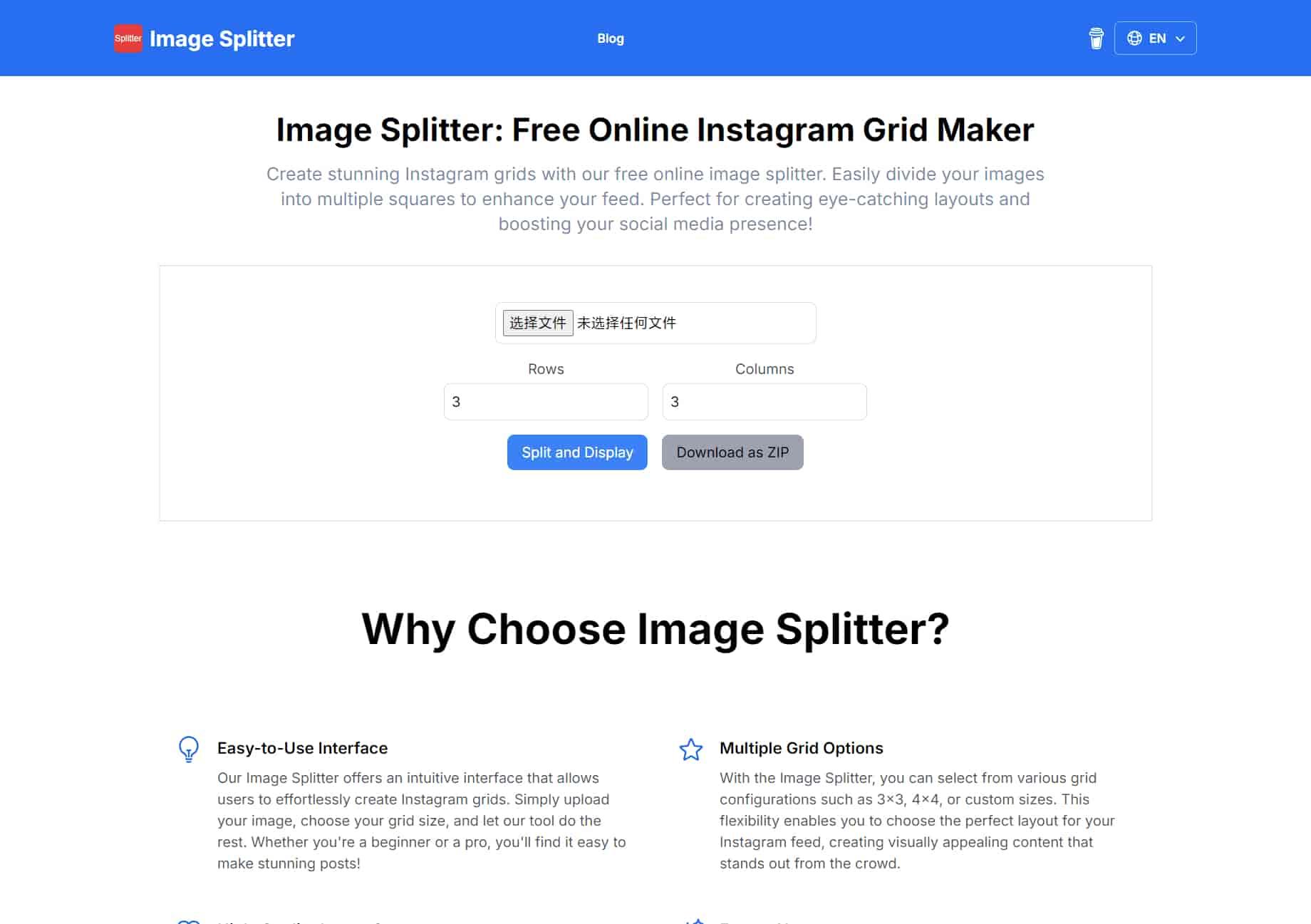
Create stunning Instagram grids with our free online image splitter. Easily divide your images into multiple squares to enhance your feed. Perfect for creating eye-catching layouts and boosting your social media presence!

What is Image Splitter Online
Easy-to-Use Interface
Our Image Splitter offers an intuitive interface that allows users to effortlessly create Instagram grids. Simply upload your image, choose your grid size, and let our tool do the rest. Whether you're a beginner or a pro, you'll find it easy to make stunning posts!
Multiple Grid Options
With the Image Splitter, you can select from various grid configurations such as 3x3, 4x4, or custom sizes. This flexibility enables you to choose the perfect layout for your Instagram feed, creating visually appealing content that stands out from the crowd.
High-Quality Image Output
We ensure that the images you split maintain their original quality. The Image Splitter processes your photos with precision, allowing you to share high-resolution images on Instagram that captivate your audience and enhance your professional image.
Free to Use
Enjoy our Image Splitter completely free! There are no hidden fees or subscriptions required. Make beautiful Instagram grids without any financial commitment, making it accessible for everyone, from hobbyists to professional influencers.
No Registration Required
You can start creating your Instagram grid without any hassle! Our Image Splitter does not require you to register or create an account, ensuring a seamless user experience. Just upload your image and start splitting right away!
Mobile-Friendly Design
Our Image Splitter is designed to work flawlessly on all devices, including smartphones and tablets. Whether you're on the go or at home, you can easily create the perfect Instagram grid anytime and anywhere!
Frequently Asked Questions
What is an image splitter?
An image splitter is a tool that allows users to divide or split a single image into multiple sections, grids, or parts. These sections can be of equal or varying sizes, depending on the user’s preference. Typically, image splitters are used for creating visual effects, preparing images for printing, or organizing content for social media platforms like Instagram, where grid layouts are popular.
Is it free to use online image splitters?
Yes, the online image splitters offer basic functionalities like splitting an image into equal parts for free. However, some advanced features (such as custom grid layouts, larger file sizes, or ad-free usage) might require a paid subscription or premium version.
Can I use the Image Splitter For Instagram Or TikTok?
Yes.It provide flexible options for splitting images into custom configurations suitable for Instagram and TikTok.
Can I split images into a custom number of rows and columns?
Yes,you can split images into into half, two, three, four, five, or nine parts and also automatically cut photo for Instagram by setting only the desired cutting format, for example, 3x2 for horizontal picture, 3x3 for square or 3x4 for vertical orientation and so on.
Is it can be the pinetools alternative?
Yes, the image splitter can be a good alternative to PineTools. Both tools allow you to split images into multiple parts, making them useful for tasks like creating social media grids or custom layouts. While PineTools is known for offering a variety of image manipulation features, many free online splitters provide similar functionality with user-friendly interfaces and support for common formats like JPG and PNG. These alternatives don’t require any downloads and are accessible from any browser, making them convenient options for users looking for quick and simple image splitting.
How can I ensure the split images are of equal size?
The Image Splitter automatically divide the image into equal parts based on the number of rows and columns you specify. There's no need to manually adjust the size of each piece.
How can I use the Image Splitter for my boutique?
You can use the Image Splitter to create engaging posts by splitting a large image into smaller parts and posting them sequentially to create a mosaic effect on your social media profile.
社群
分享實用筆記,並幫助其他人評估這個工具。
尚無評論。開始對話吧。
The best 影像生成
Recommend More 影像生成 AI tools

get codex skin
探索精選的 Codex 皮膚、儲存最愛,並在 macOS 或 Windows 上自訂 Codex 桌面版,保留原生 UI。

NanoBananaAI
NanoBananaAI 是一款由 Google 先進影像模型 Nano Banana Pro 驅動的免費 AI 圖片生成器。只需自然語言提示詞,就能建立、編輯及轉換令人驚豔的視覺影像,無需設計技能。

MakeFacelessReels
從想法或腳本建立無臉 Reels。在生成前審查鉤子、旁白、視覺效果、字幕和場景計畫。

FreeMake.cc
FreeMake.cc:完全免費的 AI 影像生成器 — 無需登入、無需 VPN。GPT Image 2、WanAI、Seedream 4 等頂級模型,免費使用。40+ 影像編輯工具 — 壓縮、轉換、裁剪、HEIC 轉 JPG 等。
最新博客文章
查看所有文章 →

The Best AI Image Generator in 2026: A Complete Guide
This comprehensive guide explores the best AI image generators available in 2026, highlighting their unique features, strengths, and ideal use cases. We'll dive deep into each tool's capabilities to help you identify which AI image generator best suits your creative needs.

Firebase Studio,Google has just launched a powerful AI IDE code editor,Vibe Coding
Google has just launched a powerful AI IDE code editor — now you can really vibe while coding

The Best AI Model And AI Tools in 2026
The best AI Model And AI Tools in 2026,The Most Popular Free AI Model And AI Tools.