Subscribe to AI newsletter
Your data is completely secure with us. We don't share it with anyone.
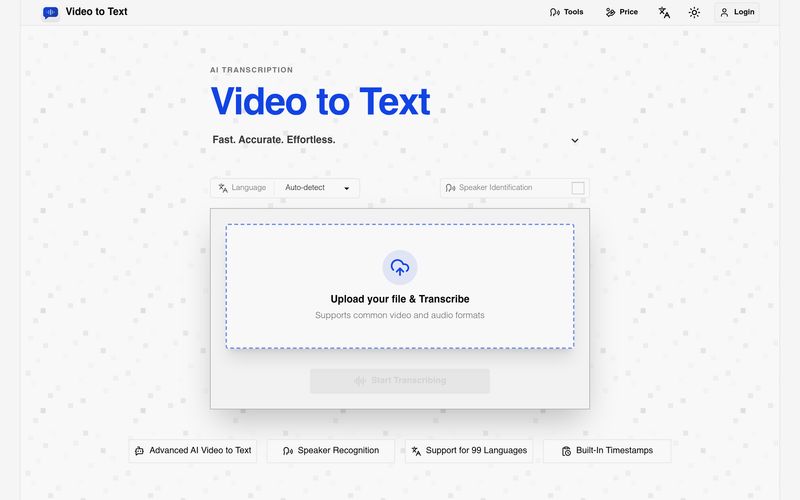
Upload a video or audio file.
Let the AI transcribe your content.
Export your transcript in your preferred format.
When evaluating a transcription-focused AI tool, simplicity and efficiency often determine whether users adopt it as part of their everyday workflow. Based on its straightforward “Upload → Transcribe → Export” process, Video to Text stands out as an accessible and highly practical solution for transforming spoken content into structured written materials. For anyone involved in content creation, education, journalism, research, or business communication, Video to Text offers a seamless way to improve productivity and simplify Text writing workflows.
The first step in using Video to Text is refreshingly simple: users only need to upload a video or audio file. Instead of forcing complicated setup processes or technical adjustments, the platform focuses on accessibility. Whether the source material is a podcast episode, recorded lecture, interview, webinar, meeting, or YouTube video, the AI tool is designed to handle media efficiently. This ease of uploading significantly lowers the barrier for users who want fast transcription without dealing with traditional manual processes.
Once the file is uploaded, the second stage—transcription—is where Video to Text truly demonstrates its value. The AI automatically converts spoken content into text, reducing hours of manual listening and typing into a matter of minutes or even seconds. Rather than simply generating plain text, Video to Text helps create more structured content that can directly support Text writing tasks. Users can quickly transform spoken discussions into meeting summaries, lecture notes, interview transcripts, research materials, blog outlines, subtitles, or social media content.
The final step, export, adds another layer of practicality to the workflow. After transcription is complete, users can export results in their preferred format, allowing flexibility across different use cases. Whether someone needs a simple text document for editing, subtitle files for video production, or structured formats for analysis, Video to Text helps bridge audio content and written communication smoothly.
What makes this workflow particularly impressive is how intuitive it feels. The platform avoids unnecessary complexity and instead emphasizes speed, automation, and usability. Users are not required to have technical expertise to benefit from the system, making it suitable for beginners and professionals alike.
Overall, Video to Text proves itself to be more than a basic transcription service—it is a highly efficient AI tool that enhances Text writing by converting spoken language into organized, editable text with minimal effort. By simplifying the process into three clear steps—upload, transcribe, and export—Video to Text allows users to save time, improve accuracy, and unlock more value from their audio and video content.



This comprehensive guide explores the best AI image generators available in 2026, highlighting their unique features, strengths, and ideal use cases. We'll dive deep into each tool's capabilities to help you identify which AI image generator best suits your creative needs.

Google has just launched a powerful AI IDE code editor — now you can really vibe while coding

The best AI Model And AI Tools in 2026,The Most Popular Free AI Model And AI Tools.