Subscribe to AI newsletter
Your data is completely secure with us. We don't share it with anyone.
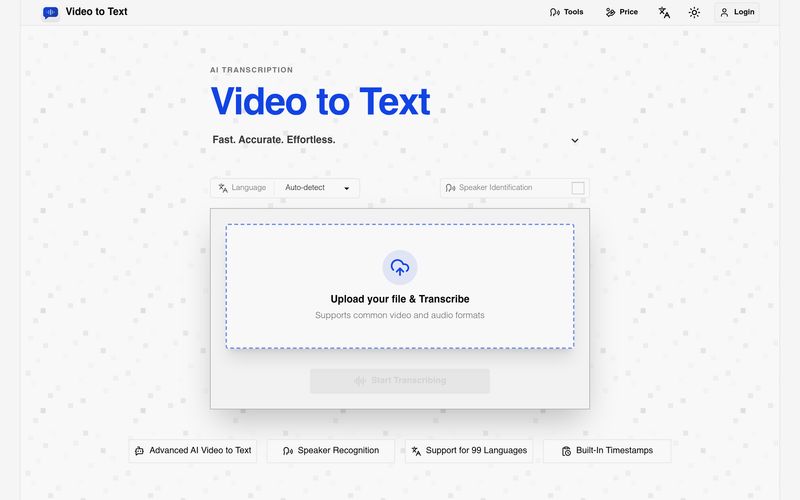
What is Video to Text?
Video to Text is an AI transcription tool that converts video and audio files into text, subtitles, and timestamped transcripts.
Can I use Video to Text for free?
Yes. New users receive 30 free minutes after sign-up.
How fast is Video to Text transcription?
Transcription is usually very fast. A one-hour audio file can often be processed in well under a minute, although final speed depends on file size, upload time, and network conditions.
What file formats do you support?
You can upload common video and audio formats such as MP4, MOV, MKV, WEBM, M4V, MP3, WAV, M4A, FLAC, OGG, AAC, and OPUS.
If an error occurs during file upload or transcription, will my balance be deducted?
No. The system only charges you after it confirms that transcription has been completed.
How large can my file be?
Each file can be up to 5 GB, with a maximum media length of 10 hours.
Which export formats are available?
You can export your results as TXT, SRT, VTT, or CSV.
Does it support multiple speakers and languages?
Yes. Video to Text supports speaker labels, automatic language detection, multi-language recognition, and transcription in 99 languages.
What happens after I upload my file?
Uploaded files are stored temporarily. To keep your transcript, please export the result after processing.
As video and audio content continue to dominate digital communication, tools that can efficiently transform spoken language into organized text are becoming increasingly valuable. Based on its FAQ and feature set, Video to Text stands out as a highly practical AI tool for anyone looking to improve productivity, accessibility, and Text writing workflows. Rather than simply acting as a basic transcription service, the platform provides a complete solution for converting media into editable text, subtitles, and timestamped transcripts with impressive speed and flexibility.
At its core, Video to Text is designed to convert both video and audio files into written content automatically. This functionality makes the AI tool especially useful for creators, educators, researchers, students, journalists, and business teams that regularly work with spoken information. Instead of spending hours manually transcribing interviews, lectures, meetings, podcasts, or webinars, users can upload files and receive organized transcripts within minutes. The platform’s ability to generate timestamped text and subtitles makes content much easier to search, review, and repurpose for additional Text writing projects.
One of the strongest advantages of Video to Text is its speed. According to the platform, a one-hour audio file can often be processed in well under a minute, depending on network and file size. This level of efficiency can dramatically reduce workflow bottlenecks, particularly for creators who need fast turnaround times for captions, summaries, blogs, or video repurposing.
Another major strength is flexibility. Video to Text supports a wide range of file formats, including MP4, MOV, MKV, WEBM, M4V, MP3, WAV, FLAC, AAC, OGG, and OPUS, making it easy to work across different recording and publishing environments. With support for files up to 5GB and media durations up to 10 hours, the platform is suitable for both short clips and long-form recordings.
The export system also enhances Text writing productivity. Users can export transcripts in TXT, SRT, VTT, or CSV formats, enabling everything from simple document editing to subtitle generation and structured content analysis. Features such as speaker labels, automatic language detection, multi-language recognition, and support for 99 languages make the tool highly effective for multilingual teams and global communication.
The free trial offering is another welcome benefit. New users receive 30 free minutes to test the platform without financial commitment, while billing only occurs after successful transcription completion, reducing unnecessary risk.
Overall, Video to Text is an efficient and user-friendly AI tool that significantly improves Text writing workflows by converting spoken content into structured, editable text. For anyone who regularly handles audio or video content, Video to Text provides a fast, scalable, and reliable way to save time and create more value from media files.



This comprehensive guide explores the best AI image generators available in 2026, highlighting their unique features, strengths, and ideal use cases. We'll dive deep into each tool's capabilities to help you identify which AI image generator best suits your creative needs.

Google has just launched a powerful AI IDE code editor — now you can really vibe while coding

The best AI Model And AI Tools in 2026,The Most Popular Free AI Model And AI Tools.