Subscribe to AI newsletter
Your data is completely secure with us. We don't share it with anyone.
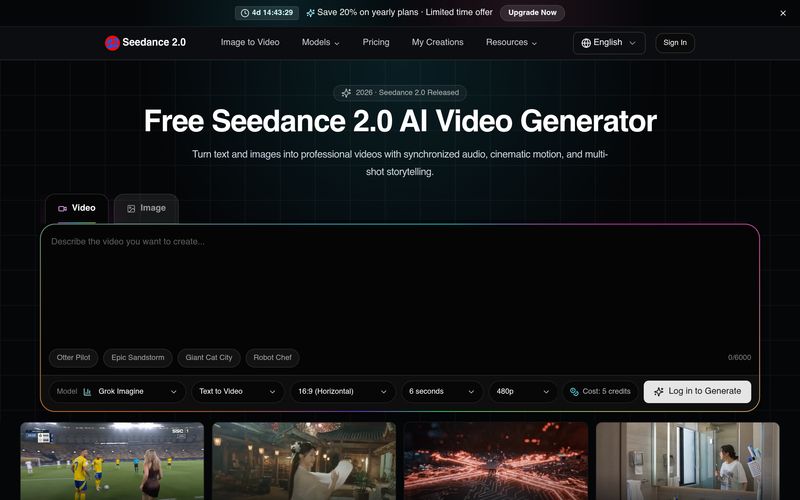
Describe the video you want to create using text, or upload a reference image for image-to-video generation.
Seedance 2.0 processes your input and generates high-quality 1080p video with smooth, cinematic motion.
Preview your video, download in MP4 format, and share directly to your favorite platforms.
Creating professional-quality videos has traditionally required advanced editing skills, expensive software, and significant production time. Seedance Studio changes this process by providing an intuitive AI tool that makes Video Generation accessible to creators, marketers, filmmakers, and everyday users. With a simple three-step workflow, Seedance Studio allows anyone to transform creative ideas into cinematic videos without complicated editing processes.
The first step is creating a clear creative direction. Users can enter a detailed text prompt describing the video they want to generate or upload a reference image for image-to-video creation. This flexible input method gives creators the freedom to describe scenes, characters, environments, camera movements, and visual styles in their own words. By combining natural language understanding with advanced AI models, Seedance Studio can interpret creative concepts and turn simple ideas into structured video content.
The second step is where the power of AI-driven Video Generation comes into play. After receiving the prompt or reference image, Seedance 2.0 processes the input and generates a high-quality 1080p video with smooth cinematic motion. The platform is designed to create visually consistent results with realistic movement, helping users produce professional-looking clips without manually adjusting frames, transitions, or visual effects. This makes Seedance Studio an efficient solution for users who want high-quality video output while saving time and production resources.
The final step focuses on convenience and content distribution. Once the video is generated, users can preview the result, download the finished MP4 file, and share it directly across their preferred platforms. This streamlined workflow makes it easier for social media creators, businesses, and marketing teams to quickly produce content for platforms such as YouTube, TikTok, Instagram, and other digital channels.
Overall, Seedance Studio is a powerful AI tool that significantly simplifies modern Video Generation. Its easy prompt-based workflow, image-to-video capabilities, cinematic output quality, and fast export options make video creation more accessible than ever. Whether you are producing social media clips, marketing videos, creative projects, or professional visual content, Seedance Studio provides an efficient and reliable way to transform ideas into engaging videos with minimal effort.



This comprehensive guide explores the best AI image generators available in 2026, highlighting their unique features, strengths, and ideal use cases. We'll dive deep into each tool's capabilities to help you identify which AI image generator best suits your creative needs.

Google has just launched a powerful AI IDE code editor — now you can really vibe while coding

The best AI Model And AI Tools in 2026,The Most Popular Free AI Model And AI Tools.