Subscribe to AI newsletter
Your data is completely secure with us. We don't share it with anyone.
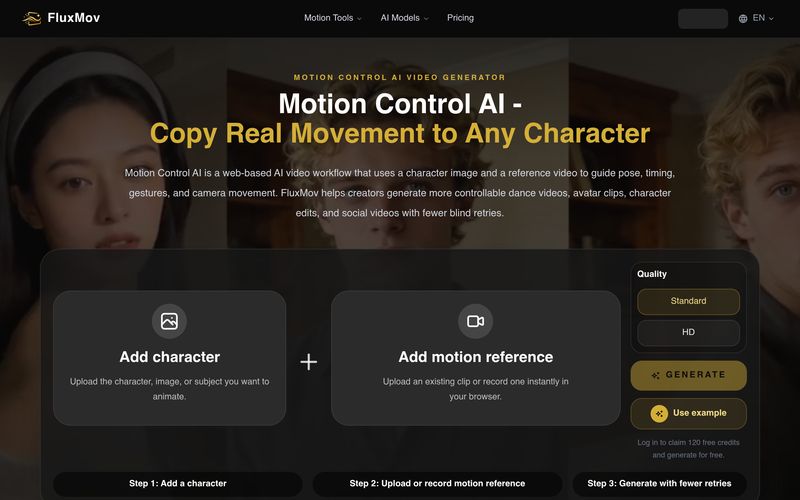
Upload the character image, avatar, mascot, or subject you want to animate. Clear faces, visible bodies, and simple backgrounds usually work better.
Upload or record the movement you want to copy. Use a 5 to 10 second clip with one clear subject, 720p or higher resolution, readable motion, and limited occlusion.
Describe style, scene, clothing, camera feel, or output format. Avoid prompts that contradict the reference motion.
One of the reasons FluxMov stands out as an advanced AI tool for Video Generation is its simple yet highly effective motion-control workflow. Rather than relying entirely on text prompts to guess how a character should move, FluxMov combines three straightforward steps that give creators much greater control over the final video.
The process begins by uploading a character image, whether it's an avatar, mascot, digital influencer, or original character. Using a clear image with a visible face and body helps the AI maintain character identity throughout the animation, resulting in more consistent and professional-looking outputs. This is a significant advantage over many traditional AI video generators that often struggle with character drift during complex motion.
Next, users upload a short reference video that demonstrates the movement they want to recreate. A clean 5–10 second clip with a single subject and stable framing provides the AI with precise motion data, including body posture, timing, gestures, and rhythm. Instead of interpreting vague text descriptions, FluxMov learns directly from real movement, making dance videos, avatar performances, and action sequences much more accurate and natural.
The final step is adding a prompt to describe the visual style, environment, clothing, lighting, camera angle, or overall mood. Since the movement has already been defined by the reference video, the prompt focuses on creative direction rather than explaining complicated actions. This separation between motion control and artistic styling produces more reliable Video Generation results while reducing unnecessary retries.
Overall, FluxMov offers a refreshingly practical workflow that makes AI-powered video creation easier and more predictable. By combining a character image, a motion reference, and a simple creative prompt, this AI tool delivers greater character consistency, smoother animation, and significantly better control than prompt-only solutions. For creators, marketers, and animation enthusiasts looking to streamline Video Generation, FluxMov provides an efficient and intuitive solution that turns ideas into high-quality videos with remarkable accuracy.



This comprehensive guide explores the best AI image generators available in 2026, highlighting their unique features, strengths, and ideal use cases. We'll dive deep into each tool's capabilities to help you identify which AI image generator best suits your creative needs.

Google has just launched a powerful AI IDE code editor — now you can really vibe while coding

The best AI Model And AI Tools in 2026,The Most Popular Free AI Model And AI Tools.