Subscribe to AI newsletter
Your data is completely secure with us. We don't share it with anyone.
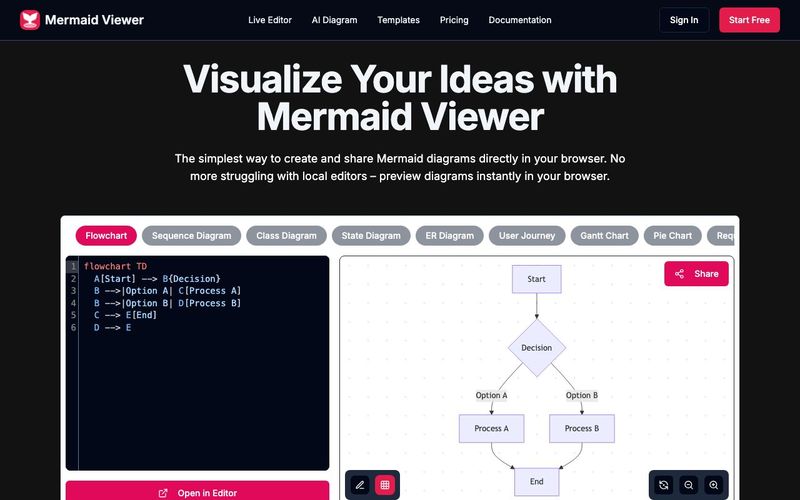
Enter Mermaid Code
Input diagram code in Mermaid viewer
Real-time Preview
Instantly see your Mermaid diagram
Export as SVG/PNG/PDF
Download diagram in multiple formats
The Mermaid Viewer stands out as one of the most efficient and education-friendly AI tools for anyone who needs to visualize ideas through diagrams. Its simple workflow—enter Mermaid code, preview in real time, and export instantly—makes it ideal for students, educators, and developers who want to improve their educational learning experience without installing complex software or dealing with formatting limitations.
The process begins with users entering or pasting Mermaid code directly into the viewer. This text-based approach encourages structured thinking and strengthens students’ understanding of logic, flow, and system design. For those learning diagramming for the first time, the tool provides a clean, distraction-free environment that supports experimentation. Combined with the platform’s AI-assisted features available elsewhere in the tool ecosystem, Mermaid Viewer becomes more than a simple editor—it transforms into an AI tool that helps learners translate abstract concepts into clear, visual structures.
Once code is entered, the real-time preview feature immediately renders the corresponding diagram. This instant feedback loop is incredibly valuable in educational contexts, where learners can quickly see how changes in syntax impact the final visualization. It reduces trial-and-error frustration and supports an active learning approach—students interact with the diagram, iterate continuously, and develop deeper diagramming proficiency.
The final step—exporting diagrams—is equally seamless. Users can download their diagrams as SVG, PNG, or PDF, making Mermaid Viewer a practical tool for homework submissions, class presentations, software documentation, research reports, or collaborative learning materials. The ability to export in multiple formats ensures compatibility across learning platforms and allows users to integrate diagrams into any academic or professional workflow.
Overall, Mermaid Viewer’s simplicity, combined with AI-enabled enhancements and strong educational value, makes it a powerful AI tool for improving comprehension, communication, and creativity in educational learning environments. It allows users to focus on ideas—not technical barriers—while providing fast, accurate, and beautifully rendered diagrams every time.



This comprehensive guide explores the best AI image generators available in 2026, highlighting their unique features, strengths, and ideal use cases. We'll dive deep into each tool's capabilities to help you identify which AI image generator best suits your creative needs.

Google has just launched a powerful AI IDE code editor — now you can really vibe while coding

The best AI Model And AI Tools in 2026,The Most Popular Free AI Model And AI Tools.