Subscribe to AI newsletter
Your data is completely secure with us. We don't share it with anyone.
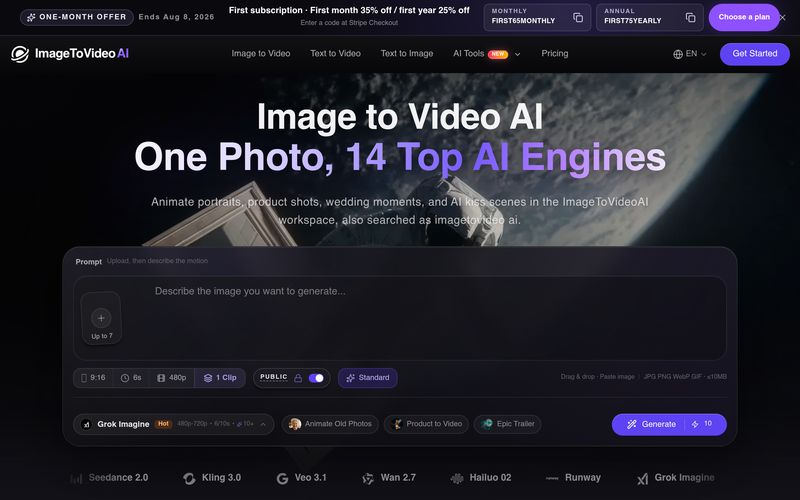
Upload your image
Upload the image you want to animate to the minimalist workspace.
JPG, PNG, and WebP formats are supported.
Choose prompt and generate video
Add simple prompts to control the animation, choose the best Almodel, and generate with one click.
View and download generated video
Once generation is complete, preview the result in the sidebar anddownload it directly to your device without watermark.
Creating engaging videos from static images has become one of the most exciting applications of artificial intelligence, and Image to Video AI provides a simple yet powerful workflow for anyone looking to explore modern Video Generation. As an innovative AI tool, it allows users to transform ordinary images into dynamic videos without requiring professional editing skills, complicated software, or traditional production workflows.
The first step in using Image to Video AI is uploading an image. Users can easily add JPG, PNG, or WebP files into the clean and minimalist workspace. Whether it is a portrait, product image, artwork, landscape, or creative concept, the platform uses the uploaded image as the foundation for animation. This makes the Image to Video AI workflow especially effective for creators who already have visual assets but want to bring them to life with motion, camera effects, and cinematic movement.
After uploading the image, users can guide the generation process with simple prompts. By describing the desired animation style, movement, atmosphere, or visual effect, creators can influence how the image transforms into a video. The ability to select different AI models further improves flexibility, allowing users to choose the most suitable engine based on their specific needs. This combination of image input and prompt-based control makes the Video Generation process more predictable and customizable compared with traditional text-only video creation.
The final step is reviewing and exporting the generated video. Once processing is complete, users can preview the result directly in the workspace and download the finished video without complicated export procedures. This fast review-and-download workflow helps creators quickly test ideas, compare different animations, and produce content efficiently.
What makes Image to Video AI valuable as an AI tool is its accessibility and practical design. It reduces the technical barriers of video creation while giving users an efficient way to create social media clips, product demonstrations, marketing visuals, storytelling content, and creative animations. Instead of spending hours learning professional editing software, users can simply provide an image, add creative direction, and let AI handle the animation process.
Overall, Image to Video AI delivers a streamlined AI Video Generation experience that balances simplicity, creativity, and control. For marketers, designers, influencers, and everyday creators, it is an effective solution for turning static images into engaging videos quickly and professionally.



This comprehensive guide explores the best AI image generators available in 2026, highlighting their unique features, strengths, and ideal use cases. We'll dive deep into each tool's capabilities to help you identify which AI image generator best suits your creative needs.

Google has just launched a powerful AI IDE code editor — now you can really vibe while coding

The best AI Model And AI Tools in 2026,The Most Popular Free AI Model And AI Tools.