Subscribe to AI newsletter
Your data is completely secure with us. We don't share it with anyone.
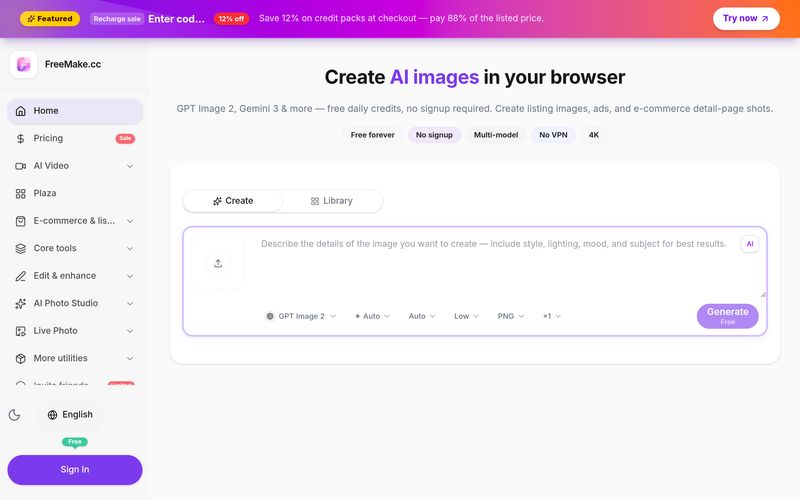
Pick GPT Image 2, Gemini 3 Pro, Gemini 3.1 Flash, Qwen Image 2.0, or Seedream 4.5 — switch anytime in one workspace.
Describe your image or upload a reference photo for image-to-image. Use templates for product shots, ads, and illustrations.
Click generate and get your image in seconds. Download in 1K free — upgrade for 2K/4K and watermark-free output.
Using FreeMake.cc for Image Generation is surprisingly simple, even if you have never used an AI image generator before. As an AI tool designed for a fast browser-based workflow, FreeMake.cc keeps the entire process focused on three straightforward steps: choose an AI model, enter your prompt, and generate your image. This simple workflow makes it easy for beginners to experiment while still giving experienced creators plenty of flexibility.
The first step is to choose an AI model. FreeMake.cc brings several powerful models together in one workspace, including GPT Image 2, Gemini 3 Pro, Gemini 3.1 Flash, Qwen Image 2.0, and Seedream 4.5. Having multiple models available in the same AI tool is particularly useful because different models can produce different visual styles, compositions, levels of detail, and interpretations of prompts. Instead of creating accounts across multiple platforms, users can switch models within FreeMake.cc and compare results more efficiently.
The second step is to enter your prompt. Simply describe the image you want to create using natural language. You can specify elements such as the subject, composition, lighting, visual style, colors, materials, background, and overall mood. FreeMake.cc also supports uploading a reference image for image-to-image generation, which is useful when you want the AI to transform or refine an existing visual while maintaining important characteristics. For users who are not comfortable writing detailed prompts, templates for product images, advertisements, and illustrations can provide a helpful starting point.
Finally, click Generate & Download to create your image. FreeMake.cc can produce results within seconds, making the process suitable for quick creative experimentation as well as practical production work. Users can download images in 1K resolution through the free tier, while upgrading provides access to 2K and 4K output as well as watermark-free downloads.
Overall, the FreeMake.cc workflow is one of its biggest strengths. The platform removes much of the complexity normally associated with Image Generation and gives users a clear path from idea to finished visual. Whether you are creating e-commerce product images, advertising creatives, illustrations, social media content, or concept visuals, this AI tool provides a convenient way to generate and iterate on images quickly. For anyone looking for an accessible AI image generation platform with multiple models in one workspace, FreeMake.cc is definitely worth trying.



This comprehensive guide explores the best AI image generators available in 2026, highlighting their unique features, strengths, and ideal use cases. We'll dive deep into each tool's capabilities to help you identify which AI image generator best suits your creative needs.

Google has just launched a powerful AI IDE code editor — now you can really vibe while coding

The best AI Model And AI Tools in 2026,The Most Popular Free AI Model And AI Tools.