Subscribe to AI newsletter
Your data is completely secure with us. We don't share it with anyone.
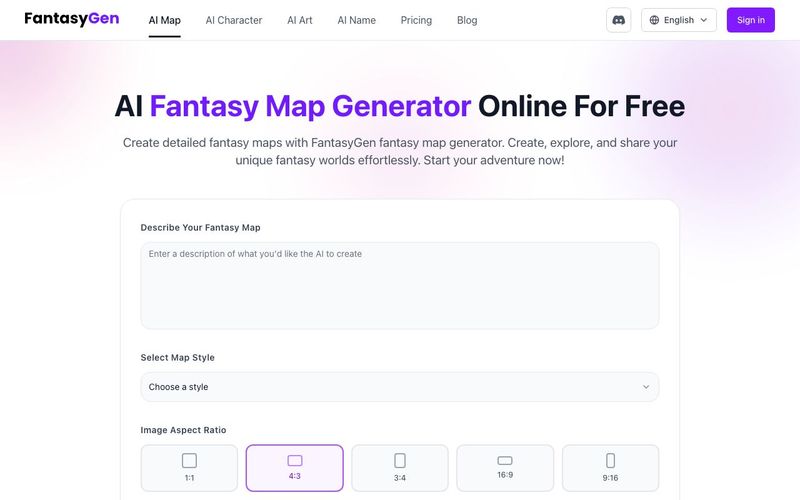
Step 1: Enter the Prompt
Click the "Generate" button to get started. Type your descriptions of the fantasy map you want in the text bubble. Remember to add as much detail as you want the AI image to emulate.
Try Fantasy Map Generator Free!
Step 2: Select the Fantasy Style
Select your preferred style. You can choose from various styles like Dark Fantasy, Medieval, Sci-Fi, and more. Then, choose your desired aspect ratio.
Use Fantasy Map Generator
Step 3: Generate and Download
Click the "Generate" button, and watch as your custom map takes shape. Finally, click the download icon to save your own AI-generated fantasy maps.
Start Fantasy Map Generator



This comprehensive guide explores the best AI image generators available in 2026, highlighting their unique features, strengths, and ideal use cases. We'll dive deep into each tool's capabilities to help you identify which AI image generator best suits your creative needs.

Google has just launched a powerful AI IDE code editor — now you can really vibe while coding

The best AI Model And AI Tools in 2026,The Most Popular Free AI Model And AI Tools.