订阅AI通讯
您的数据完全安全。我们不会与任何人共享。
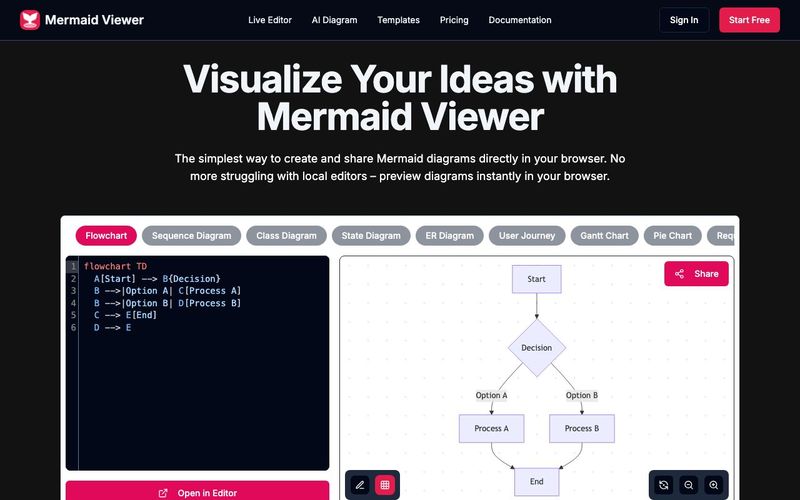
Diagrams can be saved in multiple ways: 1) Export as SVG/PNG files 2) Copy share link 3) Save to browser local storage. Our editor automatically saves your latest changes so you never lose your work.
Click the "Share" button in the editor to generate a unique link. Your team members can view and edit the diagram through this link. We support real-time collaboration, so all changes are synced instantly.
We support all Mermaid.js diagram types including: flowcharts, sequence diagrams, class diagrams, state diagrams, entity relationship diagrams, user journey diagrams, Gantt charts, pie charts, requirement diagrams, Git graphs, C4 diagrams, mind maps, and timelines.
No! Mermaid Viewer is a completely browser-based online tool, no installation required. Just open your browser and visit our site to start creating diagrams.
We offer multiple export options: 1) SVG format for scalable diagrams 2) PNG format for direct use 3) High-resolution export options to ensure your diagrams look crisp in any context. You can also customize export settings like size and background color.
The Mermaid Viewer has quickly become an essential AI tool for students, educators, and teams looking to enhance their educational learning workflows through clear, visually structured diagrams. One of its greatest strengths is how effortlessly users can save and manage their work. Diagrams can be exported as SVG or PNG, shared through unique links, or stored directly in the browser via local storage. The automatic save mechanism ensures that no progress is ever lost—a huge benefit for learners who frequently iterate, refine, and update their visual notes or project diagrams.
Sharing diagrams is equally intuitive. With a single click, the editor generates a shareable link that enables real-time collaboration. This turns Mermaid Viewer into a collaborative AI tool that supports teamwork in classrooms, study groups, or project-based learning. Students can edit diagrams together, watch updates instantly, and improve collective understanding of system design, logic flows, algorithms, and more. This real-time sync experience enhances communication and is particularly useful for remote learning environments.
The versatility of diagrams supported by Mermaid Viewer makes it incredibly valuable in education. From flowcharts and sequence diagrams to ER models, Gantt charts, mind maps, and even Git graphs, the tool covers nearly every diagram type needed in technical and academic fields. This allows learners in computer science, engineering, project management, business analytics, and humanities to visualize complex concepts through a unified, browser-based interface.
Because the Mermaid Viewer requires no installation, students can start learning immediately. This simplicity removes technical barriers and reinforces its position as an accessible, classroom-friendly AI tool. High-quality export options—including high-resolution SVG and PNG with customizable settings—make the tool suitable for professional dashboards, lecture slides, research papers, and academic submissions.
In summary, Mermaid Viewer is more than a diagram editor; it is a powerful AI tool that elevates educational learning, enabling students and teams to create, share, and refine diagrams with exceptional ease, precision, and collaboration.


Flux 2 Max 是 Flux 2 系列中最先进的版本,专为追求高精度、真实感和生产级视觉输出的创作者而设计。作为一款高端的 AI 图像生成器(AI Image Generator) 与强大的 AI 图像编辑器(AI Image Editor) 的结合体,Flux 2 Max 将图像质量与一致性提升到了全新高度,非常适合专业级创作流程。
随着人工智能的飞速发展,11月成为了全年最具突破性的月份之一。从新一代图像模型和令人惊叹的视频工具,到能够编写代码、构建应用程序、清理杂乱数据,甚至从零开始创建完整学习中心的 AI 助手,应有尽有。无论你是创作者、营销人员、学生、开发者,还是仅仅是一位人工智能爱好者,本月的种种新发现都会让你重新思考人工智能的无限可能。

2025年最佳AI大模型与AI工具,最受欢迎的免费AI大模型与AI工具。

With the launch of the iOS 18.1 Beta version, registered developers can now experience some of the features of Apple AI, a cutting-edge addition to AI tools.