订阅AI通讯
您的数据完全安全。我们不会与任何人共享。
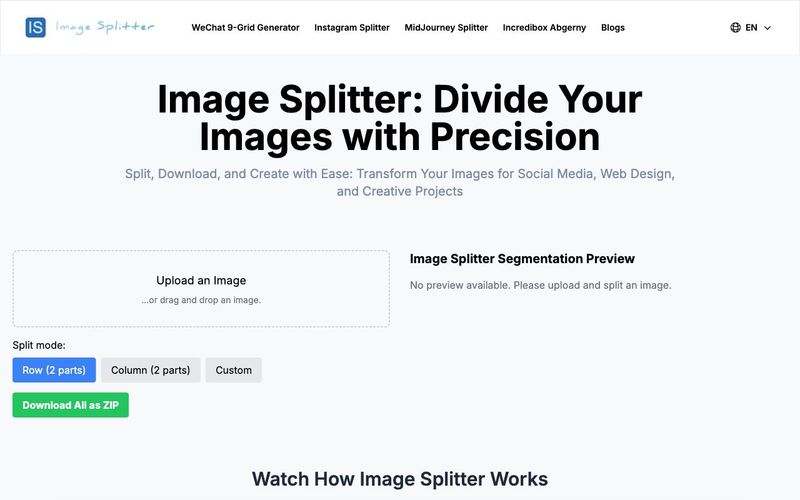
Our Image Splitter is designed for ease of use and efficiency. Follow this step-by-step guide to make the most of our Image Splitter tool:
Image Splitter's Upload Process
In the left panel of our Image Splitter, you'll find an upload area. Simply drag and drop your image here, or click to select a file. Our Image Splitter supports common formats like JPG and PNG.
Image Splitter's Original Image Display
After uploading, your image appears in the top-left corner of the Image Splitter interface under "The Image to be split by the Image Splitter". This allows you to clearly see the original image before splitting.
Image Splitter's Splitting Mode Selection
Below the original image in our Image Splitter, you'll find three splitting mode options:
Row (2 parts): The Image Splitter splits the image horizontally into top and bottom halves.
Column (2 parts): The Image Splitter splits the image vertically into left and right halves.
Custom: Our Image Splitter allows for custom splitting by specifying rows and columns.
Image Splitter's Custom Splitting Feature
If you select "Custom" mode in our Image Splitter, two input fields appear. Enter your desired number of rows and columns, e.g., 3x3 for a nine-grid split.
Image Splitter's Real-time Preview
In the right panel of our Image Splitter labeled "Image Splitter Segmentation Preview", you'll see a real-time preview of your split image. This updates automatically based on your chosen mode.
Image Splitter's Individual Download Option
Our Image Splitter allows you to download individual pieces. Simply hover over any split image in the preview area to reveal a download button. Click to download that specific piece.
Image Splitter's Batch Download Feature
For downloading all split images at once, our Image Splitter provides a green "Download All as ZIP" button in the bottom-left corner. This packages all pieces into a single ZIP file for download.
Image Splitter's Image Replacement Function
To change the image you're splitting in our Image Splitter, hover over the original image on the left. A delete button will appear. Click it to remove the current image and upload a new one to the Image Splitter.
Image Splitter's Flexible Adjustment Options
Our Image Splitter allows you to switch between splitting modes or adjust custom row/column numbers at any time. The preview updates instantly to show the new split effect.
Image Splitter's Responsive Design
Whether you're using our Image Splitter on a computer, tablet, or smartphone, our interface automatically adjusts to provide the best user experience.
By following these straightforward steps, you can easily use our Image Splitter tool to split images. Whether you need a simple bisection or a complex multi-format split, our Image Splitter helps you quickly complete the task and obtain your desired image files.
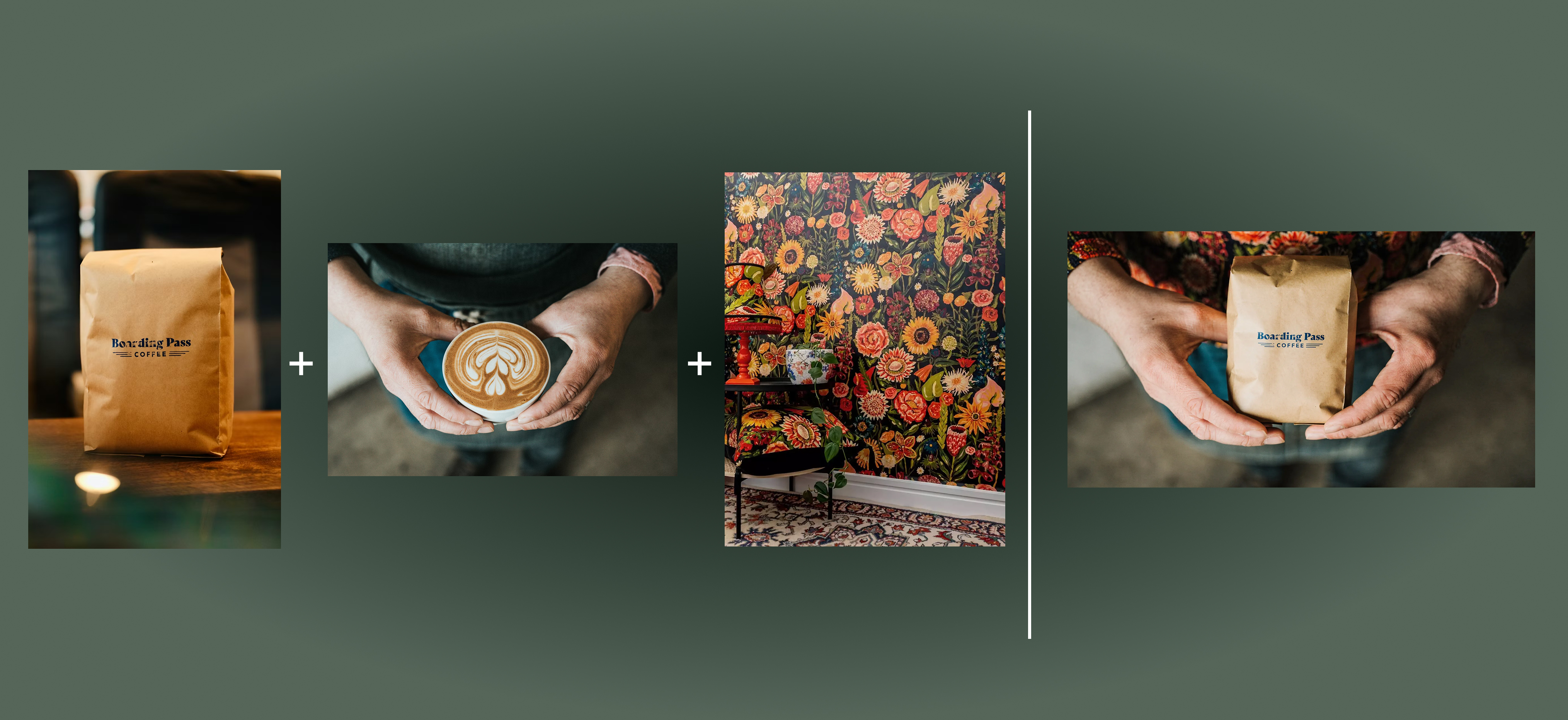

Flux 2 Max 是 Flux 2 系列中最先进的版本,专为追求高精度、真实感和生产级视觉输出的创作者而设计。作为一款高端的 AI 图像生成器(AI Image Generator) 与强大的 AI 图像编辑器(AI Image Editor) 的结合体,Flux 2 Max 将图像质量与一致性提升到了全新高度,非常适合专业级创作流程。
随着人工智能的飞速发展,11月成为了全年最具突破性的月份之一。从新一代图像模型和令人惊叹的视频工具,到能够编写代码、构建应用程序、清理杂乱数据,甚至从零开始创建完整学习中心的 AI 助手,应有尽有。无论你是创作者、营销人员、学生、开发者,还是仅仅是一位人工智能爱好者,本月的种种新发现都会让你重新思考人工智能的无限可能。

2025年最佳AI大模型与AI工具,最受欢迎的免费AI大模型与AI工具。

With the launch of the iOS 18.1 Beta version, registered developers can now experience some of the features of Apple AI, a cutting-edge addition to AI tools.