Subscribe to AI newsletter
Your data is completely secure with us. We don't share it with anyone.
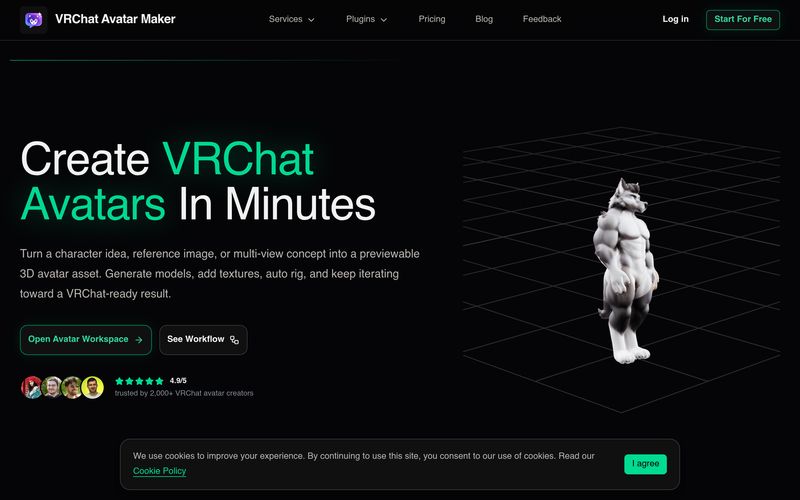
Start with Text to Avatar, Text to Image, Image to Avatar, Multi-image to Avatar, Add Texture, or Auto Rigging depending on what you already have.
Describe the avatar, upload a reference image, provide multi-view inputs, or select an existing generated model for the next stage.
See whether the task is generating, complete, deferred, or failed, then review the image, model, or rig preview directly in the workspace.
Save your current output, apply textures, auto rig the model, or download the asset and continue your VRChat avatar pipeline.
When evaluating a modern AI tool for avatar creation, workflow efficiency matters just as much as visual quality, and VRChat Avatar Maker delivers an impressive balance between both. Based on its step-by-step creation process, the platform is clearly designed to simplify one of the most complicated parts of VRChat customization: transforming ideas into functional, previewable 3D avatars without requiring professional modeling skills. For creators looking for an efficient Image Generation and avatar-building experience, VRChat Avatar Maker provides a structured workflow that feels practical and creator-focused.
The first step in using VRChat Avatar Maker begins with choosing a creation mode. This flexibility immediately makes the platform appealing because users are not forced into a one-size-fits-all workflow. Depending on what assets are already available, creators can start with Text to Avatar, Text to Image, Image to Avatar, Multi-image to Avatar, Add Texture, or Auto Rigging. This modular approach is particularly useful because some users may only have a written character concept, while others may already possess sketches, reference images, or unfinished models. Instead of restarting from zero, the AI tool adapts to different creator needs.
Once the creation mode is selected, users can submit prompts, upload references, or continue building from source models. This stage showcases the strength of VRChat Avatar Maker as more than a simple Image Generation platform. Creators can describe detailed character traits, upload multi-view references, or improve previously generated assets. The ability to move through stages without breaking workflow continuity makes the process feel significantly smoother than using disconnected software for concept art, modeling, and rigging separately.
Another standout feature is the built-in progress tracking and preview system. Rather than waiting blindly for outputs, users can monitor whether a task is generating, completed, deferred, or failed. More importantly, generated images, 3D models, and rig previews are available directly inside the workspace, allowing creators to quickly evaluate results and decide whether refinement is necessary.
Finally, the platform supports an iterative workflow instead of one-time output generation. Users can save current assets, continue applying textures, auto-rig models, or download finished results for VRChat implementation. This “generate, refine, preview, continue” pipeline makes VRChat Avatar Maker feel like a real production environment rather than a novelty generator.
Overall, VRChat Avatar Maker proves itself to be a highly capable AI tool for Image Generation and VR avatar development. By simplifying every stage of the avatar pipeline into a guided experience, VRChat Avatar Maker helps users move from imagination to VRChat-ready assets faster, smarter, and with far less technical friction.



This comprehensive guide explores the best AI image generators available in 2026, highlighting their unique features, strengths, and ideal use cases. We'll dive deep into each tool's capabilities to help you identify which AI image generator best suits your creative needs.

Google has just launched a powerful AI IDE code editor — now you can really vibe while coding

The best AI Model And AI Tools in 2026,The Most Popular Free AI Model And AI Tools.