Subscribe to AI newsletter
Your data is completely secure with us. We don't share it with anyone.
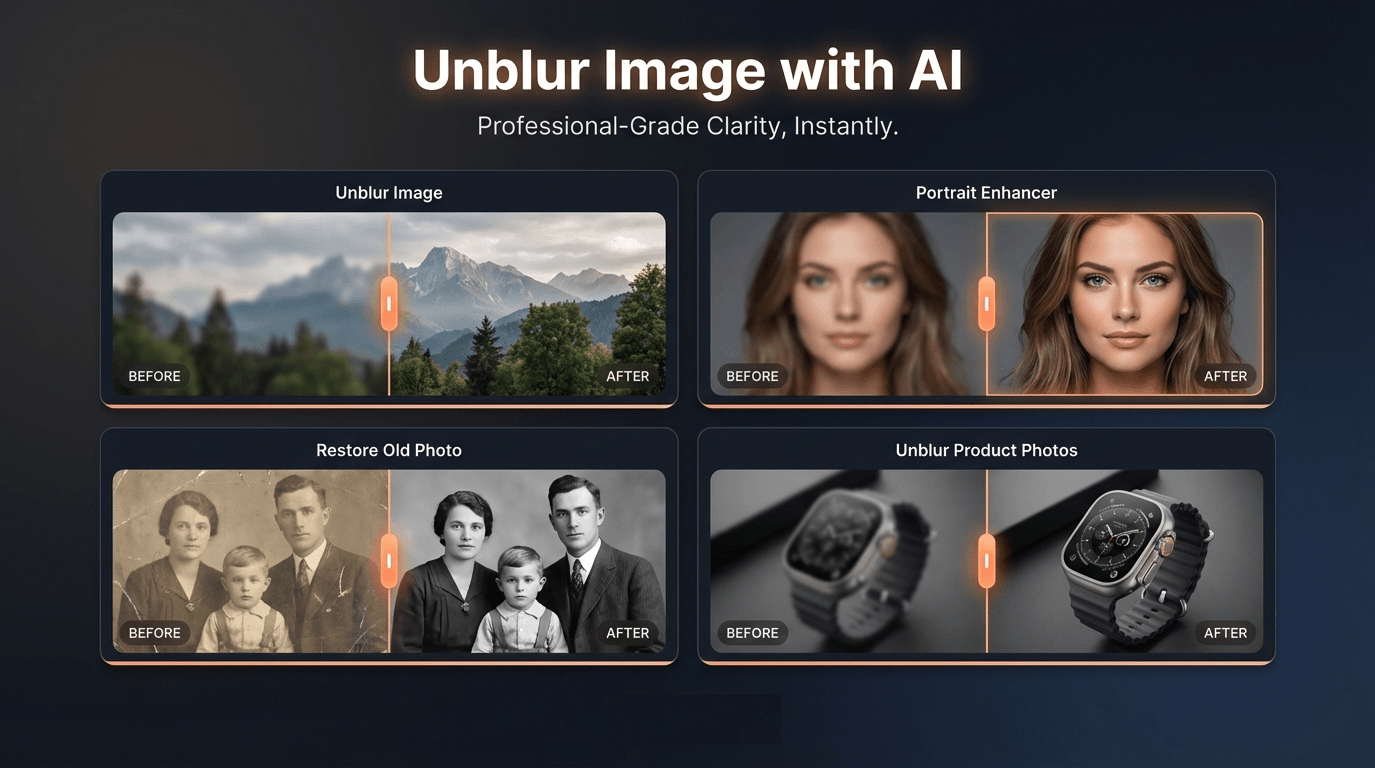
Unblur Image helps improve photos affected by mild to moderate blur, low sharpness, and low resolution. It works on portraits, old photos, products, text, logos, and landscapes. For the best results, choose the scenario that matches your photo type—General Unblur for products and landscapes, Portrait Enhancer for faces, or Restore Old Photo for old images.
Free credits are available daily. You can use free credits to try General Unblur Image Lite, which has medium-level unblur effects. To use other scenarios or the General Unblur Image Pro version, you need to subscribe a monthly or annual plan.
Batch processing supports up to 30 images per run. Credits are deducted upfront for all images, then refunded for any that fail. For example: uploading 10 images deducts credits for all 10 at once (each scenario uses different credit amounts). If 2 images fail, those 2 credits are automatically refunded.
Unblur Image supports common formats such as JPG, PNG, and WebP. Upload your photo and we will process it in seconds.
Currently JPG format is supported. PNG and more formats will be supported in the future.
Results depend on image quality and blur severity. Unblur Image works best on mild to moderate blur. Extremely blurred images may improve but not fully restore. Please choose the most suitable scenario for the best enhancement results.
No. Unblur Image works online in your browser. You can upload and process images directly without installing anything.
Yes. Unblur Image is designed for both desktop and mobile browsers. Upload and process photos from your phone or tablet.
You can reach our support team by emailing contact@unblur-image.co. We typically respond within 48 hours on business days.
In an era where digital visuals are central to communication, marketing, and personal storytelling, having access to tools that can quickly improve image quality is incredibly valuable. Many photos suffer from common issues such as blur, low sharpness, or low resolution, especially when taken in less-than-ideal conditions. This is where Unblur Image stands out as a powerful AI tool designed to restore clarity and detail with minimal effort. By leveraging advanced Image Generation technology, the platform can analyze and enhance images automatically, helping users recover visual information that might otherwise be lost.
According to the platform’s FAQ, Unblur Image is capable of fixing a wide range of common image problems. It works particularly well for photos affected by mild to moderate blur, which can occur due to camera shake, missed focus, or low-quality captures. The AI tool supports various image categories, including portraits, product photos, old family pictures, landscapes, logos, and text-based graphics. By using specialized enhancement scenarios—such as General Unblur for everyday images, Portrait Enhancer for facial details, and Restore Old Photo for historical images—the system applies targeted Image Generation techniques that are optimized for each type of visual content.
Another strength highlighted in the FAQ is the platform’s accessibility. Users can try the AI tool for free using daily credits, allowing them to test the image enhancement capabilities before upgrading to more advanced features. The Pro version offers stronger deblurring performance and additional scenarios, making it useful for professional workflows such as product photography, content creation, or digital archiving. The platform also supports batch processing for up to 30 images at once, which is especially helpful for creators or businesses handling large sets of photos.
From a usability perspective, Unblur Image is designed to be simple and efficient. It supports common file formats such as JPG, PNG, and WebP, and processed images can be downloaded quickly after enhancement. Because the AI tool runs directly in the browser, there is no need to install any software. This web-based approach allows users to upload and process images from both desktop and mobile devices, making the tool convenient for photographers, designers, and everyday users alike.
While extremely blurred images may not be perfectly restored, the platform still provides noticeable improvements by reconstructing edges, textures, and missing details through Image Generation algorithms. This ability to intelligently enhance images demonstrates how AI-powered technology can assist users in recovering valuable photos and improving visual quality with minimal manual editing.
Overall, Unblur Image represents a practical and accessible AI tool that brings advanced Image Generation capabilities into a simple, user-friendly workflow. By addressing common photo problems such as blur and low resolution while remaining easy to use across devices, it offers a valuable solution for anyone looking to quickly transform unclear images into sharper, more usable visuals.



This comprehensive guide explores the best AI image generators available in 2026, highlighting their unique features, strengths, and ideal use cases. We'll dive deep into each tool's capabilities to help you identify which AI image generator best suits your creative needs.

Google has just launched a powerful AI IDE code editor — now you can really vibe while coding

The best AI Model And AI Tools in 2026,The Most Popular Free AI Model And AI Tools.