Subscribe to AI newsletter
Your data is completely secure with us. We don't share it with anyone.
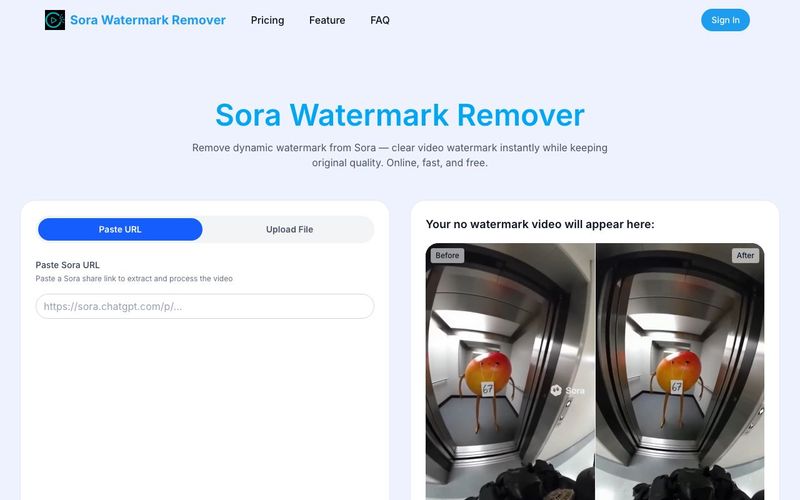
Easily remove watermarks from Sora videos using AI in 3 simple steps. Our online watermark remover automatically detects and deletes watermarks while keeping your video’s original quality intact. Fast, secure, and watermark-free results in seconds.
Step 1 Upload Your Sora Video
Paste the url or upload the Sora video you need to process.
Step 2 AI Starts to Remove Watermark Automatically
After upload, the system automatically creates a removal task and begins processing. No manual selection is required.
Step 3 Download the Sora Video Without Watermark
You can receive the result in seconds. A completely Sora watermark-free, high-quality video with no damage to the original resolution will appear. Feel free to dowload, share or post it.
Using the Sora Watermark Remover is surprisingly straightforward, and its simplicity is one of the reasons this AI tool stands out among modern online editors. Many watermark-removal solutions require complex masking, manual frame tracking, or basic blur patches that degrade video quality. In contrast, this video tool delivers a clean, fully automated workflow that removes Sora watermarks without compromising clarity, resolution, or motion consistency.
The process is built around three streamlined steps. First, users simply paste a URL or upload their Sora video directly into the interface. There is no need to pre-edit footage or prepare any special formats—the tool supports standard Sora and Sora 2 outputs instantly. Once uploaded, the AI takes over completely. The system analyzes every frame, detects moving and static watermarks, and begins reconstructing clean pixels with high precision. This level of automation is a significant advantage; users don’t need technical experience or editing skills to achieve professional-level results.
What sets this AI tool apart is how fast and accurate the automated processing is. Within seconds, the video tool finishes the removal task and presents a clean, watermark-free version of the original clip. The output maintains full resolution, natural lighting, and color accuracy, ensuring the results look identical to high-quality native footage. Creators can then download, share, or post the cleaned video immediately across platforms like TikTok, Instagram Reels, and YouTube Shorts.
Overall, the Sora Watermark Remover combines ease of use with advanced AI performance, making it an ideal video tool for creators, marketers, and professionals who need fast, secure, and high-quality watermark removal. Its three-step workflow demonstrates how powerful an AI tool can be when designed for efficiency, speed, and real-world video-editing needs.



This comprehensive guide explores the best AI image generators available in 2026, highlighting their unique features, strengths, and ideal use cases. We'll dive deep into each tool's capabilities to help you identify which AI image generator best suits your creative needs.

Google has just launched a powerful AI IDE code editor — now you can really vibe while coding

The best AI Model And AI Tools in 2026,The Most Popular Free AI Model And AI Tools.