Subscribe to AI newsletter
Your data is completely secure with us. We don't share it with anyone.
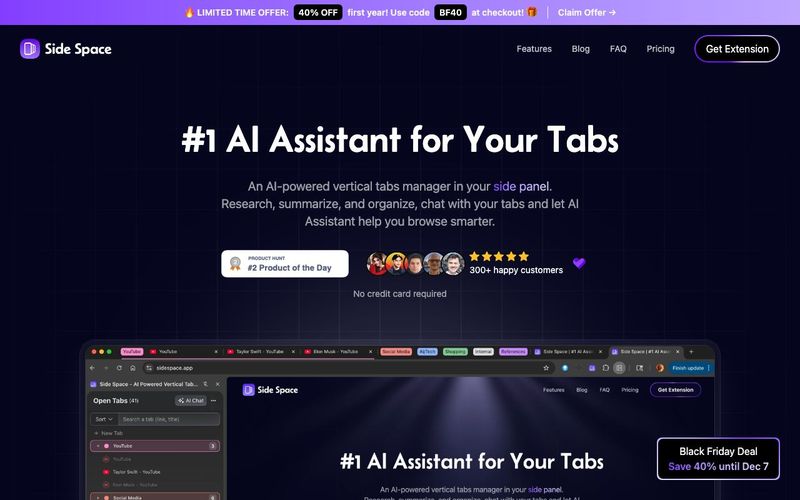
Side Space is a powerful AI tool and AI Office Tool that revolutionizes the way users interact with their browser. Its core functionality, powered by Side Copilot, allows users to automate tab management and handle browser windows with unmatched efficiency. From managing individual tabs to organizing entire tab groups and windows, Side Space ensures that even the most complex browsing sessions remain structured and productive. Users can command the AI to summarize their browsing history, conduct research on specific topics, or analyze and explain page content, making information processing faster and more intelligent.
One of the standout features of Side Space is its ability to merge multiple windows into one or arrange windows in a grid, giving users full control over their workspace layout. Tabs can be muted, grouped, or quickly searched using natural language commands, while AI-driven automation ensures that repetitive browsing tasks are handled seamlessly. The daily wrap-up feature is particularly useful, providing an overview of your activity and highlighting key updates, so you never lose track of important information.
Side Space also supports essential productivity actions such as taking screenshots, restoring recently closed windows, and cascading windows for quick access. This combination of AI-powered management, intelligent automation, and intuitive workspace organization positions Side Space as a must-have AI Office Tool for professionals, researchers, and anyone managing multiple online tasks. By leveraging the AI capabilities, users can significantly reduce the cognitive load associated with multitasking in a browser, streamline workflows, and enhance overall efficiency.
In short, Side Space exemplifies how an AI tool can transform traditional browsing into a highly organized, productive, and intelligent experience, making it an indispensable AI Office Tool for modern digital workflows.



This comprehensive guide explores the best AI image generators available in 2026, highlighting their unique features, strengths, and ideal use cases. We'll dive deep into each tool's capabilities to help you identify which AI image generator best suits your creative needs.

Google has just launched a powerful AI IDE code editor — now you can really vibe while coding

The best AI Model And AI Tools in 2026,The Most Popular Free AI Model And AI Tools.