Subscribe to AI newsletter
Your data is completely secure with us. We don't share it with anyone.
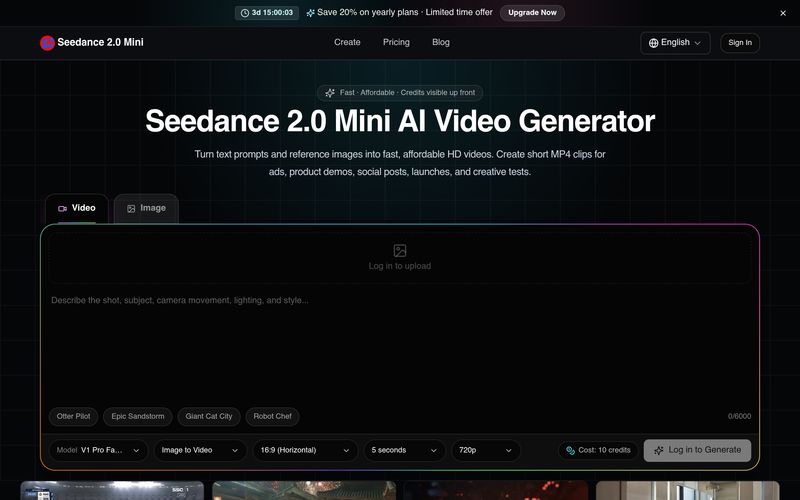
Write the subject, action, camera movement, lighting, and style, or upload a reference image.
Select aspect ratio, duration, and resolution, then confirm the credit cost before generation.
Preview the result, save it to history, and download an MP4 for publishing or editing.
Seedance 2.0 Mini Review – A Streamlined AI Tool for Fast and Professional Video Generation
One of the biggest challenges in modern Video Generation is balancing creative quality with production speed. Many AI video platforms offer impressive features, but they often require complex workflows or extensive prompt engineering to achieve satisfying results. Seedance 2.0 Mini addresses this issue by providing a simple, structured process that allows creators to produce high-quality videos quickly while maintaining creative control. As an intuitive AI tool, it makes AI-powered video production accessible for marketers, designers, creators, and businesses alike.
The workflow begins with describing the shot. Users simply write a prompt that includes the subject, action, camera movement, lighting, visual style, and atmosphere, or upload a reference image to guide the AI. This flexible input method helps Seedance 2.0 Mini generate more accurate and visually consistent results, making it suitable for everything from product showcases and promotional videos to social media content and cinematic storytelling. The option to use reference images is particularly valuable for maintaining brand identity and achieving more predictable outputs.
Next, users choose the preferred video format by selecting the aspect ratio, duration, and output resolution. Before generation begins, Seedance 2.0 Mini clearly displays the required credit cost, allowing creators to plan their projects and manage budgets more effectively. This transparent pricing approach makes it easier to test multiple creative concepts without unexpected expenses, which is especially useful for advertising teams and content marketers running A/B creative experiments.
Once the video has been generated, users can preview the result, save it to their project history, and export the finished clip as a downloadable MP4 file. The exported videos are ready for immediate publishing or further editing in professional video software, significantly reducing production time and simplifying content distribution across platforms like YouTube Shorts, TikTok, Instagram Reels, and other social channels.
Overall, Seedance 2.0 Mini delivers an efficient and creator-friendly Video Generation experience. By combining prompt-based scene creation, flexible formatting options, transparent credit management, and fast MP4 exports, this AI tool enables creators to transform ideas into polished videos with minimal effort. Whether you're producing marketing campaigns, product demos, social media clips, or creative prototypes, Seedance 2.0 Mini provides a practical workflow that helps you create high-quality video content faster, smarter, and more consistently.



This comprehensive guide explores the best AI image generators available in 2026, highlighting their unique features, strengths, and ideal use cases. We'll dive deep into each tool's capabilities to help you identify which AI image generator best suits your creative needs.

Google has just launched a powerful AI IDE code editor — now you can really vibe while coding

The best AI Model And AI Tools in 2026,The Most Popular Free AI Model And AI Tools.