Subscribe to AI newsletter
Your data is completely secure with us. We don't share it with anyone.
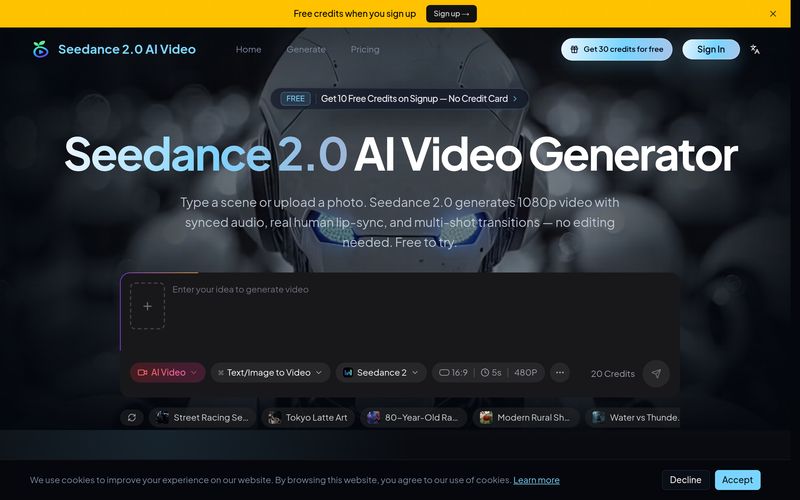
Enter a detailed text prompt describing your video. Include scene descriptions, camera movements, lighting, and audio cues. Use lens switch keywords for multi-shot sequences. The more specific your prompt, the better Seedance 2.0 understands your creative vision.
Add reference images, videos, or audio clips to guide Seedance 2.0. Upload character photos for consistency, style references for visual direction, or audio samples for sound matching. Supports up to 12 multimodal inputs in a single generation.
Seedance 2.0 processes your prompt and creates a cinematic video with synchronized audio in 30 to 40 seconds. The AI handles multi-shot composition, character consistency, camera movements, and stereo sound design — all automatically.
Preview your finished video in up to 2K resolution, download in MP4 format, and share directly to YouTube, TikTok, Instagram, or any platform. Regenerate or refine if needed — credits are only charged on successful generations.
For creators searching for a professional yet easy-to-use AI tool in the rapidly growing Video Generation industry, Seedance 2.0 AI Video offers a surprisingly streamlined workflow that balances creative flexibility with advanced automation. Based on its “How to Use” process, the platform appears designed to eliminate much of the technical complexity traditionally associated with video production. Instead of juggling editing software, sound design, transitions, and post-production tasks, Seedance 2.0 AI Video enables users to move from concept to cinematic output in just a few steps.
One of the biggest advantages of Seedance 2.0 AI Video as an AI tool is how naturally it translates creative ideas into finished content. The workflow begins with a detailed text prompt, where users simply describe their video concept. What makes this especially powerful for Video Generation is the platform’s support for advanced prompt guidance. Users can include scene descriptions, lighting setups, camera angles, movement instructions, and even audio cues to shape the final output more precisely. For creators familiar with cinematic language, adding lens-switch keywords for multi-shot storytelling creates a much more professional and film-like experience than traditional single-shot AI generators.
Another impressive aspect of Seedance 2.0 AI Video is its optional multimodal reference system. Users can upload reference images, videos, or audio clips to guide the AI toward a more consistent creative vision. Whether maintaining a specific character appearance, matching a visual aesthetic, or synchronizing music and rhythm, this feature gives creators stronger control over storytelling. Supporting up to 12 multimodal references in one generation makes Seedance 2.0 AI Video particularly appealing for agencies, marketers, YouTubers, educators, and brands that require consistent visuals across campaigns.
Perhaps the most impressive part of the process is the speed and automation behind generation itself. Once prompts and references are submitted, Seedance 2.0 AI Video automatically handles complex production elements such as camera movements, multi-shot composition, synchronized stereo audio, character continuity, and cinematic transitions—all in roughly 30 to 40 seconds. For an AI tool specializing in Video Generation, this level of automation dramatically reduces editing time while still maintaining professional-quality output.
The final stage of the workflow also adds significant convenience. Users can preview videos in up to 2K resolution, download MP4 files instantly, and share directly to platforms such as YouTube, TikTok, and Instagram. The ability to refine or regenerate content only when successful generations occur also makes the experience feel more creator-friendly and efficient.
Overall, Seedance 2.0 AI Video succeeds as a next-generation AI tool by simplifying professional Video Generation into a fast, intuitive, and highly customizable process. With detailed prompt control, multimodal references, synchronized audio, and cinematic automation, Seedance 2.0 AI Video offers creators a powerful way to transform ideas into polished video content with minimal effort.



This comprehensive guide explores the best AI image generators available in 2026, highlighting their unique features, strengths, and ideal use cases. We'll dive deep into each tool's capabilities to help you identify which AI image generator best suits your creative needs.

Google has just launched a powerful AI IDE code editor — now you can really vibe while coding

The best AI Model And AI Tools in 2026,The Most Popular Free AI Model And AI Tools.