Subscribe to AI newsletter
Your data is completely secure with us. We don't share it with anyone.
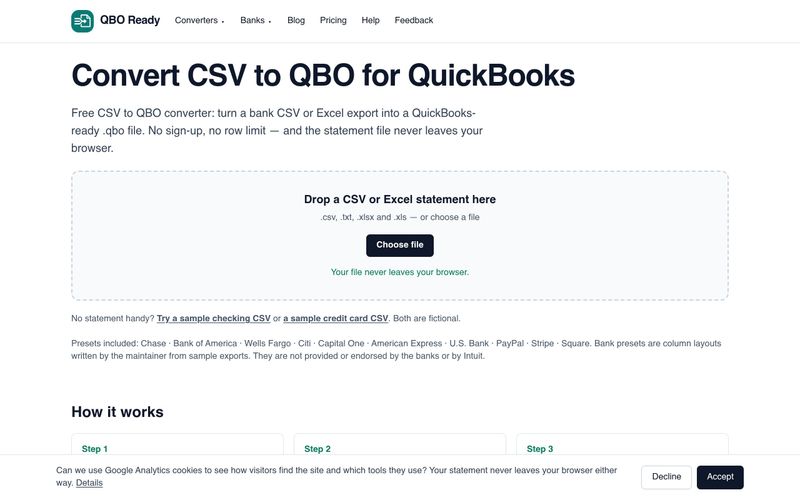
QBO Ready is a free, browser-based converter that turns bank CSV or Excel statements into QuickBooks-ready .qbo files. It is built for people who need to import older or manual statements into QuickBooks Online but cannot use the automatic bank feed, or who keep hitting import errors with hand-edited spreadsheets.
The core idea is privacy by design: the conversion engine is JavaScript that runs inside your browser tab. Your statement is read from your own disk and the .qbo file is generated in memory, so no statement, account number or payee name is transmitted anywhere. There is no sign-up and no row limit.
Most failed CSV to QBO imports come down to three problems: a date format QuickBooks cannot parse (errors OL-221 and OL-222), amounts signed the wrong way round, or overlapping date ranges that create duplicates. QBO Ready normalises the date format, lets you correct the sign convention, and warns about duplicate rows in the preview. It also includes step-by-step guides for each supported bank and a guide to fixing QuickBooks import errors.
The 90-day limit on QuickBooks automatic bank feeds does not apply to files you upload yourself, which makes converting an older statement to .qbo a practical workaround for catch-up bookkeeping.
Converting a statement is free, with no row limit and no account needed. Paid plans (a $9 7-day pass, $12/month or $79/year Pro, and $29/month Bookkeeper) are planned but not built or on sale; the site states this openly.
Free in-browser CSV/Excel to QuickBooks .qbo converter with bank presets, manual column mapping, duplicate detection and a preview — no sign-up, no row limit and no file upload.



This comprehensive guide explores the best AI image generators available in 2026, highlighting their unique features, strengths, and ideal use cases. We'll dive deep into each tool's capabilities to help you identify which AI image generator best suits your creative needs.

Google has just launched a powerful AI IDE code editor — now you can really vibe while coding

The best AI Model And AI Tools in 2026,The Most Popular Free AI Model And AI Tools.