Subscribe to AI newsletter
Your data is completely secure with us. We don't share it with anyone.
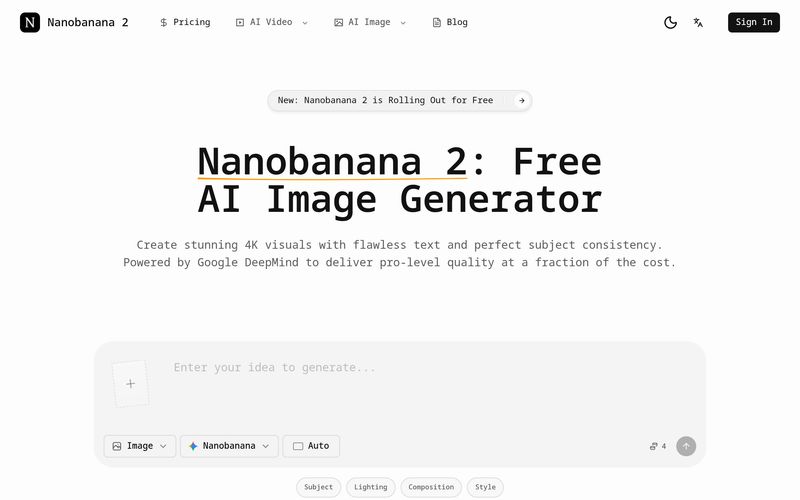
Describe your vision in natural language, including specific details regarding lighting, style, and text elements.
Select the desired aspect ratio, resolution (up to 4K), and determine if you want single or batch mode.
Wait just a few moments to see Nanobanana 2's blazing-fast rendering capabilities bring your prompt to life.
Need tweaks? Use natural language instructions to perform multi-step edits seamlessly.
For creators, marketers, and designers searching for a reliable AI tool for professional Image Generation, Nanobanana 2 offers an impressively streamlined workflow that makes advanced visual creation feel both accessible and efficient. Rather than overwhelming users with technical complexity, Nanobanana 2 simplifies the creative process into four intuitive steps: Input Your Prompt, Adjust Options, Rapid Generation, and Iterate & Edit. This practical approach makes it easy for beginners to start creating while still giving experienced professionals the control needed for production-quality visuals.
The first step, “Input Your Prompt,” highlights one of the most appealing aspects of Nanobanana 2 as an AI tool. Users simply describe their vision in natural language, including preferences related to lighting, style, composition, or even text elements. Unlike older AI systems that often require complicated prompt engineering, Nanobanana 2 understands conversational instructions surprisingly well. Whether someone needs ecommerce product photography, cinematic portraits, ad banners, social media graphics, or detailed concept art, the platform allows users to communicate ideas naturally without needing technical expertise. This accessibility significantly lowers the learning curve in the competitive Image Generation market.
The second stage, “Adjust Options,” gives creators meaningful flexibility while keeping the workflow straightforward. Users can select their desired aspect ratio, choose image resolutions up to 4K, and decide between single generation or batch mode depending on project requirements. This flexibility makes Nanobanana 2 highly suitable for different creative scenarios, whether generating a single premium visual for a brand campaign or producing multiple variations for ecommerce listings and social ads. The inclusion of batch mode is particularly useful for teams that need scalable content production without increasing costs dramatically.
Perhaps the most impressive step is “Rapid Generation,” where Nanobanana 2 truly demonstrates its technical strength. Powered by Google DeepMind’s advanced infrastructure, this AI tool brings prompts to life within moments, dramatically reducing waiting times often associated with high-quality Image Generation. Speed matters in real-world production environments, especially for marketers and creators managing tight deadlines, and Nanobanana 2 clearly prioritizes efficiency without compromising image quality.
The final step, “Iterate & Edit,” adds another layer of convenience by allowing users to make seamless adjustments through natural language instructions. Instead of restarting from scratch, creators can simply type requests such as changing a background, refining visual elements, adjusting composition, or improving details. This multi-step editing capability makes the creative process far more flexible and productive, especially for campaigns requiring multiple revisions.
Overall, Nanobanana 2 proves itself to be an intuitive and highly capable AI tool for modern Image Generation. Its easy-to-follow workflow, support for high-resolution outputs, rapid rendering speeds, and seamless editing experience make it an excellent choice for creators who want professional-quality visuals without unnecessary friction. Whether for ecommerce, marketing, storytelling, or creative experimentation, Nanobanana 2 simplifies image production while maintaining impressive speed and quality.



This comprehensive guide explores the best AI image generators available in 2026, highlighting their unique features, strengths, and ideal use cases. We'll dive deep into each tool's capabilities to help you identify which AI image generator best suits your creative needs.

Google has just launched a powerful AI IDE code editor — now you can really vibe while coding

The best AI Model And AI Tools in 2026,The Most Popular Free AI Model And AI Tools.