Subscribe to AI newsletter
Your data is completely secure with us. We don't share it with anyone.
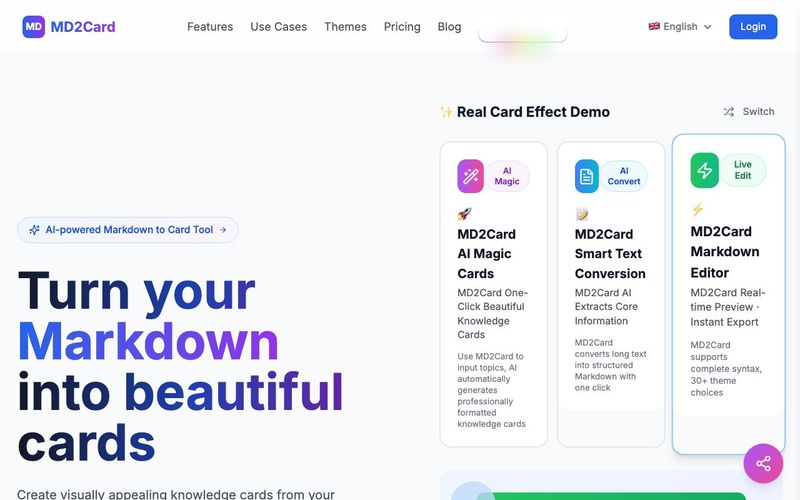
Create content using familiar Markdown syntax
Pick from over 25 professionally designed beautiful themes
See real-time previews and make adjustments
Export as PNG/SVG and share with your audience
MD2Card stands out as a highly practical AI tool designed to simplify content creation for educators, students, and digital creators who rely on clear visual communication. In the fast-growing landscape of Educational Learning, MD2Card fills an important gap by transforming traditional Markdown text into beautifully styled, share-ready cards. Its workflow is thoughtfully crafted so that users—from teachers preparing lesson summaries to learners building study notes—can turn simple text into visually engaging educational assets without any design skills.
The process begins with something everyone in digital communication already knows: Write in Markdown. This makes MD2Card instantly familiar and accessible. Whether you're drafting concise explanations, step-by-step walkthroughs, vocabulary notes, or classroom prompts, Markdown ensures structure and clarity. By combining this simplicity with the power of an AI tool, MD2Card enhances the efficiency of content creation for anyone involved in teaching, tutoring, or learning.
Next, users can Choose a Theme from more than 25 professionally designed templates. These themes ensure that study materials, presentation assets, or classroom visuals maintain a polished, modern look—something especially valuable for educators and learners who want materials that feel more like high-quality digital flashcards or learning slides. Theme selection helps reinforce the idea that knowledge becomes more memorable when presented in a clean, visually appealing manner.
The Preview & Edit feature enhances the tool’s value even further. Real-time previews allow creators to see exactly how their educational materials will appear. This makes MD2Card not just an AI-enhanced generator but also an intuitive design assistant—ideal for teachers crafting micro-lessons, students preparing study decks, or knowledge workers summarizing key concepts.
Finally, MD2Card’s Export & Share options let users publish their creations in PNG or SVG formats, perfect for presentations, online classrooms, social media teaching posts, or LMS uploads. In the broader context of Educational Learning, MD2Card proves itself to be an efficient, flexible, and time-saving AI tool that transforms ordinary Markdown into professionally designed educational visuals.



This comprehensive guide explores the best AI image generators available in 2026, highlighting their unique features, strengths, and ideal use cases. We'll dive deep into each tool's capabilities to help you identify which AI image generator best suits your creative needs.

Google has just launched a powerful AI IDE code editor — now you can really vibe while coding

The best AI Model And AI Tools in 2026,The Most Popular Free AI Model And AI Tools.