Subscribe to AI newsletter
Your data is completely secure with us. We don't share it with anyone.
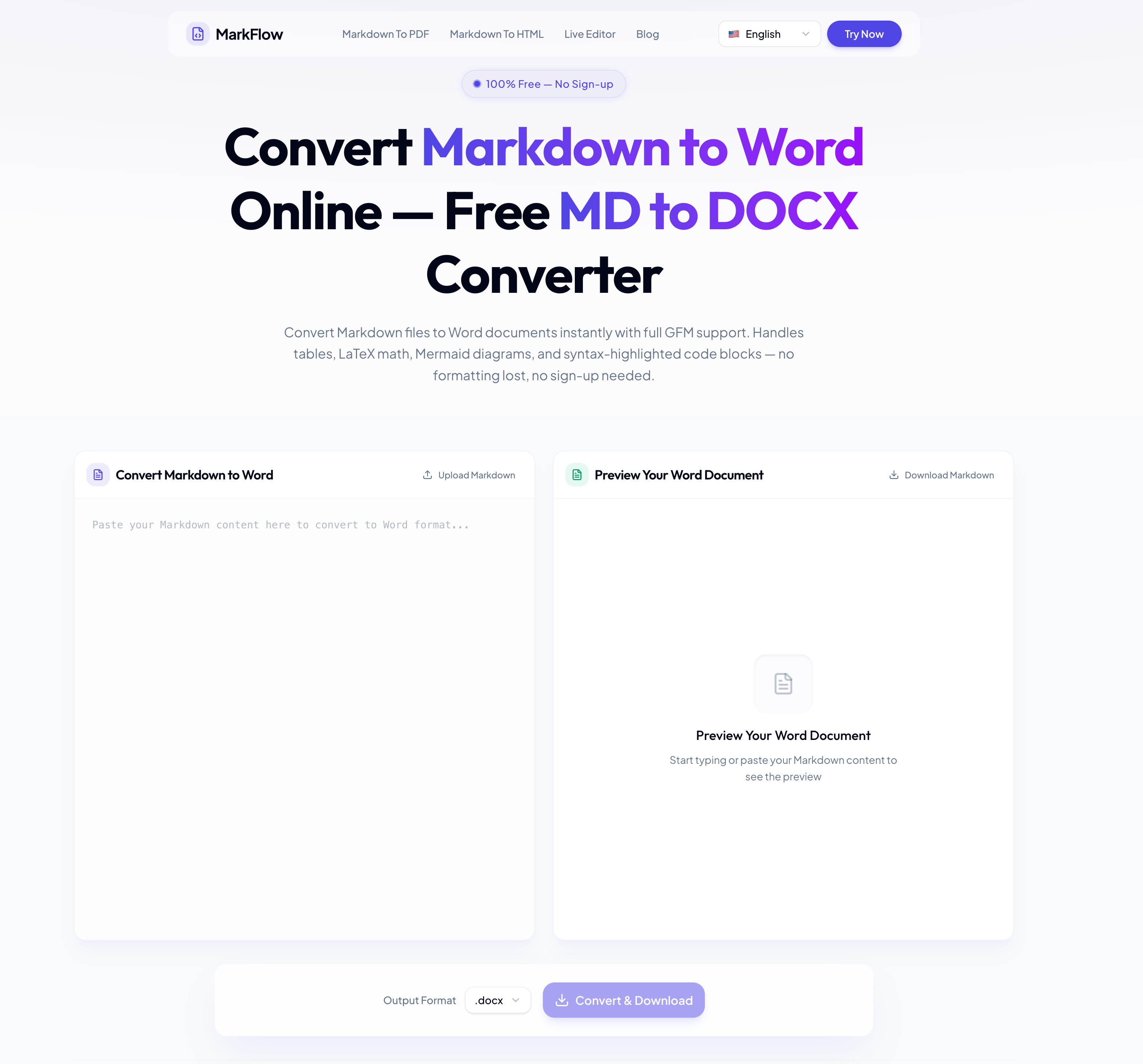
Paste your Markdown content or upload a .md file into an online converter like MarkFlow, then click Convert & Download. The entire process takes seconds and requires no sign-up, no installation, and no payment. All features — including LaTeX math, Mermaid diagrams, and table conversion — are available at no cost.
It depends on the tool. With browser-based converters, conversion happens entirely on your device — your files are never uploaded to a remote server. This means your Markdown content stays private throughout the process. Always check whether a converter processes files locally or server-side before uploading sensitive documents.
A good Markdown to Word converter maps each Markdown element to its native Word equivalent: headings become Word heading styles, tables become editable Word tables, and code blocks retain syntax highlighting. Advanced elements like LaTeX math and Mermaid diagrams are rendered as high-fidelity images embedded in the .docx. The key is choosing a converter that supports the full GFM specification.
To include Mermaid diagrams in a Word document, use a converter that renders mermaid code blocks into images. Flowcharts, sequence diagrams, Gantt charts, and class diagrams are converted to high-quality PNG images and embedded directly in the .docx file. This eliminates the need to manually export diagrams from tools like draw.io or Lucidchart.
For Markdown files containing LaTeX equations, use a converter that supports math rendering. Both inline formulas (e.g., $E=mc^2$) and display equations ($$...$$) are rendered with accurate mathematical layout and embedded in the Word document — useful for academic papers, research reports, and engineering documentation.
Yes. A real-time preview panel shows exactly how your tables, math, diagrams, and code blocks will appear in the final Word document. This lets you catch formatting issues and make adjustments before downloading.
.docx is the modern Word format — smaller file sizes, better compression, enhanced security, and full compatibility with Microsoft 365, Google Docs, and LibreOffice. .doc is a legacy format for Word 2003 and earlier. Choose .docx unless you specifically need backward compatibility with very old software.
Images referenced in Markdown (both external URLs and local paths) are downloaded and embedded directly into the Word document. This makes the .docx self-contained — it displays correctly when shared, emailed, or opened on a different device without needing access to the original image sources.
Most online converters support Markdown files up to 10 MB, which covers comprehensive technical documentation, full-length books, and academic theses. Conversion typically completes in a few seconds for standard-length documents.
Converted Word documents use standard Word styles (Normal, Heading 1–6, Code Block, etc.). To change fonts, sizes, colors, or spacing across the entire document, edit the styles in Microsoft Word — one change propagates everywhere automatically. This is more efficient than manual formatting.
Yes. Browser-based Markdown to Word converters work on iOS and Android devices. You can paste Markdown, preview the formatting, and download the .docx file directly from your mobile browser — no app installation required.
Yes. Documents you convert from Markdown to Word are yours to use for any purpose — personal, educational, or commercial. This includes client deliverables, business reports, and commercial publications. No attribution is required.
In the modern digital workspace, finding a reliable AI tool for document formatting and conversion has become increasingly important for developers, technical writers, researchers, students, and business teams. The rise of Markdown-based workflows has created strong demand for smarter AI Office Tools that can transform Markdown content into polished Word documents without losing formatting quality. This is where platforms like MarkFlow demonstrate their real value by simplifying the entire Markdown-to-Word conversion process while preserving complex document structures.
One of the biggest advantages of this type of AI tool is accessibility. Users can simply paste Markdown text or upload a .md file, click “Convert & Download,” and instantly receive a fully formatted .docx file. The process requires no installation, no sign-up, and no payment, making it extremely convenient for both casual users and professionals. Compared to traditional document conversion workflows that often involve plugins, command-line utilities, or manual formatting corrections, browser-based AI Office Tools significantly improve productivity and reduce technical barriers.
Another important feature highlighted in the FAQ is privacy protection. Many users worry about uploading confidential documentation, internal reports, or proprietary technical content to online services. Modern browser-based converters solve this issue by processing files locally on the user’s device instead of uploading them to remote servers. This approach makes the AI tool safer for handling sensitive Markdown files and gives organizations more confidence when using online conversion platforms.
Formatting preservation is also a major strength of advanced AI Office Tools. High-quality Markdown converters accurately transform headings into native Word styles, tables into editable Word tables, and code blocks into syntax-highlighted sections. More advanced features such as LaTeX mathematical equations and Mermaid diagrams are rendered as high-quality embedded visuals inside the final Word document. This capability is especially valuable for software engineers, academic researchers, and technical documentation teams who depend on precise formatting for professional communication.
The real-time preview feature further improves the user experience. Before downloading the final .docx file, users can inspect exactly how tables, formulas, diagrams, images, and code snippets will appear. This minimizes formatting errors and reduces time spent on post-editing. Support for .docx compatibility with Microsoft Word, Google Docs, and LibreOffice also ensures smooth collaboration across different platforms and office environments.
Another reason why browser-based AI Office Tools are becoming more popular is mobile accessibility. Users can convert Markdown to Word directly from smartphones or tablets without installing additional apps, making document workflows far more flexible for remote work and mobile productivity. Combined with support for commercial use, image embedding, large file handling, and customizable Word styles, these tools offer a complete modern documentation solution.
Overall, advanced Markdown converters represent the next generation of AI Office Tools by combining speed, formatting accuracy, privacy protection, and accessibility into one streamlined workflow. For users looking for a dependable AI tool to handle technical documentation, academic writing, or professional reporting, platforms like MarkFlow provide an efficient and highly practical solution.



This comprehensive guide explores the best AI image generators available in 2026, highlighting their unique features, strengths, and ideal use cases. We'll dive deep into each tool's capabilities to help you identify which AI image generator best suits your creative needs.

Google has just launched a powerful AI IDE code editor — now you can really vibe while coding

The best AI Model And AI Tools in 2026,The Most Popular Free AI Model And AI Tools.