Subscribe to AI newsletter
Your data is completely secure with us. We don't share it with anyone.
Upload
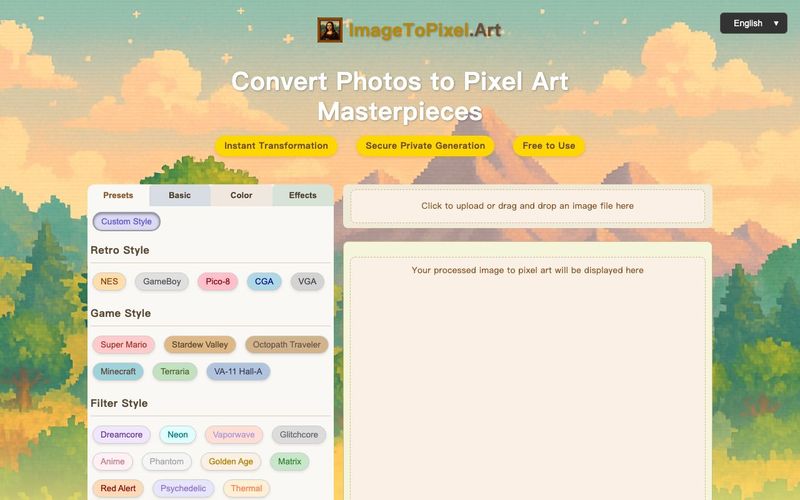
Click or drag & drop your JPG, PNG, or other image. Our image to pixel art tool shows your original and the initial pixel art image preview side-by-side.
Customize
Explore presets or dive into manual controls. Adjust pixel size, colors, and effects. Watch your image to pixel conversion update in real-time with our pixel art maker from image!
Download
Happy with your masterpiece? Click download to get your high-quality PNG. It's that easy to convert image to pixel art and get your pixel picture!
Craft Your Perfect Image to Pixel Art: Endless Possibilities
Go beyond simple conversion. ImageToPixel.Art is your creative playground to make pixel art from any image file, a true photo to pixel art converter for your vision. Turn pictures into pixel art that stands out.
Authentic Retro Vibes & Game Styles:
Instantly apply iconic looks from NES, GameBoy, SNES, Pico-8, and even modern classics like Stardew Valley or Minecraft with our Game Style Presets.
Simulate old-school displays (CGA, VGA) using Retro Device Presets.
Control pixel aspect ratio for that true vintage feel.
Perfectly convert image to pixel art grid effects for game sprites.
Master Your Color Palette:
Drastically reduce or precisely define the color palette count (2, 4, 16, 256 colors, or original) for stylistic impact.
Utilize advanced dithering algorithms (Floyd-Steinberg, Bayer) to create smooth transitions even with limited colors, crucial for a quality pixel art convert process when you convert image to pixel art.
Fine-tune brightness, contrast, saturation, hue shift, color temperature, and color balance for the perfect mood for your pixel art image.
Use Posterize Levels for a striking, stylized look when you turn an image into pixel art.
Add Unique Stylistic Flair:
Emulate CRT screens with adjustable Scanlines and CRT Masks.
Emphasize the pixel structure with a clear Pixel Grid.
Add definition with Outlines or sharpen details.
Introduce texture with Noise/Grain, or create dreamy effects with Bloom.
Experiment with Chromatic Aberration for a lo-fi aesthetic.
Precision Control for Professionals & Hobbyists:
Adjust Pixel Size to control the level of abstraction.
Manage transparency with the Alpha Threshold.
Set Luminance Min/Max for specific lighting effects.
Need to start over? The "Reset All" button is your friend!



This comprehensive guide explores the best AI image generators available in 2026, highlighting their unique features, strengths, and ideal use cases. We'll dive deep into each tool's capabilities to help you identify which AI image generator best suits your creative needs.

Google has just launched a powerful AI IDE code editor — now you can really vibe while coding

The best AI Model And AI Tools in 2026,The Most Popular Free AI Model And AI Tools.