Subscribe to AI newsletter
Your data is completely secure with us. We don't share it with anyone.
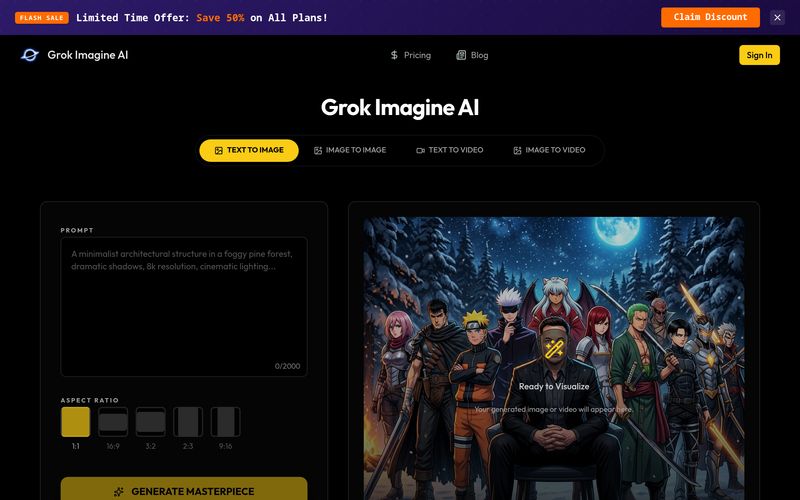
Open the image generator for still visuals or the video generator when you want motion, then start with the workflow that matches your idea.
Describe the scene you want to create, or upload a source image when you want to edit an existing visual or turn it into a short video concept.
Run your generation, review the result, and download the final image or video when it is ready to use in your creative workflow.
Grok Imagine AI offers a clear and beginner-friendly workflow for creators who want to use an AI tool for Image Generation, visual editing, and motion concept exploration. Based on its “How to use” process, one of the strongest advantages of Grok Imagine AI is that it separates creative needs into simple, practical steps. Users can first choose the right generator depending on their goal: the image generator for still visuals, or the video generator when they want to explore motion-based ideas. This makes the tool easier to understand for both new users and experienced creative teams.
As an AI tool focused on Image Generation, Grok Imagine AI gives users a flexible starting point. You can begin with a text prompt to describe the scene, style, mood, subject, composition, or campaign direction you want to create. This prompt-based workflow is useful for social media visuals, advertising concepts, thumbnails, product storytelling, and brand campaign drafts. Instead of starting from a blank canvas, users can quickly turn an idea into multiple visual possibilities.
Another valuable part of the Grok Imagine AI workflow is the ability to add a source image. This makes the tool more useful than a basic text-to-image generator. When users upload an existing image, they can edit a visual, expand a concept, or transform it into a short video idea. For marketers and creators, this is especially helpful when they already have brand materials, product photos, or campaign references and want to explore new creative directions without rebuilding everything from scratch.
The final step, “generate, review, and download,” also shows that Grok Imagine AI is built for real creative production. Users can run the generation, evaluate the result, make adjustments if needed, and then download the final image or video for use in their workflow. This makes Grok Imagine AI a practical AI tool for fast ideation, Image Generation, content testing, and early-stage video planning.
Overall, Grok Imagine AI provides a simple but effective creative workflow. By combining image generation, source image editing, video concept creation, and downloadable outputs, Grok Imagine AI helps users move from rough ideas to usable creative assets faster. For anyone looking for an AI tool that supports both still visuals and motion exploration, Grok Imagine AI offers a smooth and accessible way to improve modern content production.



This comprehensive guide explores the best AI image generators available in 2026, highlighting their unique features, strengths, and ideal use cases. We'll dive deep into each tool's capabilities to help you identify which AI image generator best suits your creative needs.

Google has just launched a powerful AI IDE code editor — now you can really vibe while coding

The best AI Model And AI Tools in 2026,The Most Popular Free AI Model And AI Tools.