Subscribe to AI newsletter
Your data is completely secure with us. We don't share it with anyone.
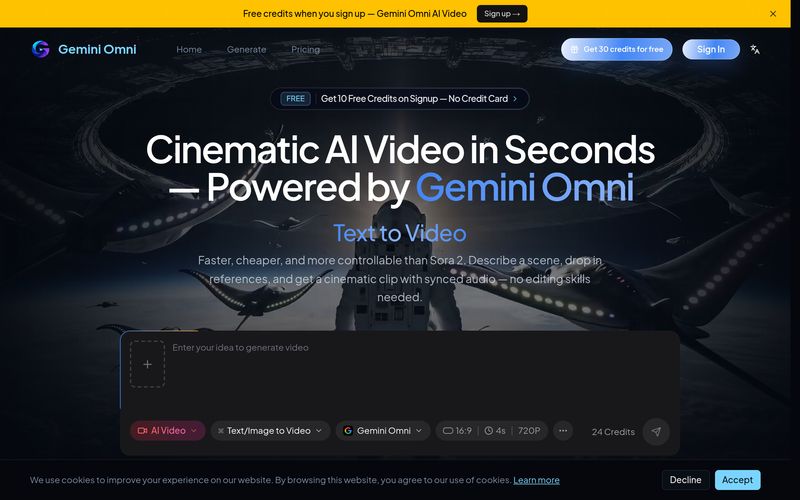
Gemini Omni is Google's any-to-any multimodal AI video generator. It accepts text, images, video clips, and audio as input and creates cinematic videos grounded in real-world knowledge — with native audio sync, multi-shot storytelling, and character consistency. You can access the Gemini Omni AI video generator free online through our platform without installing any software.
It means you can combine any inputs — text prompts, reference images, video clips, and audio tracks — in a single creative brief. Gemini Omni reads them all together: character appearance from images, camera path from video references, beat and rhythm from audio. Up to 15 references per generation, no tool-chaining required.
Yes — natively. Gemini Omni generates dialogue, ambience, music, and sound effects simultaneously with the video in a single pass. Stereo sound is locked to on-screen action, with no post-production audio layering needed. This is what makes Gemini Omni distinct from text-to-video models that bolt audio on afterwards.
Include lens-switch keywords or shot-by-shot directions in your prompt and Gemini Omni handles the camera cuts automatically. The AI maintains continuity of characters, lighting, and visual style across every shot — something most AI video models can't sustain past the first cut.
Upload one or more reference photos to define your characters. Gemini Omni locks facial features, clothing, body proportions, and visual style across the entire video — even through complex camera movements, scene changes, and multi-shot transitions.
Yes, you can try the Gemini Omni AI video generator for free. New users receive 10 free credits on signup, enough to generate several AI videos. For higher volume usage, we offer affordable Lite and Pro subscription plans with more credits, higher resolution output, and additional features like batch generation.
Gemini Omni Flash outputs HD video at 4 / 6 / 8 / 10 second durations per clip. Higher resolutions available via API. Chain multiple clips through in-chat conversational editing for longer narratives.
Gemini Omni Flash typically renders a clip in well under a minute. Exact time depends on output duration (4–10s), resolution, and prompt complexity. You can track progress in real-time during generation.
Yes. Gemini Omni supports in-chat conversational editing — describe changes in natural language and the model applies them. You can swap objects, replace backgrounds, modify scenes, or remove elements without regenerating the entire clip. This is unique to Gemini Omni among major AI video models.
Gemini Omni has three exclusive capabilities not offered by Sora 2 or Veo 3.1: (1) any-to-any multimodal input combining text, image, video, and audio references in one prompt; (2) in-chat conversational editing of generated clips; (3) up to 15 references per generation. Sora 2 has strengths in physical simulation and Veo 3.1 in prompt-following — see the comparison table above for the full breakdown.
Yes, all videos generated through our Pro plan can be used for commercial purposes. You retain full rights to your created content — marketing campaigns, social media advertising, product demos, e-commerce listings, or any other business application. Free tier videos are for personal and non-commercial use.
Yes — our Gemini Omni API is available for Pro and team plans. The API accepts the same multimodal inputs as the web app (text, image, video, audio) and returns the rendered MP4 plus a synchronized audio stream. See the docs for endpoints, rate limits, and pricing.
As AI-powered video creation continues to evolve, creators are demanding more than simple text-to-video generation. Gemini Omni is a cutting-edge AI tool that takes Video Generation to a new level by combining Google's any-to-any multimodal AI technology with powerful creative controls. Rather than relying solely on text prompts, Gemini Omni allows users to blend text, images, video clips, and audio into a single creative workflow, producing cinematic videos with synchronized sound, consistent characters, and realistic storytelling.
One of the most impressive features of Gemini Omni is its true multimodal generation capability. Users can include up to 15 reference assets in a single project, enabling the AI to understand character appearance from images, camera language from video references, and rhythm or mood from audio tracks simultaneously. This integrated workflow eliminates the need for multiple AI tools and significantly improves creative accuracy compared to traditional Video Generation platforms.
Another standout advantage is Gemini Omni's native audio synchronization. Unlike many AI video generators that add music or sound effects after rendering, Gemini Omni generates dialogue, ambient sound, music, and sound effects together with the visuals in a single pass. The result is more natural lip-sync, better timing, and a polished cinematic experience without requiring additional post-production editing.
Character consistency is another area where this AI tool excels. By uploading one or more reference photos, creators can maintain the same facial identity, clothing, proportions, and visual style throughout multiple shots and scene transitions. Combined with automatic multi-shot storytelling and intelligent camera switching, Gemini Omni produces videos that feel remarkably coherent and professionally directed.
Perhaps the most innovative feature is its conversational editing system. Instead of restarting an entire project after making a small change, users can simply describe adjustments in natural language—such as replacing objects, modifying backgrounds, or refining actions—and Gemini Omni updates the existing video accordingly. This dramatically speeds up creative iteration while reducing production costs.
Overall, Gemini Omni represents one of the most advanced AI tools available for modern Video Generation. With multimodal inputs, synchronized audio, character consistency, conversational editing, API support, and commercial licensing for Pro users, Gemini Omni provides a complete AI video production solution for filmmakers, marketers, businesses, educators, and content creators. If you're searching for an intelligent platform that combines creative flexibility with professional-quality output, Gemini Omni is an outstanding choice worth exploring.



This comprehensive guide explores the best AI image generators available in 2026, highlighting their unique features, strengths, and ideal use cases. We'll dive deep into each tool's capabilities to help you identify which AI image generator best suits your creative needs.

Google has just launched a powerful AI IDE code editor — now you can really vibe while coding

The best AI Model And AI Tools in 2026,The Most Popular Free AI Model And AI Tools.