Subscribe to AI newsletter
Your data is completely secure with us. We don't share it with anyone.
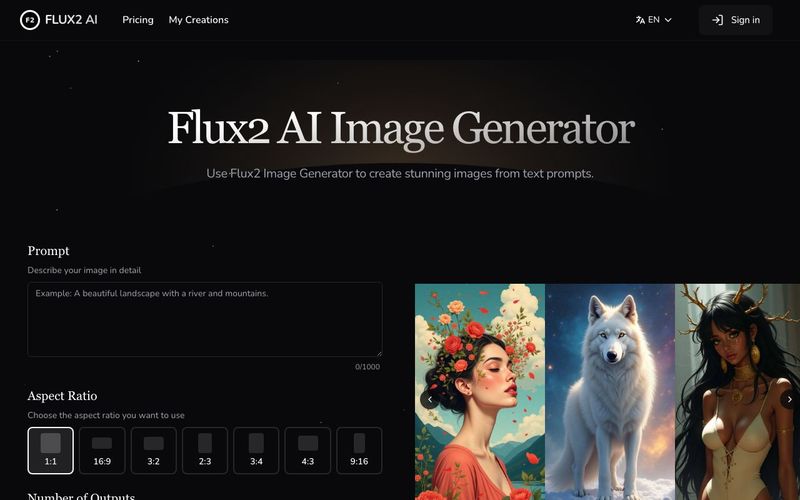
Write a detailed description of your desired image. Include specific details about style, composition, lighting, and mood to guide the AI's interpretation.
Select your preferred model variant, aspect ratio, and number of outputs to customize the generation process according to your requirements.
Initiate the generation process and let Flux2's advanced AI algorithms transform your text prompt into stunning visual compositions.
Review your generated images and download them in high-quality format for your projects and creative endeavors.
The FLUX2 AI Image Generator is an exceptional AI tool designed to make image generation both intuitive and highly professional, regardless of your level of expertise. The platform’s workflow is straightforward yet powerful, allowing users to convert text prompts into high-quality visuals in just a few steps. The process begins with crafting a detailed prompt, where users provide precise information about composition, lighting, style, and mood. This step ensures that the AI fully understands the creative vision, making the output accurate and aligned with expectations. The ability to guide the AI with such specificity sets FLUX2 apart from many other image generators, highlighting its versatility as a top-tier AI tool.
Next, users configure parameters to fine-tune the image generation. FLUX2 offers multiple model variants—Pro, Dev, and Schnell—each optimized for different creative needs, from high-resolution, professional outputs to fast prototyping. Users can adjust aspect ratios and specify the number of outputs, which provides significant flexibility for diverse projects, whether creating marketing visuals, concept art, or social media content. This level of control ensures that every generated image meets both aesthetic and practical requirements, making it ideal for commercial and personal applications.
Once configured, users simply generate their images, and FLUX2’s advanced AI algorithms take over. The platform transforms text prompts into visually stunning, high-fidelity images, combining precise prompt adherence with artistic versatility. Whether the desired style is photorealistic, cinematic, illustrative, or abstract, FLUX2 consistently delivers professional-quality outputs. Finally, users can export their creations in high-resolution formats, ready for immediate use in campaigns, presentations, or creative projects.
In summary, the FLUX2 AI Image Generator is a user-friendly yet powerful AI tool that excels in image generation. Its combination of prompt precision, model flexibility, and professional output quality makes it an essential platform for artists, designers, and content creators seeking efficient and reliable AI-assisted visuals.



This comprehensive guide explores the best AI image generators available in 2026, highlighting their unique features, strengths, and ideal use cases. We'll dive deep into each tool's capabilities to help you identify which AI image generator best suits your creative needs.

Google has just launched a powerful AI IDE code editor — now you can really vibe while coding

The best AI Model And AI Tools in 2026,The Most Popular Free AI Model And AI Tools.