Subscribe to AI newsletter
Your data is completely secure with us. We don't share it with anyone.
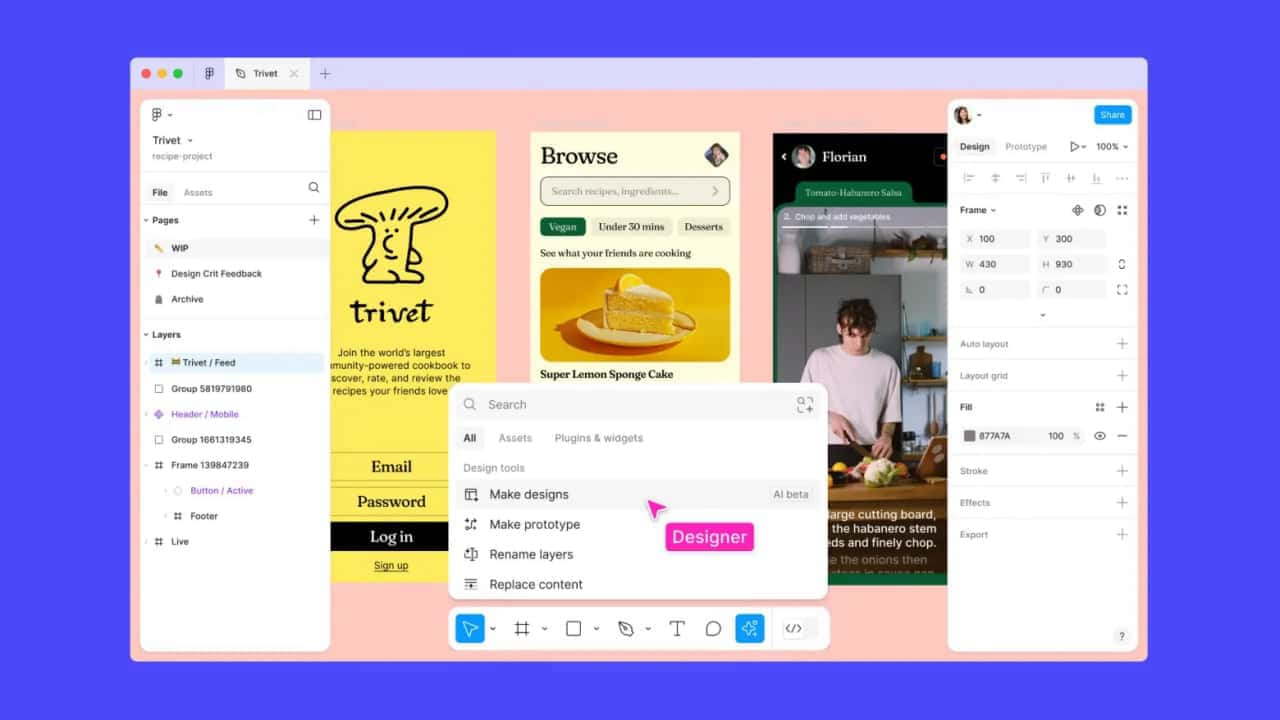
To start using Figma AI, follow these steps:
Access Figma AI:
Visit the Figma AI page and log in to your Figma account.
Enable AI Features:
Navigate to the AI settings page within Figma. This can be found under the “Settings” menu. More details on managing AI settings can be found here.
Explore AI Tools:
Begin exploring the various AI tools available. Start with auto-generation features to create initial design drafts, then use intelligent recommendations to refine your design.
Admins have control over AI use and content training, which they can adjust with two new settings. Admins can turn these settings on or off at anytime. These settings control:
These are team-level settings for Starter and Professional plans and organization-level settings for Organization and Enterprise plans.
Our customer agreements with Organization and Enterprise are typically more complex and include specific requirements and restrictions, which is why we’ve chosen a different default setting for those plans. Additionally, these two new settings will default to ‘off’ for teams that turned off “Figma and FigJam AI” prior to June 26, 2024.



This comprehensive guide explores the best AI image generators available in 2026, highlighting their unique features, strengths, and ideal use cases. We'll dive deep into each tool's capabilities to help you identify which AI image generator best suits your creative needs.

Google has just launched a powerful AI IDE code editor — now you can really vibe while coding

The best AI Model And AI Tools in 2026,The Most Popular Free AI Model And AI Tools.