Subscribe to AI newsletter
Your data is completely secure with us. We don't share it with anyone.
GENERATE
Turn text, sketches, references, PDFs, and photos into a publication-ready figure draft.
All inputs welcome
Publication-aware figure styles
Journal-grade first draft
ENHANCE
Keep the figure editable after generation, then adjust labels, regions, composition, and detail.
Every text editable
Precision region refinement
Background cleanup and upscaling
VECTORIZE
Export figures into formats that still work for papers, posters, presentations, and downstream design tools.
SVG and editable PPTX
PDF, PNG, and high-DPI TIFF
Ready for submission and collaboration
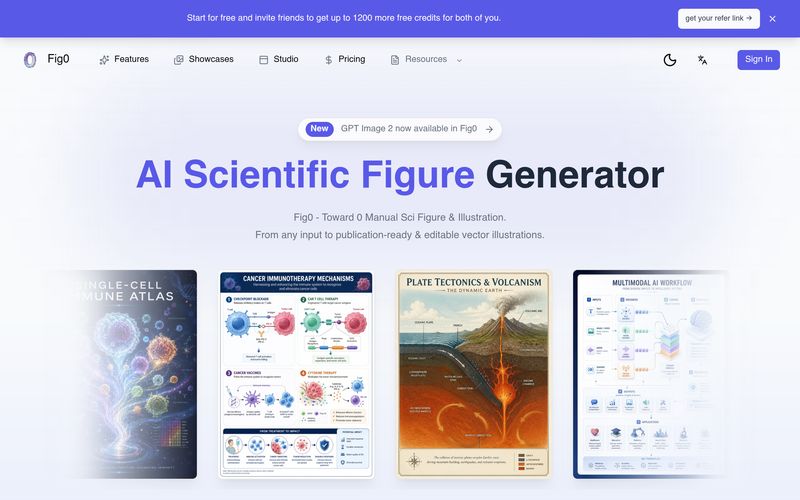
Creating publication-quality scientific figures has traditionally required a combination of technical expertise, graphic design skills, and hours of manual editing. Fig0 simplifies this process by offering a specialized AI tool built specifically for Educational Learning, academic research, and scientific communication. Its intuitive workflow enables users to move from raw ideas to editable, publication-ready illustrations with remarkable efficiency.
The workflow begins with content generation. Instead of forcing users to start with a blank canvas, Fig0 accepts a wide range of input formats, including text descriptions, hand-drawn sketches, reference images, PDFs, and photographs. This flexibility allows researchers, educators, and students to build upon existing materials rather than recreating figures from scratch. The platform then generates a journal-style first draft that is structured for scientific clarity, making it much easier to visualize experimental workflows, biological pathways, engineering diagrams, or conceptual models.
After the initial figure is created, Fig0 focuses on refinement instead of regeneration. Every label, annotation, and visual element remains editable, allowing users to modify layouts, adjust regions, improve composition, clean backgrounds, and upscale image quality without losing previous work. This iterative editing process is especially valuable during peer review or classroom preparation, where small revisions are common. Rather than rebuilding an entire illustration, users can make targeted improvements quickly and efficiently.
The final stage emphasizes professional export options. Unlike many general-purpose AI image generators, Fig0 supports editable SVG files, PPTX presentations, vector PDFs, high-resolution PNGs, and publication-ready TIFF outputs. These formats integrate seamlessly into research papers, conference posters, educational presentations, grant proposals, and collaborative design workflows, ensuring that figures remain useful long after they are generated.
Overall, Fig0 is an exceptional AI tool that enhances Educational Learning by combining intelligent figure generation, flexible editing, and publication-ready vector exports into a single workflow. Whether you're a researcher preparing a journal submission, an educator creating teaching materials, or a student visualizing complex scientific concepts, Fig0 offers a faster, smarter, and more reliable way to produce professional scientific illustrations while maintaining full creative control.



This comprehensive guide explores the best AI image generators available in 2026, highlighting their unique features, strengths, and ideal use cases. We'll dive deep into each tool's capabilities to help you identify which AI image generator best suits your creative needs.

Google has just launched a powerful AI IDE code editor — now you can really vibe while coding

The best AI Model And AI Tools in 2026,The Most Popular Free AI Model And AI Tools.