Subscribe to AI newsletter
Your data is completely secure with us. We don't share it with anyone.
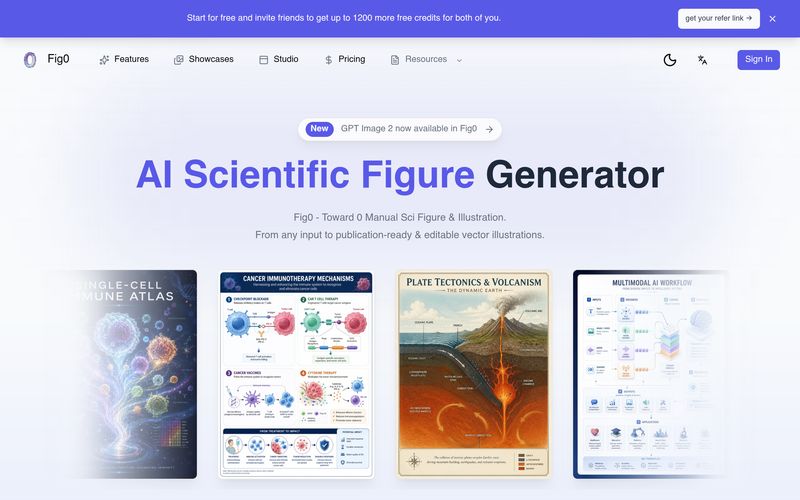
Fig0 is built for publication-ready scientific figures and illustrations used in papers, posters, covers, teaching materials, and research presentations.
Fig0 supports text prompts, sketches, reference images, PDFs, photos, and existing figures, so you can start from the material you already have.
Yes. Fig0 is designed for iterative editing, including text updates, selected-region refinement, background removal, canvas work, and export paths that remain editable.
Fig0 focuses on editable and submission-ready export: SVG, editable PPTX, PDF, PNG, and 300/600 DPI TIFF.
Generic image tools can create visuals, but Fig0 focuses on scientific figure workflows: structured inputs, editable revision, vector delivery, and output formats that researchers can actually use.
Yes. Upload a sketch or screenshot and use it as layout guidance for a cleaner scientific figure draft.
Yes. Fig0 offers free signup gift credits and everyday login gift credits to generate and vectorize sci figures. You and your friend can both get 200 credits if your friend signup through your invitation link and 1000 additional credits both when your friend buy any plan.
Yes. Fig0 is paper-first, but the same editable figures can be adapted for posters, talks, teaching slides, and lab communication.
No. Fig0 can support diagrams, workflows, mechanisms, engineering visuals, chemistry figures, biomedical illustrations, and broader research graphics.
Yes. Export options such as SVG and editable PPTX are intended for continued editing in familiar design and presentation tools.
For researchers and educators, creating publication-quality scientific figures is often just as challenging as conducting the research itself. While many AI image generators can produce visually appealing graphics, they rarely meet the standards required for academic publishing or classroom instruction. Fig0 fills this gap by offering a purpose-built AI tool designed specifically for Educational Learning, scientific illustration, and research communication.
One of the biggest strengths of Fig0 is its focus on real scientific workflows rather than general image generation. The platform supports a wide range of inputs, including text prompts, hand-drawn sketches, reference images, PDFs, screenshots, photographs, and existing figures. Instead of forcing users to recreate complex diagrams from scratch, Fig0 transforms these materials into structured, publication-ready illustrations that accurately communicate scientific ideas. This makes it especially valuable for researchers preparing journal articles, conference posters, grant proposals, and teaching materials.
Another standout feature is its commitment to editability. Unlike many AI-generated images that become difficult to modify after creation, Fig0 allows users to continue refining labels, annotations, layouts, selected regions, backgrounds, and overall composition. This iterative workflow is particularly useful when responding to peer-review comments or updating lecture content, where revisions are often unavoidable. The ability to keep improving a figure without rebuilding it from the beginning saves significant time and effort.
Fig0 also excels in export flexibility. Users can generate editable SVG files, PPTX presentations, vector PDFs, high-resolution PNGs, and publication-ready 300 or 600 DPI TIFF files. These professional formats ensure that figures can be reused across research papers, academic presentations, posters, teaching slides, and collaborative design projects while remaining fully editable in familiar software.
Another advantage is that Fig0 is not limited to biological illustrations. It supports chemistry diagrams, engineering workflows, biomedical graphics, conceptual models, laboratory procedures, and many other scientific visualizations. Combined with free trial credits and collaborative editing capabilities, the platform is accessible to both individual researchers and larger academic teams.
Overall, Fig0 is much more than a traditional illustration generator. As a dedicated AI tool for Educational Learning, it combines intelligent figure generation, scientific accuracy, editable vector workflows, and publication-ready exports into one efficient platform. For anyone looking to communicate research more clearly and professionally, Fig0 offers a smarter and far more practical solution than generic AI image tools.



This comprehensive guide explores the best AI image generators available in 2026, highlighting their unique features, strengths, and ideal use cases. We'll dive deep into each tool's capabilities to help you identify which AI image generator best suits your creative needs.

Google has just launched a powerful AI IDE code editor — now you can really vibe while coding

The best AI Model And AI Tools in 2026,The Most Popular Free AI Model And AI Tools.