Subscribe to AI newsletter
Your data is completely secure with us. We don't share it with anyone.
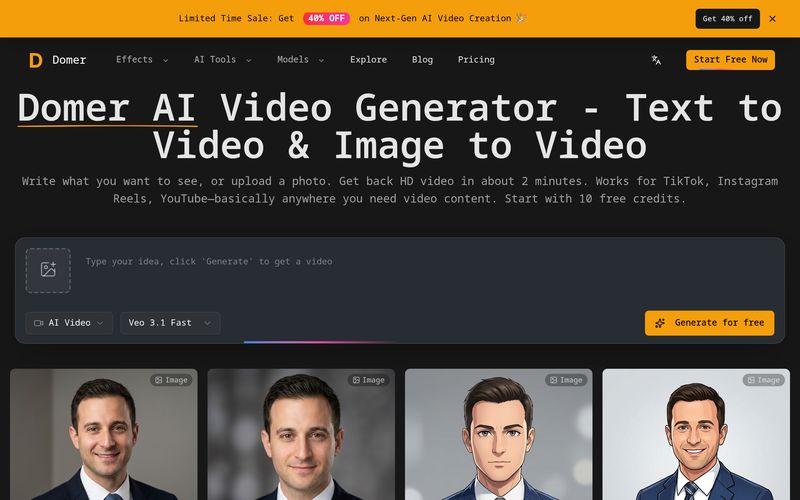
For text-to-video, describe the scene. For image-to-video, upload your photo and describe how it should move. Be specific—camera angles, lighting, motion speed all affect the output.
Veo takes about 90 seconds and gives the best quality. Kling is faster (around 60 seconds) if you're testing ideas. Wan lets you make 15-second clips instead of just 5-8 seconds.
You get an MP4 file, no watermark. Use it however you want—commercial projects, client work, social media. We don't put restrictions on what you do with it.
For creators, marketers, and businesses looking for a simple yet effective AI tool for modern Video Generation, Domer AI offers a workflow that feels surprisingly beginner-friendly while still delivering professional results. Instead of requiring complicated editing skills or expensive production software, Domer AI simplifies video creation into a straightforward three-step process: describe your idea, choose the right model, and download your finished video.
One of the biggest strengths of Domer AI is how easy it makes content creation through both text-to-video and image-to-video workflows. Users can simply write what they want to see or upload an existing image and describe how it should move. For example, creators can upload a product photo and request a smooth camera rotation, cinematic zoom, or dynamic lighting changes. The platform also rewards specificity—details like camera angles, lighting style, motion speed, and scene direction help improve the final output quality. This makes Domer AI a practical AI tool for creators who want more control over visual storytelling without needing advanced editing knowledge.
Another feature that makes Domer AI stand out in the Video Generation space is its flexible model selection. Users can choose Google Veo when visual quality is the priority, generating polished clips in around 90 seconds. For faster testing and idea validation, Kling delivers results in roughly 60 seconds, making rapid iteration much easier. Meanwhile, Wan supports longer clips up to 15 seconds, offering greater storytelling flexibility for creators who need more than short visual snippets. This multi-model system allows users to balance quality, speed, and duration depending on project goals.
The final step is equally practical: once generation is complete, videos are exported as watermark-free MP4 files. This is especially valuable for freelancers, agencies, brands, and content creators because videos can be used freely for commercial work, social media campaigns, client projects, YouTube monetization, or product marketing without licensing concerns.
Overall, Domer AI is a highly accessible AI tool for efficient Video Generation, especially for users who want professional-looking content without complex production workflows. By combining simple prompt-based creation, flexible AI models, and unrestricted clean exports, Domer AI provides an efficient way to turn ideas into engaging video content in just a few minutes.



This comprehensive guide explores the best AI image generators available in 2026, highlighting their unique features, strengths, and ideal use cases. We'll dive deep into each tool's capabilities to help you identify which AI image generator best suits your creative needs.

Google has just launched a powerful AI IDE code editor — now you can really vibe while coding

The best AI Model And AI Tools in 2026,The Most Popular Free AI Model And AI Tools.