Subscribe to AI newsletter
Your data is completely secure with us. We don't share it with anyone.
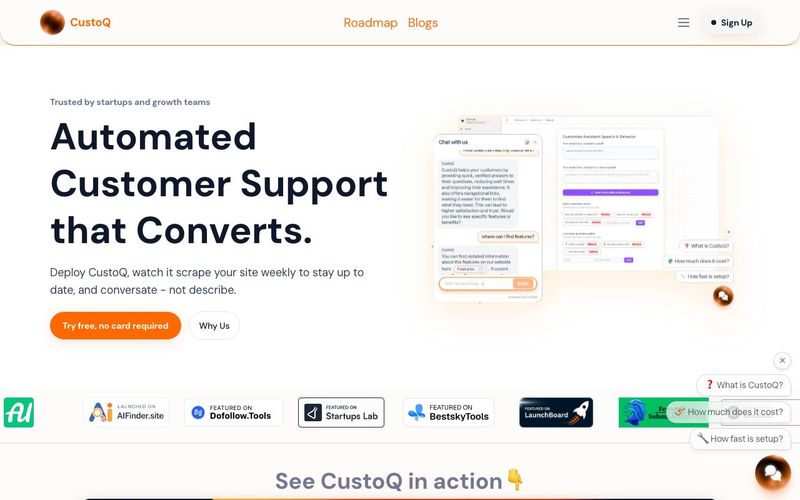
Auto-Scan Your Site
Once you sign up and add CustoQ to your website, the system begins by crawling your publicly visible pages—such as help articles, FAQ sections, and documentation. It builds a knowledge base based entirely on your real content so it can answer questions correctly.
Install the Chat Widget
You install CustoQ’s widget on your site via a lightweight snippet. The setup is designed to be very fast — you can go live in about 60 seconds.
Let It Work Automatically
After installation, CustoQ continuously rescans your website content on a weekly basis. That way, it always stays up-to-date with the latest help pages, product info, or blog updates—without you having to manually maintain a knowledge base.
Answer Visitors Clearly and Convert
When visitors ask questions, the widget offers “starter” prompts to guide them. CustoQ gives concise, clarity-focused answers—helping to clear up confusion quickly.
Additionally, the widget allows you to embed real pages, documents, or videos right into the chat. So instead of just describing where to go, CustoQ can show the actual content or tool inside the conversation.
Minimal Maintenance
Because of the weekly auto-scan, there’s very little ongoing effort needed from your team. Once set up, CustoQ keeps itself current.
Privacy and Data Safety
All chat messages are encrypted, processed, and then deleted. Only usage counts (like number of questions answered) are kept for analytics, but no personal user conversations are stored long-term.
Pay and Scale
You can try CustoQ for 3 days for free, with no credit card required.
Their pricing is transparent and flat: different plans based on how many answers you expect monthly, with added features (like embedded docs or analytics) for higher-level plans
CustoQ is quickly becoming one of the most practical and clarity-driven AI tool options for modern AI business operations, especially for SMBs and agencies seeking automated customer support that actually converts. Its workflow is designed to eliminate confusion for both users and teams, and the “How to Use” experience highlights just how effortless the setup really is.
The process begins with Auto-Scan, where CustoQ intelligently crawls your website’s public content—including FAQs, support articles, product documentation, and onboarding materials. This automated scanning builds a dynamic knowledge base entirely from your own content, ensuring that every response reflects accurate and up-to-date information. For AI businesses that constantly refine their product pages or support docs, this alone makes CustoQ a standout AI tool compared with competitors requiring manual knowledge-base upkeep.
Installing the widget takes less than a minute. The lightweight snippet immediately activates a fully functional AI assistant on your site, allowing you to provide 24/7 automated customer support without engineering overhead. Once installed, CustoQ continues working autonomously—rescanning your content weekly so your AI assistant stays aligned with new features, pricing changes, or documentation updates.
What truly sets CustoQ apart is its focus on clarity and conversion. Visitors don’t need to guess what to ask; the assistant offers helpful starter prompts and delivers clean, concise answers. The ability to embed real pages, documents, or videos directly inside conversations makes the experience far more visual and actionable than traditional chatbots. Instead of directing users to search or browse, CustoQ shows them the exact content they need.
For businesses, maintenance becomes almost nonexistent thanks to continuous auto-scan updates. Privacy is handled seriously—messages are encrypted, processed, then deleted, offering enterprise-grade safety at SMB-friendly pricing. With a free 3-day trial and transparent subscription tiers, CustoQ gives AI businesses a fast, affordable path to automated support that boosts conversions while reducing manual workload.



This comprehensive guide explores the best AI image generators available in 2026, highlighting their unique features, strengths, and ideal use cases. We'll dive deep into each tool's capabilities to help you identify which AI image generator best suits your creative needs.

Google has just launched a powerful AI IDE code editor — now you can really vibe while coding

The best AI Model And AI Tools in 2026,The Most Popular Free AI Model And AI Tools.