Subscribe to AI newsletter
Your data is completely secure with us. We don't share it with anyone.
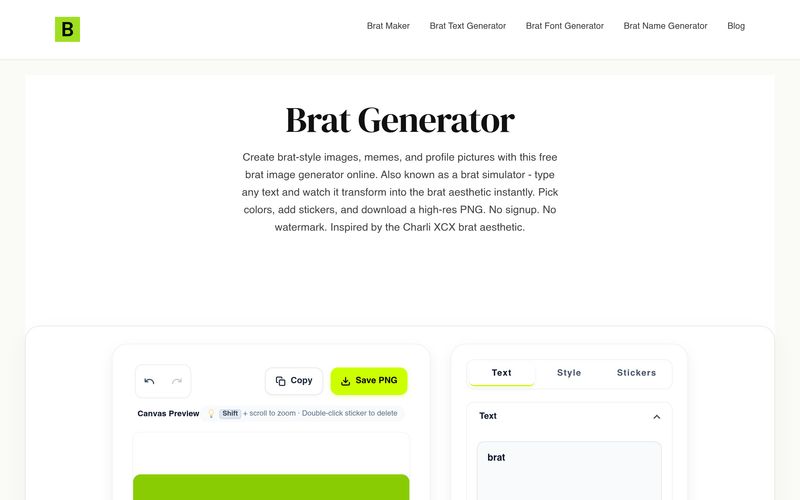
Open the tool above and type any word or phrase. The canvas renders it live in the brat style.
Use the color pickers to set your background and text. Try neon green for the classic look, or enter any hex code.
Change font size, letter spacing, and aspect ratio. Drop stickers or emojis if you want extra detail.
Tap Download PNG and pick a resolution. The file saves to your device instantly, no account needed.
For creators looking for a fast and beginner-friendly AI tool focused on trendy Image Generation, Brat Generator offers an experience that feels refreshingly simple without sacrificing creative flexibility. Based on its “How to Use” process, the platform is clearly designed to remove unnecessary complexity and help users generate stylish brat-inspired visuals in just a few clicks. Instead of spending time learning advanced design software, Brat Generator allows anyone to instantly transform ideas into social-ready graphics, profile pictures, or memes with minimal effort.
The workflow of Brat Generator is one of its biggest strengths. The process begins by simply typing any word or phrase into the editor. As soon as text is entered, the platform instantly renders it in the signature brat style, making the creative process feel immediate and interactive. This live preview system is especially valuable in modern Image Generation, where creators want instant feedback rather than waiting through long rendering times or navigating complicated interfaces. Whether users are making funny memes, aesthetic profile pictures, or custom social graphics, Brat Generator delivers quick results without friction.
Customization is another area where Brat Generator performs particularly well as an AI tool. After entering text, users can personalize their visuals through flexible color controls. While the iconic neon green brat look remains a fan favorite, the tool allows users to experiment with virtually any color combination by entering custom hex codes. This makes Brat Generator adaptable for different branding styles, personal aesthetics, or content themes instead of limiting users to one preset visual identity.
The platform also includes practical layout editing features that improve the overall Image Generation experience. Users can adjust font size, tweak letter spacing, change aspect ratios for different social platforms, and even add stickers or emojis for more personality. This level of flexibility makes Brat Generator useful not only for casual users but also for content creators, marketers, and designers who want to quickly produce visually engaging graphics without opening more advanced software like Photoshop or Canva.
Perhaps one of the most attractive features of Brat Generator is how effortless exporting feels. Once the design is finished, users simply download a high-resolution PNG file directly to their device—without signing up, paying fees, or dealing with watermarks. The no-account approach significantly lowers barriers for creators who value speed and convenience.
Overall, Brat Generator succeeds as a modern AI tool by simplifying trendy Image Generation into an intuitive, highly visual process. With instant text rendering, customizable aesthetics, easy layout adjustments, and fast downloads, Brat Generator offers a fun and efficient solution for anyone looking to create viral brat-style content in minutes.



This comprehensive guide explores the best AI image generators available in 2026, highlighting their unique features, strengths, and ideal use cases. We'll dive deep into each tool's capabilities to help you identify which AI image generator best suits your creative needs.

Google has just launched a powerful AI IDE code editor — now you can really vibe while coding

The best AI Model And AI Tools in 2026,The Most Popular Free AI Model And AI Tools.