Subscribe to AI newsletter
Your data is completely secure with us. We don't share it with anyone.
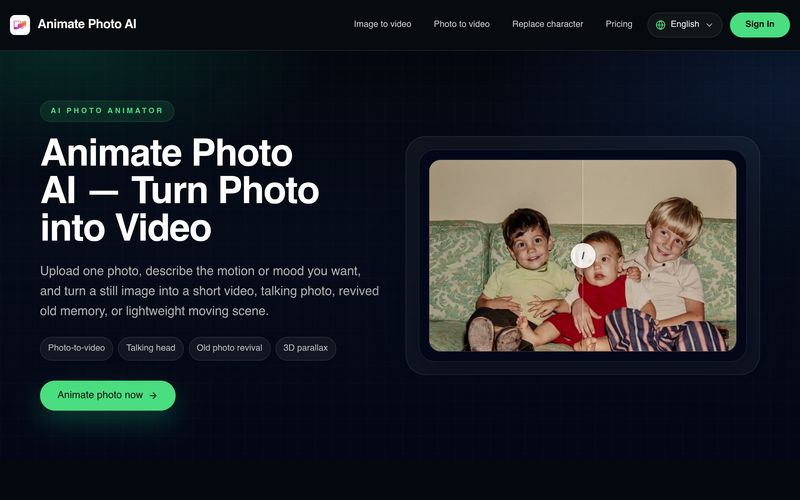
Choose a clear image with a strong subject. Portraits, old photos, product shots, and simple scenery usually work best when the input is clean.
Write the motion, emotion, or camera feel you want, such as a gentle smile, a slow lean forward, or a subtle old-photo revival.
Start with a short result first, then decide whether you want to continue into the full tool for a longer or cleaner version.
Creating animated content from a single image has never been easier, thanks to Animate Photo AI. This intuitive AI tool is designed to simplify AI animation, allowing users to transform still photos into engaging motion clips without any prior editing or animation experience. Its streamlined workflow makes it an excellent solution for creators, marketers, designers, and anyone looking to add life to static images in just a few minutes.
The user experience begins with a simple upload process. Animate Photo AI works best with clear images that feature a strong subject, including portraits, old family photos, product shots, and clean landscape images. By encouraging users to start with high-quality input, the platform maximizes the realism and smoothness of the generated animation. This thoughtful design ensures that even first-time users can achieve impressive results with minimal effort.
The next step is where the creativity begins. Instead of manually editing frames or creating complicated animation sequences, users simply describe the movement they want to see. Whether it's a gentle smile, a slow head movement, subtle camera zoom, or an emotional old-photo revival, Animate Photo AI uses advanced AI animation technology to interpret natural language prompts and convert them into believable motion. This prompt-based workflow removes technical barriers while giving users significant creative freedom.
Once the motion is defined, users can choose the preferred video duration and output quality before instantly previewing the result. Starting with a shorter preview allows users to quickly evaluate the animation and refine the direction if needed before generating a longer or higher-quality version. This efficient preview system saves time, reduces unnecessary processing, and encourages experimentation without overwhelming the user with complicated controls.
Overall, Animate Photo AI is an outstanding AI tool that makes AI animation both approachable and practical. Its three-step workflow—uploading a photo, describing the desired motion, and selecting output settings—creates a seamless experience that anyone can follow. Whether you're creating social media content, bringing old memories back to life, producing talking photos, or testing creative concepts for marketing campaigns, Animate Photo AI offers a fast, reliable, and highly accessible way to turn ordinary images into expressive animated videos.



This comprehensive guide explores the best AI image generators available in 2026, highlighting their unique features, strengths, and ideal use cases. We'll dive deep into each tool's capabilities to help you identify which AI image generator best suits your creative needs.

Google has just launched a powerful AI IDE code editor — now you can really vibe while coding

The best AI Model And AI Tools in 2026,The Most Popular Free AI Model And AI Tools.