Subscribe to AI newsletter
Your data is completely secure with us. We don't share it with anyone.
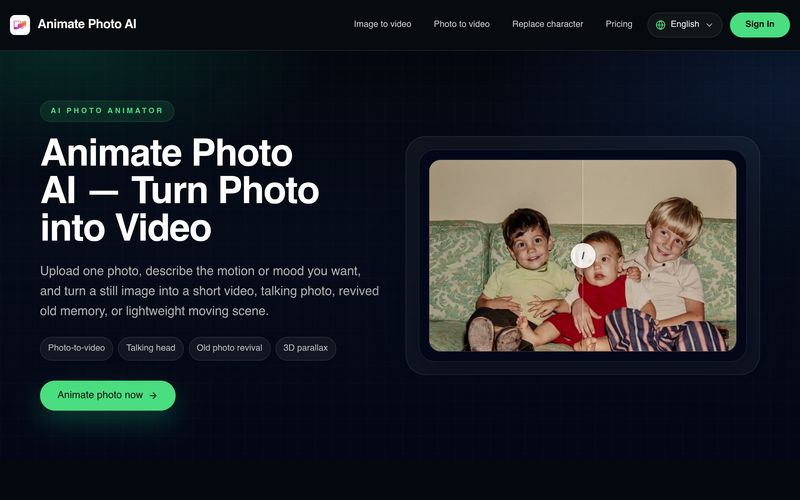
Right now it is best for lightweight results: turning one photo into a short video, testing a talking photo direction, gently reviving an old photo, or adding simple motion to a still image.
Use a clear image with stable lighting and a strong subject. For talking photos, a front-facing unobstructed face works best. For scenery or product shots, simpler compositions usually produce cleaner motion.
Yes. That is one of the main use cases people want. The current MVP is designed to help you test the talking-photo direction quickly, then expand into more advanced control later.
Inside the homepage workspace, the settings stay on the left and the generated preview appears on the right. You can learn the flow there first, then continue in the full tool.
Because this release is an MVP built for simplicity. Most users want to get from one photo to one result quickly, not face advanced motion controls before they even know what works.
For users who want to bring still images to life without learning professional animation software, Animate Photo AI offers an impressive balance of simplicity and creativity. As a modern AI tool focused on AI animation, it is designed to deliver fast, lightweight results while making animated content accessible to everyone. Instead of overwhelming users with complex editing controls, the platform emphasizes an intuitive workflow that transforms a single photo into a short, engaging animation in just a few steps.
One of the biggest strengths of Animate Photo AI is its focus on practical everyday use cases. Whether you want to create a talking photo, revive an old family picture, animate a portrait, or add subtle motion to a product image or landscape, the platform provides an easy way to experiment without requiring technical knowledge. The current version is particularly well suited for quick social media content, creative prototypes, and emotional storytelling, where natural movement often has a greater impact than static images.
The quality of the results begins with the input. Animate Photo AI performs best when users upload clear images with stable lighting and a strong subject. Portraits with unobstructed front-facing faces produce convincing talking-photo effects, while simple scenery and product photos generate cleaner and more realistic motion. This thoughtful optimization helps users achieve professional-looking AI animation without extensive adjustments.
Another highlight is the platform's streamlined interface. Settings are displayed on the left while the generated preview appears instantly on the right, allowing users to evaluate the animation before continuing with more advanced options. By intentionally limiting the number of controls in this MVP release, Animate Photo AI removes unnecessary complexity and enables users to focus on creativity rather than technical configuration.
Overall, Animate Photo AI is an excellent AI tool for anyone exploring AI animation for the first time. Its lightweight workflow, talking-photo capabilities, natural motion effects, and user-friendly interface make it an ideal solution for creators, marketers, educators, and everyday users. As the platform continues to evolve with more advanced features, Animate Photo AI already provides a fast, reliable, and enjoyable way to transform ordinary photos into expressive animated content.



This comprehensive guide explores the best AI image generators available in 2026, highlighting their unique features, strengths, and ideal use cases. We'll dive deep into each tool's capabilities to help you identify which AI image generator best suits your creative needs.

Google has just launched a powerful AI IDE code editor — now you can really vibe while coding

The best AI Model And AI Tools in 2026,The Most Popular Free AI Model And AI Tools.