Subscribe to AI newsletter
Your data is completely secure with us. We don't share it with anyone.
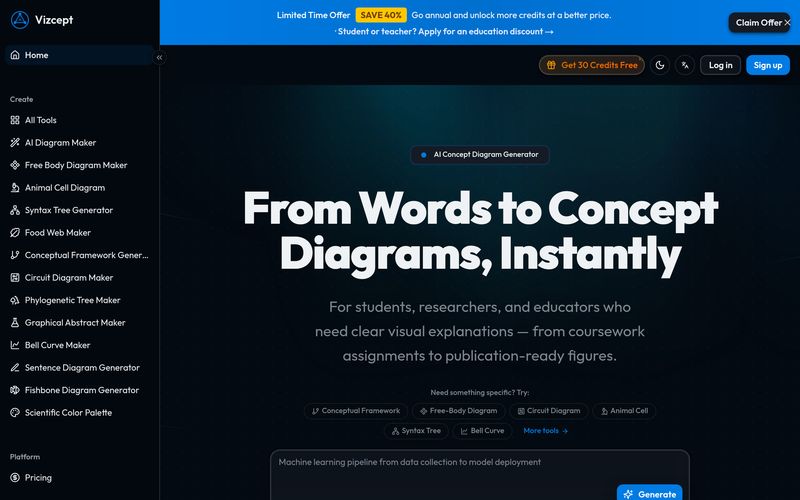
Type a plain-English description of your topic, variables, and relationships. Pick your preferred diagram style, aspect ratio, and resolution.
Vizcept analyzes your description, identifies key concepts and relationships, and creates a professionally structured diagram in seconds.
Download as high-res PNG for slides, or export as editable SVG for Figma, Illustrator, and Inkscape. Paste straight into your paper, poster, or presentation.
When evaluating an academic-focused AI tool, ease of use is often just as important as output quality, and Vizcept performs exceptionally well in both areas. What immediately makes Vizcept stand out in the world of Image Generation is its incredibly intuitive workflow. Instead of spending hours learning complicated diagram software, users can move from idea to publication-ready visuals in just a few simple steps.
The first step in using Vizcept is surprisingly straightforward: users simply describe what they need in plain English. Whether it is a scientific process, conceptual framework, research methodology, or relationship diagram, the platform allows users to explain ideas naturally. You can enter topics, variables, and relationships without needing technical design skills. On top of that, Vizcept gives users flexibility by allowing customization of diagram styles, aspect ratios, and resolution settings, making the experience feel tailored rather than generic. This alone makes Vizcept a highly accessible AI tool for students, educators, and researchers alike.
The second step showcases where the true power of Vizcept lies. Once the description is submitted, the AI analyzes the information, identifies key concepts, and understands logical relationships between ideas. Unlike traditional Image Generation platforms that focus mostly on aesthetics, Vizcept emphasizes structure and clarity. Within seconds, the system produces a professionally organized concept diagram that reflects the meaning and logic behind the content. This intelligent understanding dramatically reduces the frustration of manually arranging boxes, arrows, and labels.
Finally, Vizcept makes exporting and real-world usability effortless. Users can download high-resolution PNG files suitable for classroom slides, reports, and presentations. More importantly, editable SVG exports provide a major advantage for professionals and researchers who need post-editing capabilities in tools such as Figma, Illustrator, or Inkscape. Instead of redrawing visuals from scratch, users can simply refine and adapt the generated output.
Overall, Vizcept proves itself to be more than just another AI tool for Image Generation. Its streamlined “describe, generate, export” workflow transforms complicated visualization tasks into an efficient and stress-free experience. For anyone working on research papers, educational content, thesis presentations, or conceptual communication, Vizcept offers a practical, intelligent, and time-saving solution that bridges the gap between ideas and professional visuals.



This comprehensive guide explores the best AI image generators available in 2026, highlighting their unique features, strengths, and ideal use cases. We'll dive deep into each tool's capabilities to help you identify which AI image generator best suits your creative needs.

Google has just launched a powerful AI IDE code editor — now you can really vibe while coding

The best AI Model And AI Tools in 2026,The Most Popular Free AI Model And AI Tools.