Subscribe to AI newsletter
Your data is completely secure with us. We don't share it with anyone.
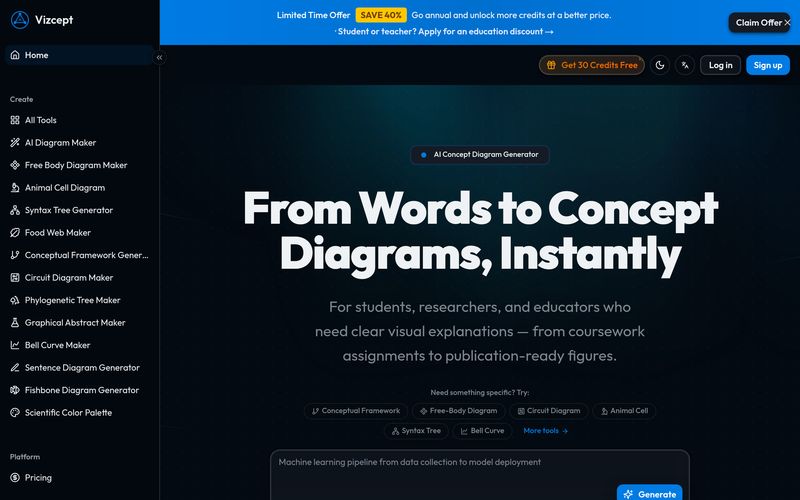
A concept diagram is a visual representation showing how key ideas, variables, and concepts relate to each other. It organizes your thinking, guides your analysis, and communicates complex relationships clearly to your audience.
Students, researchers, and educators across all disciplines. Whether you're building a thesis framework, preparing a lecture, or visualizing a business model — Vizcept adapts to your needs.
Yes. Sign up to receive free credits and start creating concept diagrams immediately. No credit card required.
None at all. If you can describe your topic in words, Vizcept can turn it into a professional visual. The AI handles all design, layout, and formatting.
Most concept diagrams are ready in 15–30 seconds. Describe your topic, and you'll have a publication-ready diagram almost immediately.
Flowcharts, mind maps, hierarchy diagrams, network diagrams, and more. You can choose a specific style or let the AI recommend the best fit for your topic.
Download as 2K or 4K Ultra HD PNG images. Paid plans include SVG vector export for editing in Figma, Illustrator, and Inkscape. All exports are 300 DPI print-ready.
Absolutely. Vizcept produces clean layouts, precise labels, and clear relationship indicators that meet academic publication standards. Many researchers use them directly in theses, dissertations, and journal papers.
Yes. Adjust your description or try a different diagram style and regenerate. Each generation uses credits, so you can refine until the concept diagram matches your vision.
Unlike PowerPoint or Lucidchart, Vizcept understands your topic context. It doesn't just draw boxes — it identifies concepts, relationships, and structures from your description and creates a professionally structured visual.
Yes. Paid plans include a commercial use license. You can use the generated concept diagrams in textbooks, presentations, training materials, and other commercial applications.
Your prompts and generated concept diagrams are stored in your account history so you can access them later. We do not use your content to train AI models. You can delete your data at any time.
Choose a monthly or yearly subscription plan based on how many concept diagrams you need. Each plan includes a set number of credits per month. You can also purchase additional credit packages anytime. 2K generation uses 1 credit, 4K uses 2 credits.
In an era where visual communication is becoming increasingly important in education, research, and professional presentations, Vizcept emerges as a highly practical AI tool for transforming abstract ideas into clear, structured visuals. Based on its feature set and FAQ details, Vizcept positions itself as more than just another Image Generation platform—it is a specialized solution designed to help users build intelligent concept diagrams without requiring technical design expertise.
At its core, Vizcept focuses on creating concept diagrams, which are visual representations that map relationships between ideas, variables, and key concepts. Instead of manually connecting boxes and arrows, users simply describe their topic in plain language, and the AI interprets the context to generate a professionally organized diagram. This contextual understanding is what makes Vizcept stand out among many generic Image Generation tools. Rather than creating purely artistic visuals, the platform emphasizes logic, structure, and communication clarity.
One of the most appealing aspects of Vizcept is its accessibility. The platform is designed for students, researchers, and educators across virtually every discipline. Whether someone is preparing a thesis framework, designing lecture materials, visualizing a business process, or organizing research variables, Vizcept adapts naturally to different needs. Even users without any design experience can generate high-quality diagrams, since the AI handles layout, formatting, and relationship mapping automatically.
Another major advantage of this AI tool is speed. According to the platform, most diagrams are generated within 15 to 30 seconds, dramatically reducing the hours traditionally spent building frameworks in software like PowerPoint or manual diagram editors. Users can also regenerate outputs by refining prompts or changing diagram styles, allowing flexibility without starting from scratch.
The export capabilities further strengthen the value of Vizcept. Users can download 2K or 4K Ultra HD PNG files for presentations and publications, while premium plans unlock editable SVG exports compatible with Figma, Illustrator, and Inkscape. Since all files are print-ready at 300 DPI, the diagrams are suitable for academic papers, journal submissions, dissertations, posters, and commercial educational materials.
What truly differentiates Vizcept from traditional diagram software is its contextual intelligence. Instead of merely drawing shapes, the platform understands relationships between concepts and organizes them into coherent visual frameworks. Combined with free starter credits, no credit card requirement, commercial licensing for paid plans, and a strong focus on data privacy, Vizcept presents itself as a smart and reliable AI tool for modern Image Generation needs. For anyone seeking faster, cleaner, and more intelligent concept visualization, Vizcept is a compelling solution worth exploring.



This comprehensive guide explores the best AI image generators available in 2026, highlighting their unique features, strengths, and ideal use cases. We'll dive deep into each tool's capabilities to help you identify which AI image generator best suits your creative needs.

Google has just launched a powerful AI IDE code editor — now you can really vibe while coding

The best AI Model And AI Tools in 2026,The Most Popular Free AI Model And AI Tools.