Subscribe to AI newsletter
Your data is complely secured with us. We don't share with anyone.
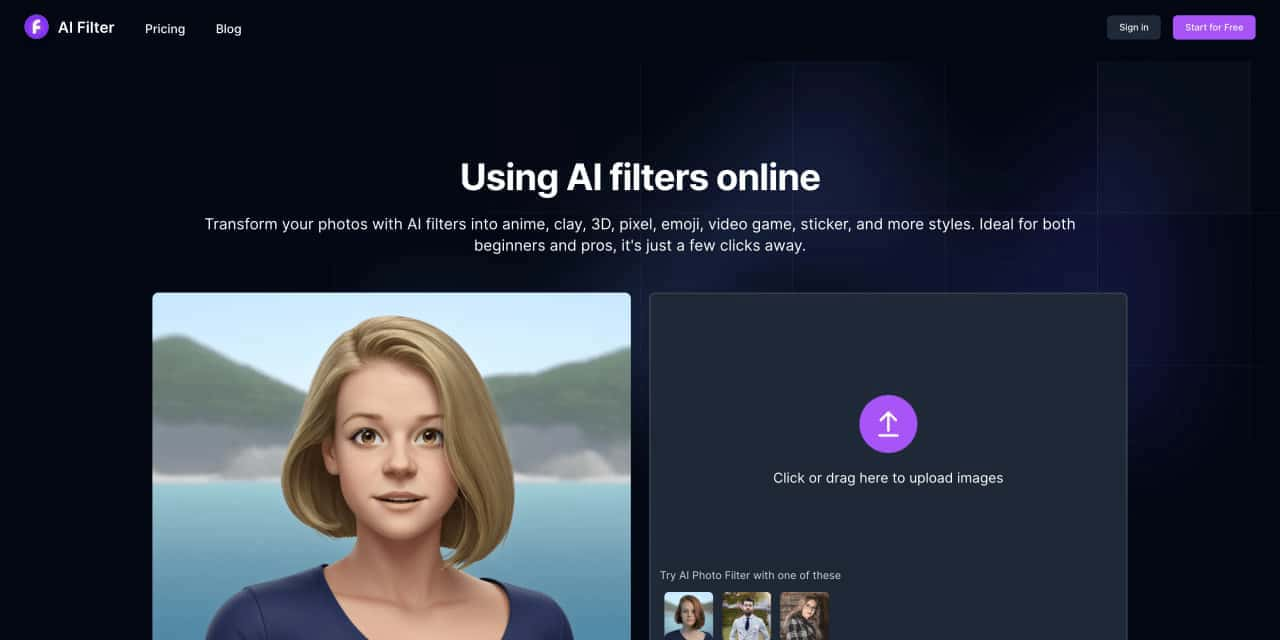
Open your browser and visit https://aifilter.net to use all of our AI filter features online.
Click the upload button to choose a photo of yourself.
The right side shows the list of supported styles.
Click to select one as the style to convert to. Hovering the mouse over a specific style option will display an animation effect.
Adding prompt words is not necessary, but you can write simple prompt words in English to make the filter effect more in line with your expectations.
Download the photos processed by the AI filter to your local device, then share them with your friends.


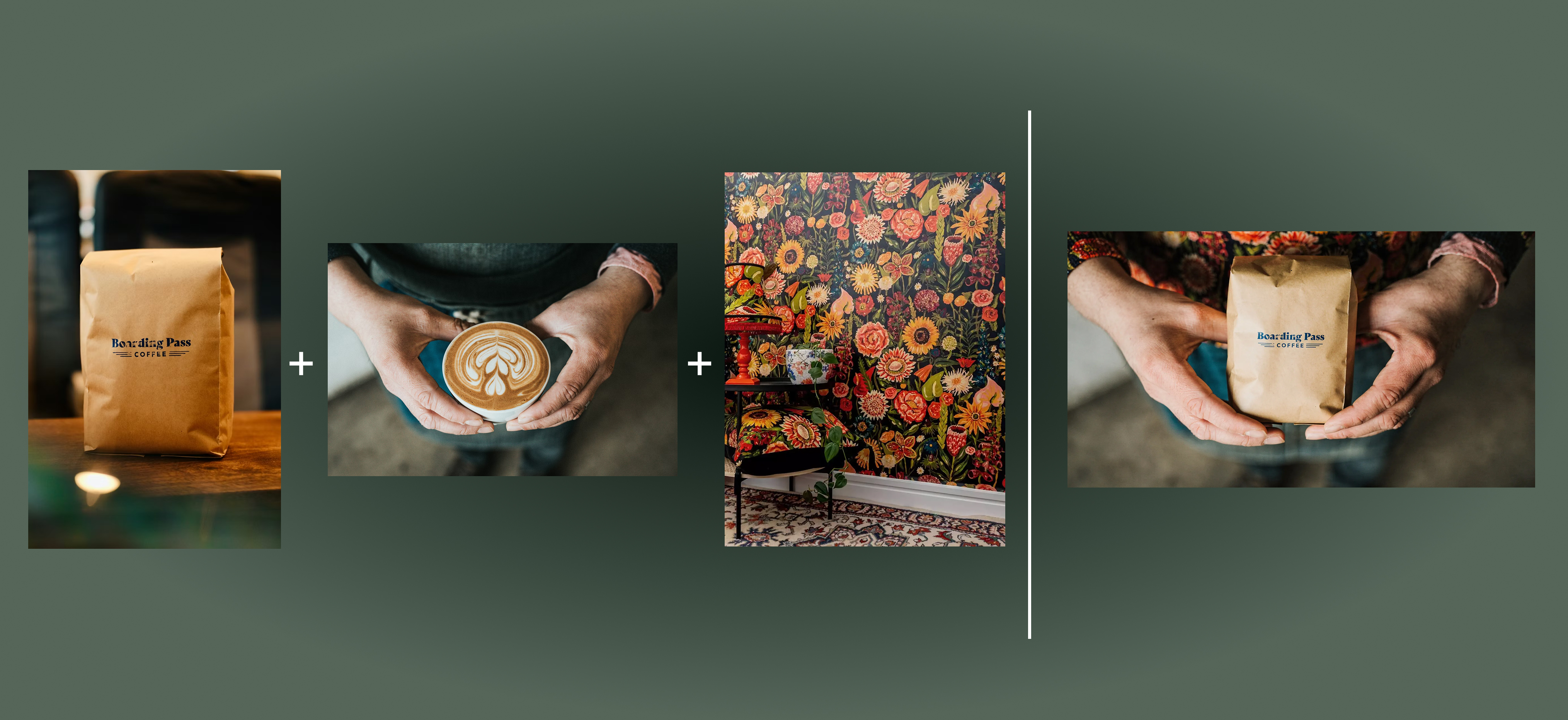
Flux 2 Max represents the most advanced release in the Flux 2 lineup, designed for creators who demand precision, realism, and production-ready visual output. As both a high-end AI Image Generator and a powerful AI Image Editor, Flux 2 Max pushes visual quality and consistency to a new level, making it suitable for professional creative workflows.
In this digital age, AI image generation tools are sparking an unprecedented creative revolution.Today, we delve into the mechanics of AI image generation, explore its underlying technology, and guide you in creating your own AI artwork!

This comprehensive guide explores the best AI image generators available in 2026, highlighting their unique features, strengths, and ideal use cases. We'll dive deep into each tool's capabilities to help you identify which AI image generator best suits your creative needs.