Subscribe to AI newsletter
Your data is completely secure with us. We don't share it with anyone.
A generous free tier is available. For heavy batch jobs, upgrade to Pro.
No. Files are cleaned up after processing or when you delete them.
Upload files, click the settings icon, then adjust CRF, bitrate, or resolution.
Use CRF or bitrate controls in the settings panel. Defaults follow recommended ranges per codec.
Mixed types stay on the homepage; same-type batches jump to the matching converter page.
Your target format and parameter choices remain in the current session until you refresh.
Use CRF or bitrate controls in the settings panel. Defaults follow recommended ranges per codec.
Mixed types stay on the homepage; same-type batches jump to the matching converter page.
Your target format and parameter choices remain in the current session until you refresh.
Use CRF or bitrate controls in the settings panel. Defaults follow recommended ranges per codec.
Mixed types stay on the homepage; same-type batches jump to the matching converter page.
Your target format and parameter choices remain in the current session until you refresh.
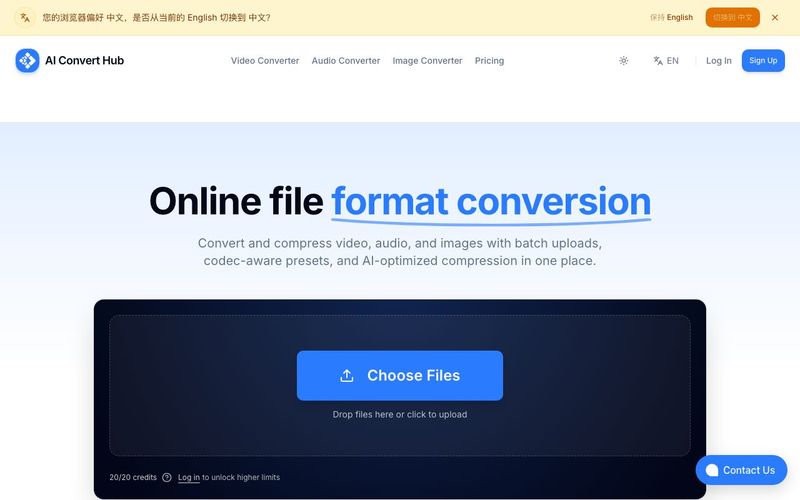
The platform stands out as a highly practical AI tool designed to simplify professional-grade file conversion while maintaining flexibility, quality, and user control. As an advanced AI Convert Tool, it is built to serve both casual users and professionals who manage frequent or large-scale batch conversions. One of its most appealing aspects is accessibility. The tool offers a generous free tier, allowing users to test and complete everyday conversion tasks without cost. For heavier workloads or high-volume batch jobs, a Pro upgrade is available, making the pricing model transparent and scalable.
Privacy and security are clearly prioritized in this AI Convert Tool. User files are never stored permanently; all files are automatically cleaned up after processing or removed instantly when users delete them. This approach ensures peace of mind, especially for professionals working with sensitive or proprietary media. Unlike many online converters, this AI tool avoids unnecessary data retention and focuses on privacy-first design.
Quality control is another major strength. Users can easily adjust video quality by accessing the settings panel, where CRF, bitrate, and resolution can be fine-tuned. The tool follows codec-recommended ranges by default, which helps maintain optimal output quality even for users who may not be experts in encoding. For more advanced users, manual CRF or bitrate adjustments provide full creative and technical control, ensuring that conversions retain clarity while achieving efficient file sizes.
Batch processing is handled intelligently. The AI Convert Tool supports mixed file uploads, keeping different file types organized on the homepage while automatically routing same-type batches to the appropriate converter interface. This reduces friction and streamlines the workflow for users handling multiple media formats at once. Additionally, the platform remembers selected target formats and parameter settings throughout the current session, eliminating the need to repeatedly reconfigure options during ongoing tasks.
Overall, this AI tool delivers a balanced combination of speed, quality, privacy, and usability. By offering session-based parameter persistence, smart batch handling, and advanced quality controls within an intuitive interface, it proves to be a reliable and efficient AI Convert Tool for modern digital workflows.



This comprehensive guide explores the best AI image generators available in 2026, highlighting their unique features, strengths, and ideal use cases. We'll dive deep into each tool's capabilities to help you identify which AI image generator best suits your creative needs.

Google has just launched a powerful AI IDE code editor — now you can really vibe while coding

The best AI Model And AI Tools in 2026,The Most Popular Free AI Model And AI Tools.