Subscribe to AI newsletter
Your data is completely secure with us. We don't share it with anyone.
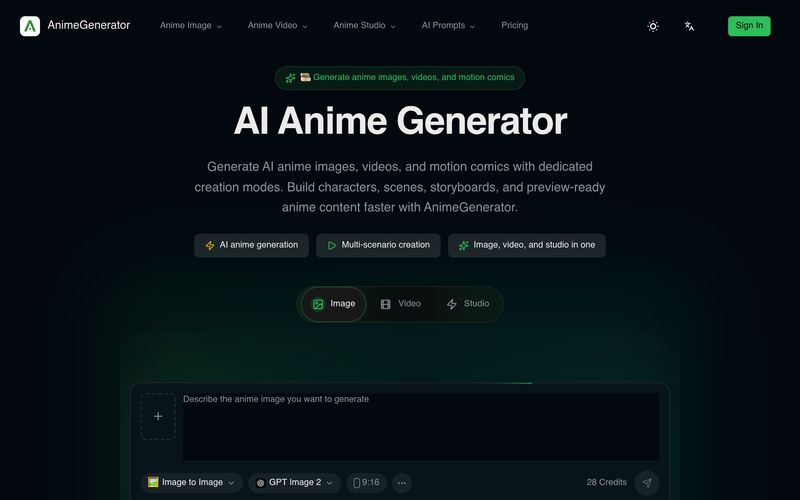
Describe the character, scene, pose, lighting, and mood you want.
Pick the image model and the aspect ratio that fits your post or cover.
Use reference images when you need stronger style or character consistency.
Create the image, compare outputs, and rerun with quick prompt adjustments.
Creating high-quality anime content has traditionally required advanced drawing skills, complex software, and a lot of time. However, AnimeGenerator simplifies the entire creative process with an intuitive workflow, making it a powerful AI tool for anyone interested in AI animation and anime-style content production. From character concepts to finished visuals, AnimeGenerator helps creators transform ideas into professional-looking anime artwork through just a few simple steps.
The first step is writing an effective image prompt. Users can describe the character, environment, pose, lighting, atmosphere, and emotional style they want to create. This flexible prompt-based system allows creators to explore different anime aesthetics, storytelling scenes, and visual concepts without manually drawing every detail. Whether designing original characters, fantasy worlds, or social media illustrations, AnimeGenerator gives users the creative freedom to turn imagination into visual content.
After defining the concept, users can select the appropriate AI model and aspect ratio based on their publishing needs. This feature makes AnimeGenerator suitable for various platforms, including vertical content for Shorts and Reels, landscape artwork for videos, and cover images for online projects. Choosing the right model and format ensures that generated images are optimized for different types of AI animation workflows.
Another valuable feature is reference image support. By adding reference materials, creators can improve character consistency, maintain specific art styles, and achieve more predictable results across multiple scenes. This is especially useful for anime series, motion comics, and character-driven projects where maintaining the same appearance is essential.
The final stage focuses on generation and refinement. AnimeGenerator allows users to compare different outputs, adjust prompts, and quickly regenerate improved versions until they achieve the desired result. This fast iteration process reduces creative limitations and helps users produce polished content more efficiently.
Overall, AnimeGenerator is a user-friendly AI tool that makes AI animation creation more accessible and efficient. By combining prompt-based generation, model selection, reference control, and rapid refinement, AnimeGenerator provides a complete workflow for creators who want to produce high-quality anime images, animated scenes, and engaging digital stories with less effort.



This comprehensive guide explores the best AI image generators available in 2026, highlighting their unique features, strengths, and ideal use cases. We'll dive deep into each tool's capabilities to help you identify which AI image generator best suits your creative needs.

Google has just launched a powerful AI IDE code editor — now you can really vibe while coding

The best AI Model And AI Tools in 2026,The Most Popular Free AI Model And AI Tools.