Subscribe to AI newsletter
Your data is completely secure with us. We don't share it with anyone.
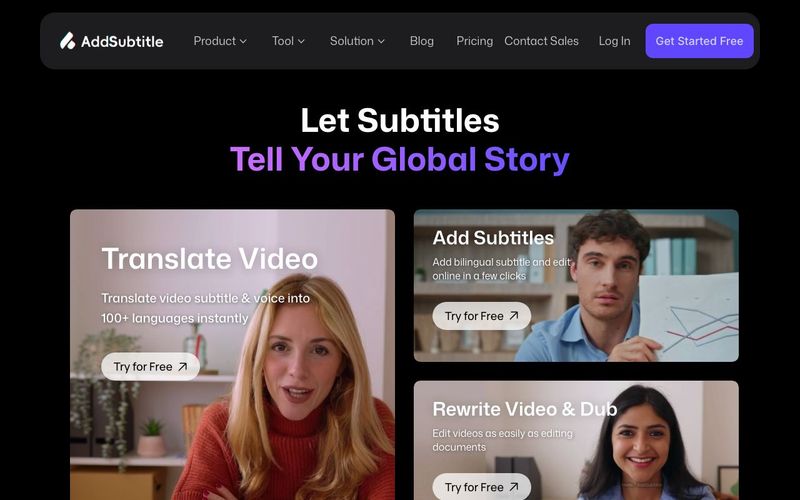
Select your desired feature from the dashboard and upload your video after adjusting the settings.
Edit your video effortlessly with diverse AI tools in our intuitive interface.
Download your edited video instantly or share it through a simple link.
Add Subtitle.ai stands out as a powerful AI tool in the Video Generation space because of its incredibly simple, streamlined workflow. The platform transforms video editing, translation, and subtitling into a smooth three-step process—making it accessible not only to professional editors but also to everyday creators, educators, influencers, and businesses that want to scale content quickly across global audiences.
The process begins with a straightforward Upload Your Video step. Users simply choose the feature they need—such as subtitling, translation, dubbing, or video rewriting—and upload their video after adjusting a few essential settings. This eliminates the unnecessary complexity seen in traditional editing software. Add Subtitle.ai ensures that even beginners can start producing multilingual content within minutes, setting a new standard for browser-based Video Generation tools.
Once the video is uploaded, creators move to the Edit with AI Power phase. This is where Add Subtitle.ai truly shines as an advanced AI tool. Its intuitive interface offers a full range of AI-driven features, allowing users to edit videos the same way they would edit text. With automated subtitles, accurate translations, natural voice dubbing, and even voice rewriting, the platform gives creators unprecedented control. The AI handles timing, accuracy, and synchronization, removing hours of manual editing work. For anyone producing educational videos, social media clips, online courses, or branded content, this efficiency is transformative.
The final step, Download and Export, completes the smooth workflow. Users can instantly download the finished video or share it directly through a link—perfect for teams, clients, or fast deployment across social platforms like TikTok, YouTube, and Instagram. This instant export capability makes Add Subtitle.ai a highly practical tool for businesses and creators who depend on rapid Video Generation.
In summary, Add Subtitle.ai simplifies professional-grade editing into three effortless steps—upload, edit with AI, and export—making it one of the most valuable AI tools for anyone aiming to elevate content and reach a worldwide audience with ease.



This comprehensive guide explores the best AI image generators available in 2026, highlighting their unique features, strengths, and ideal use cases. We'll dive deep into each tool's capabilities to help you identify which AI image generator best suits your creative needs.

Google has just launched a powerful AI IDE code editor — now you can really vibe while coding

The best AI Model And AI Tools in 2026,The Most Popular Free AI Model And AI Tools.