- Home/
- Ferramentas de Escritório com IA Tools List/
- PDF Studio/
- Como usar PDF Studio
Como usar PDF Studio

How to Use PDF Studio
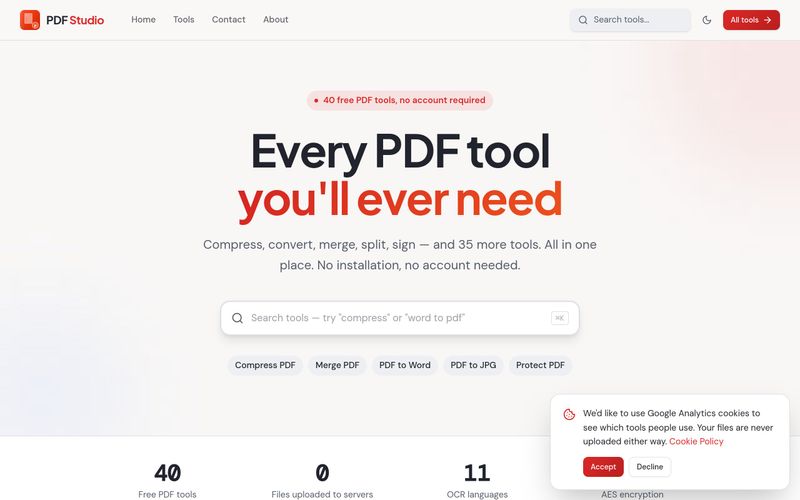
- Go to the site: Open pdfsstudio.com in your browser. The homepage lists all tools by category (PDF Management, Convert From PDF, Convert To PDF, Other Tools).
- Pick a tool: Choose the task you need — for example Compress PDF, Merge PDF, PDF to Word or Sign PDF. You can also browse the full list on the "All PDF tools" page.
- Load your file: Select or drag in your PDF (or source file, depending on the tool). Because processing happens in the browser, the document is not uploaded to a server.
- Adjust settings: Depending on the tool, this may include choosing pages to rotate or extract, setting a password with AES-256 encryption, adding a watermark, or selecting output format and quality.
- Run and download: Apply the action and save the resulting file to your device. Use the Preview PDF tool if you just want to read a document in the browser.
Tip: For scanned documents, run OCR PDF first to make the text searchable, then use PDF to Word or PDF to Excel when you need editable content or tables.
Summary and Review:
Open pdfsstudio.com, choose one of the 40 tools, load your file, adjust the options (pages, password, watermark, output format) and download the result — all processed in your browser.

Notícias de IA
Ver Todas as Notícias →

The Best AI Image Generator in 2026: A Complete Guide
This comprehensive guide explores the best AI image generators available in 2026, highlighting their unique features, strengths, and ideal use cases. We'll dive deep into each tool's capabilities to help you identify which AI image generator best suits your creative needs.

Firebase Studio,Google has just launched a powerful AI IDE code editor,Vibe Coding
Google has just launched a powerful AI IDE code editor — now you can really vibe while coding

The Best AI Model And AI Tools in 2026
The best AI Model And AI Tools in 2026,The Most Popular Free AI Model And AI Tools.