订阅AI通讯
您的数据完全安全。我们不会与任何人共享。
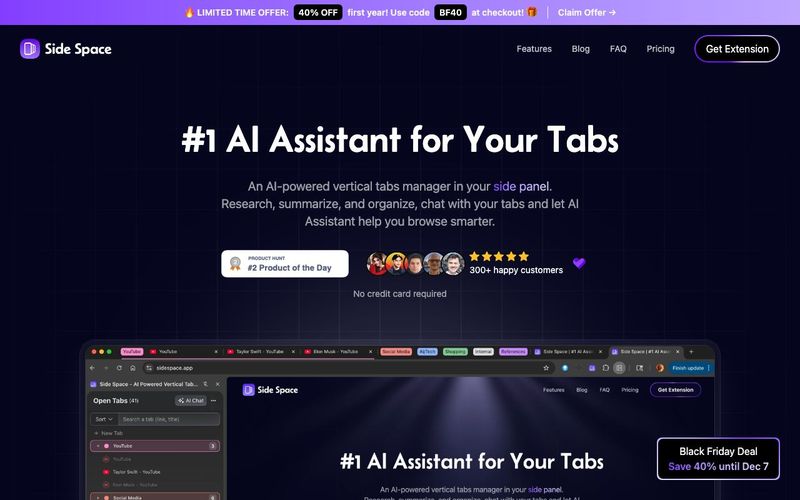
Good question, why we need a tab manager that live in your side panel. But when you have used the Vertical tabs in Microsoft Edge browser or the sidebar in Arc Browser, you will understand, because using a side panel to manage tabs is really convenient.
Side Space is a Chrome browser extension created to fill the empty side panel area. It provides tab management capabilities in this previously unused space.
Side Space currently offer two optional third-party login options, Google and GitHub. Logging in with these accounts allows you to sync your data to the cloud, and you can access the Side Copilot(AI Assistant) feature.
This means that when you log in to another browser or device with your account, your saved spaces will be synchronized.
Yes, we offer a free version of Side Space for you to try. With this version, you can create and manage up to 5 spaces for your tabs and up to 1000 URLs for AI Grouping.
We provide free access to Side Copilot(Chat Mode) for your current focus page.
If there are any serious issues with the license, reach out and let us know via support@sidespace.app within 7-days and we'll issue a full refund.
You'll no longer be able to saving or access more than 5 spaces if we issue a refund. But we can help you saving the tabs in the cloud for 30-days in case you want to recover your spaces again. We think that's pretty fair! You can read the full refund policy in the License Agreement.
BYOK, or Bring Your Own Key, is a flexible security and management model commonly used in cloud and API services. In the specific context of AI APIs (such as those for large language models like GPT, Claude, DeepSeek, Gemini or OpenRouter), it most often refers to users providing their own API keys from AI providers to third-party tools, gateways, or applications. This allows seamless integration with various AI models without relying on the tool's built-in credentials or subscriptions. BYOK puts control in your hands.
For Side Copilot Chat Mode, you can access the current open tabs context, ask for information about the current page like summarizing the page, extracting the main points, etc.
For Side Copilot Agent Mode, we are providing a set of tools to help you automate your browser. Like grouping tabs, opening new tabs, closing tabs, navigating to websites, searching the web, management windows, etc.'
For Chromium-based browsers like Chrome, Edge, Brave, Comet.
For Firefox-based browsers like Firefox, Zen.
No, it can't be placed on the left side, it depends on the browser.
However, we regret to inform you that ChatGPT’s Atlas does not support any sidePanel extensions, including Side Space.
Please look forward to Atlas supporting sidebars similar to Arc or supporting the sidePanel API.
PS. Side Space support the Perplexity's Comet Browser.
Side Space is a highly versatile AI tool and AI Office Tool that transforms the way users manage their browser tabs, leveraging the often-unused side panel in modern browsers. Unlike traditional tab managers, Side Space positions its vertical tab system directly in the browser side panel, providing instant access and better organization for users who juggle multiple tabs and projects simultaneously. The integration of Side Copilot, its AI assistant, elevates it from a simple tab manager to a productivity powerhouse, enabling users to summarize pages, extract key information, and automate tab management with natural-language commands.
By signing in via Google or GitHub, users can sync their spaces and browsing data across devices, ensuring continuity of workflow no matter where they work. This is particularly valuable for professionals managing research, client projects, or complex online workflows. Even the free version of Side Space offers impressive functionality, supporting up to 5 spaces and 1,000 URLs for AI grouping, with access to Side Copilot Chat Mode to summarize and analyze pages in real-time.
Side Space also supports a wide range of browsers, including Chromium-based browsers like Chrome, Edge, Brave, Comet, and Firefox-based browsers like Firefox and Zen, making it widely accessible. For users who need advanced automation, Side Copilot Agent Mode allows AI-powered actions such as grouping tabs, opening or closing windows, navigating websites, and managing browser history, effectively acting as a personal AI assistant within the browser.
The tool also supports BYOK (Bring Your Own Key) for AI API integration, letting users connect their own AI models such as GPT, Claude, Gemini, and more, offering unparalleled flexibility in customizing AI workflows. With automatic cloud synchronization, AI-assisted summarization, and multi-browser support, Side Space stands out as a premium AI Office Tool that not only organizes digital workspaces but also optimizes productivity, helping users save time, reduce clutter, and manage their online environment intelligently.


Flux 2 Max 是 Flux 2 系列中最先进的版本,专为追求高精度、真实感和生产级视觉输出的创作者而设计。作为一款高端的 AI 图像生成器(AI Image Generator) 与强大的 AI 图像编辑器(AI Image Editor) 的结合体,Flux 2 Max 将图像质量与一致性提升到了全新高度,非常适合专业级创作流程。
随着人工智能的飞速发展,11月成为了全年最具突破性的月份之一。从新一代图像模型和令人惊叹的视频工具,到能够编写代码、构建应用程序、清理杂乱数据,甚至从零开始创建完整学习中心的 AI 助手,应有尽有。无论你是创作者、营销人员、学生、开发者,还是仅仅是一位人工智能爱好者,本月的种种新发现都会让你重新思考人工智能的无限可能。

2025年最佳AI大模型与AI工具,最受欢迎的免费AI大模型与AI工具。

With the launch of the iOS 18.1 Beta version, registered developers can now experience some of the features of Apple AI, a cutting-edge addition to AI tools.