订阅AI通讯
您的数据完全安全。我们不会与任何人共享。
A Live Photo is an Apple feature that captures 1.5 seconds of video and audio before and after you take a still photo. When viewed on compatible devices, Live Photos come to life when you press and hold the image, showing movement and playing sound from the moment the photo was taken.
Live Photos are primarily designed for Apple devices, but our conversion tools allow you to transform them into universally compatible formats like GIFs and videos that can be viewed on any device or platform.
After creating or downloading a Live Photo, go to Settings > Wallpaper > Choose a New Wallpaper > Live Photos album, select your Live Photo, adjust as needed, and set it as your lock screen. Press firmly on the lock screen to see the animation.
While both show animation, Live Photos include audio and higher quality video that only activates when pressed on compatible devices. GIFs are silent, loop continuously, and are universally compatible across platforms but typically have lower quality and larger file sizes.
Use our Video to Live Photo converter - simply upload your video, adjust the duration and quality settings if needed, and convert. The resulting file can be saved to your iPhone's camera roll as a fully functional Live Photo.
Yes, open your iPhone camera app and look for the Live Photos icon (concentric circles) at the top of the screen. Tap to toggle it off (icon will have a line through it when disabled). You can also permanently disable it in Camera settings.Q: Why is my generated LivePhoto only 1-2 seconds long?
This is an iOS system limitation. True LivePhoto format is designed for brief dynamic effects, typically playing for only 1.5-3 seconds. For longer animations, consider using GIF format instead.
LivePhoto is Apple's proprietary format and cannot display properly on Android devices. However, you can share by:
Converting to GIF format
Exporting as regular video files
Using third-party apps to convert formats
Please check the following settings:
Ensure you're using iPhone 6s or newer
Check if the LivePhoto icon is enabled
Try resetting the wallpaper
Restart your device and try again
Limitations vary by app:
intoLive Free: Max 5 seconds, no repeat playback
VideoToLive Free: Basic features, watermarked
Video to Live Wallpaper: Completely free, no restrictions
Follow these tips:
Choose smooth, meaningful 3-second clips
Avoid fast movements or flickering footage
Ensure video quality is clear
Select clips that loop naturally when repeated
The iPhone Camera app can capture LivePhotos directly, but cannot convert existing videos to LivePhotos.
You must use third-party apps for conversion.
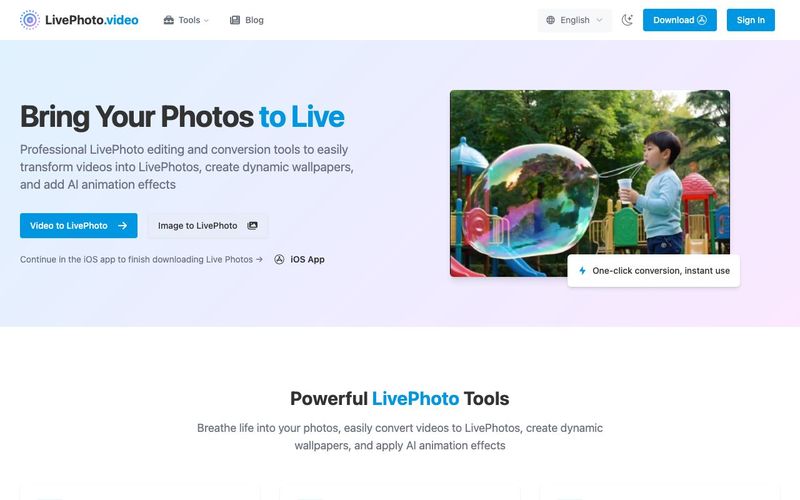
LivePhoto.video stands out as a versatile AI tool for image generation and dynamic content creation, particularly for Apple device users. Live Photos are unique in that they capture 1.5 seconds of video and audio before and after taking a still image, bringing pictures to life with natural motion and sound. With LivePhoto.video, users can easily convert standard videos into Live Photos, apply AI-driven animation effects to static images, and generate engaging dynamic wallpapers for iPhones.
The platform addresses common limitations of Apple’s native Live Photos, such as short duration (1.5–3 seconds) and device compatibility. By converting Live Photos into universally viewable formats like GIFs or standard videos, LivePhoto.video ensures content can be shared across Android and web platforms without losing quality. The tool also provides intuitive editing options, including trimming video segments, adjusting aspect ratios, and enhancing motion effects, making it simple for creators to produce visually compelling Live Photos from existing video content.
Users can set Live Photos as lock screen wallpapers directly on iPhones, or export them as GIFs and videos for social media sharing. The AI-powered animation technology allows smooth and natural motion in photos, even restoring older images with dynamic effects. Free and third-party app integrations, like intoLive, VideoToLive, and Video to Live Wallpaper, further expand usability by supporting longer videos, batch processing, and additional creative options.
Overall, LivePhoto.video combines the convenience of AI-assisted image generation with robust tools for video-to-LivePhoto conversion, animation, and social sharing. It empowers users to transform ordinary photos and clips into interactive, professional-looking dynamic visuals, bridging Apple’s proprietary format with cross-platform compatibility and offering an essential solution for anyone looking to enhance their mobile media creatively.


Flux 2 Max 是 Flux 2 系列中最先进的版本,专为追求高精度、真实感和生产级视觉输出的创作者而设计。作为一款高端的 AI 图像生成器(AI Image Generator) 与强大的 AI 图像编辑器(AI Image Editor) 的结合体,Flux 2 Max 将图像质量与一致性提升到了全新高度,非常适合专业级创作流程。
随着人工智能的飞速发展,11月成为了全年最具突破性的月份之一。从新一代图像模型和令人惊叹的视频工具,到能够编写代码、构建应用程序、清理杂乱数据,甚至从零开始创建完整学习中心的 AI 助手,应有尽有。无论你是创作者、营销人员、学生、开发者,还是仅仅是一位人工智能爱好者,本月的种种新发现都会让你重新思考人工智能的无限可能。

2025年最佳AI大模型与AI工具,最受欢迎的免费AI大模型与AI工具。

With the launch of the iOS 18.1 Beta version, registered developers can now experience some of the features of Apple AI, a cutting-edge addition to AI tools.