订阅AI通讯
您的数据完全安全。我们不会与任何人共享。
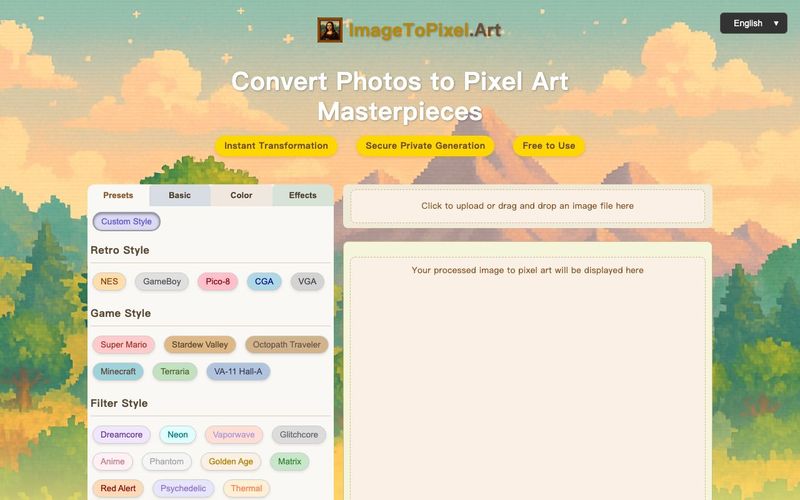
Effortlessly convert image to pixel art with ImageToPixel.Art, your free online picture to pixel art converter. Transform photos, customize styles, and download stunning pixel art masterpieces in seconds. Ideal for all your image to pixel needs.
Powerful Features of Our Image to Pixel Art Generator
Our AI-powered image to pixel art generator offers unlimited creative possibilities. Convert any photo to pixel art and create charming masterpieces, turning your pictures into pixel art with ease.
Instant Transformation
Instantly convert image to pixel art. Our powerful engine turns your picture into pixel art in seconds.
Unlimited Creativity
Unleash your creativity with our image to pixel art generator and create unique artistic works from any photo.
Multiple Styles
Choose from various pixel art styles to match your preferences when you convert an image to pixel art.
Easy to Use
Easy image to pixel art conversion. No design skills? No problem! Just upload your picture, choose a style, and turn image into pixel art effortlessly with our pixel picture maker.
Completely Free
Our image to pixel art converter tool is completely free, with no registration required to use all features for your photo to pixel art needs.
Easy Download
Download your generated pixel art images in high-quality PNG format for easy sharing and use after you convert to pixel art.
Image to Pixel Art Inspiration
See how our image to pixel art converter transforms classic photos. Get inspired to turn your picture into pixel art masterpieces and explore various art to pixel examples.
Upload
Click or drag & drop your JPG, PNG, or other image. Our image to pixel art tool shows your original and the initial pixel art image preview side-by-side.
Customize
Explore presets or dive into manual controls. Adjust pixel size, colors, and effects. Watch your image to pixel conversion update in real-time with our pixel art maker from image!
Download
Happy with your masterpiece? Click download to get your high-quality PNG. It's that easy to convert image to pixel art and get your pixel picture!
Image to Pixel Art FAQs: Your Questions Answered
What exactly is ImageToPixel.Art?
ImageToPixel.Art is a free online tool that lets you easily convert any image to pixel art. You can upload your photos or graphics and use various controls to customize the pixelated look, making it a versatile image to pixel art converter.
How do I turn a picture into pixel art using this tool?
It's simple! 1. Upload your picture. 2. Use our intuitive image to pixel converter sliders and presets to adjust pixel size, colors, and style. 3. Download your finished pixel art image. The real-time preview shows your changes instantly as you convert picture to pixel art.
Is this image to pixel art converter free to use?
Yes, ImageToPixel.Art is completely free for all its core features! Enjoy our free service to convert image into pixel art without any hidden costs.
What kind of images can I convert to pixel art?
You can upload common image formats like JPG, PNG, and others with our image to pixel art converter. It's great for photos, illustrations, logos – pretty much any image into pixel art you can think of! Try our pic to pixel feature today.
What's the best way to convert photo to pixel art for a retro game aesthetic?
Our image to pixel art converter offers presets like NES, GameBoy, and CGA. You can also manually adjust pixel size and color palettes to achieve that perfect retro photo to pixel art look, effectively turning your photo into a classic pixel art image.
Can I use this tool as a pixel art maker from image for social media?
Absolutely! Turning your picture into pixel art is a great way to create unique avatars or posts. Our image to pixel converter ensures high-quality results, perfect for making your social media profiles stand out with unique pixel art.
How detailed can my pixel art image be?
With our image to pixel art tool, you have control over the pixel size. Smaller pixel sizes result in more detailed pixel art images, while larger sizes give a more abstract look. Experiment to find what's best for your image to pixel conversion needs.
Does this img to pixel art tool support transparency?
Yes, you can manage transparency using the alpha threshold setting in our image to pixel art converter. This is perfect for creating sprites or graphics with transparent backgrounds when you convert image to pixel art.
Are there advanced options for converting picture to pixel art?
Our photo to pixel art converter includes advanced options like various dithering algorithms, color balance adjustments, and post-processing effects such as scanlines and bloom. These features help you finely tune your picture to pixel art.
What makes ImageToPixel.Art a good choice for pixel art convert tasks?
We offer a user-friendly interface, a wide range of customization options for your image to pixel art, real-time previews, and it's completely free. It's an ideal pixel art converter for both beginners and experienced artists looking to convert images to pixel art or perform an art to pixel transformation.
Can I turn pictures into pixel art that look like specific game styles?
Yes, our platform has game style presets. You can easily convert your picture to pixel art with these popular aesthetics (e.g., Minecraft, Stardew Valley) or fine-tune settings with our image to pixel art converter for a custom look.
How do I convert image into pixel art with a limited color palette?
Our image to pixel art tool allows you to specify the number of colors (e.g., 2, 4, 16, 256) or even use preset palettes. This gives you full control over the color reduction when you convert an image into pixel art, ensuring your pixel picture maker results are exactly as you envision.
分享实用笔记,帮助他人评估此工具。
暂无评论。开始对话吧。


探索精心挑选的 Codex 皮肤,保存收藏,并在 macOS 或 Windows 上自定义 Codex 桌面版,同时保留原生 UI。

NanoBananaAI 是一款由 Nano Banana Pro(谷歌先进图像模型)驱动的免费 AI 图像生成器。通过自然语言提示词,创建、编辑和转换令人惊叹的视觉效果,无需设计技能。

通过想法或脚本生成无脸短视频。在生成前检查吸引点、配音、视觉、字幕和场景规划。
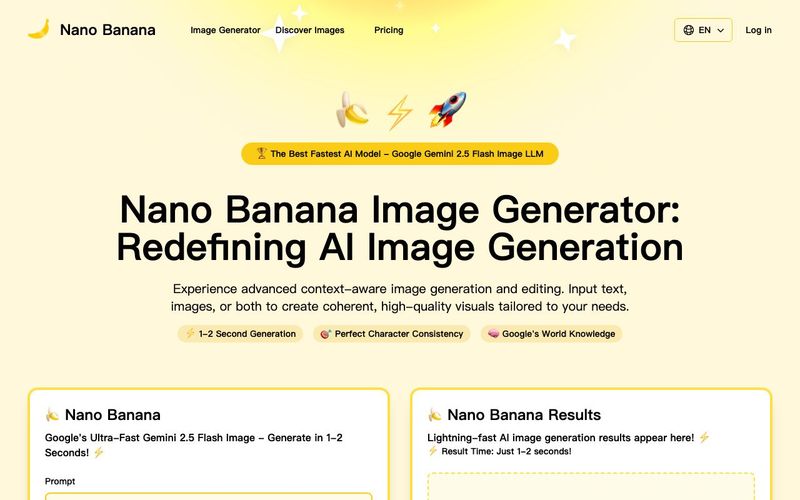
Discover Nano Banana, the next-generation multimodal model for context-aware image generation and editing. Combine text and image prompts to create, edit, and refine visuals with unmatched consistency and style.


Flux 2 Max 是 Flux 2 系列中最先进的版本,专为追求高精度、真实感和生产级视觉输出的创作者而设计。作为一款高端的 AI 图像生成器(AI Image Generator) 与强大的 AI 图像编辑器(AI Image Editor) 的结合体,Flux 2 Max 将图像质量与一致性提升到了全新高度,非常适合专业级创作流程。
随着人工智能的飞速发展,11月成为了全年最具突破性的月份之一。从新一代图像模型和令人惊叹的视频工具,到能够编写代码、构建应用程序、清理杂乱数据,甚至从零开始创建完整学习中心的 AI 助手,应有尽有。无论你是创作者、营销人员、学生、开发者,还是仅仅是一位人工智能爱好者,本月的种种新发现都会让你重新思考人工智能的无限可能。

2025年最佳AI大模型与AI工具,最受欢迎的免费AI大模型与AI工具。

With the launch of the iOS 18.1 Beta version, registered developers can now experience some of the features of Apple AI, a cutting-edge addition to AI tools.